Apple iPod shuffle导入歌曲

 时间:2026-04-22 23:54:42

1、先下载好自己需要导入的歌曲。

Apple iPod shuffle导入歌曲

2、将Apple iPod shuffle 插入电脑,并打开iTunes,就会进入iTunes界面。

Apple iPod shuffle导入歌曲

3、点击开打iTunes上的Apple iPod shuffle图标,进入Apple iPod shuffle的管理界面。

Apple iPod shuffle导入歌曲

4、在Apple iPod shuffle的管理界面上可以看到关于Apple iPod shuffle 的信息,在这里你可以修改Apple iPod shuffle 的名称,可以恢复Apple iPod shuffle到出厂设置。
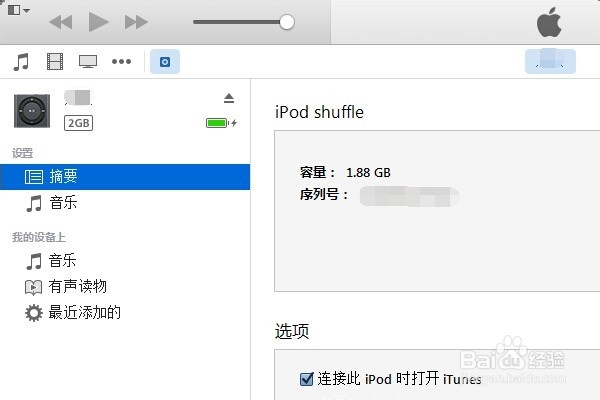
Apple iPod shuffle导入歌曲

5、点击我的设备上的音乐,就可以进入Apple iPod shuffle 的上音乐管理界面。

Apple iPod shuffle导入歌曲

6、将自己需要上传的歌曲直接拖入在此设备上音乐列表里面,音乐就可以导入进去。
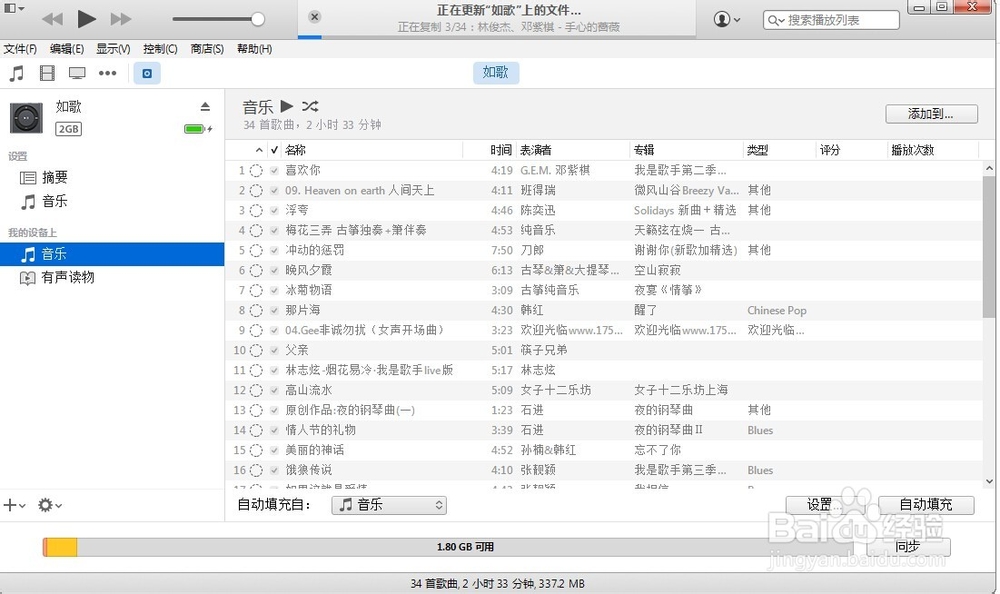
Apple iPod shuffle导入歌曲

7、同样的选择歌曲点击鼠标右键,可以看到删除,在此你可以删除不喜欢的音乐。

  • 城通网盘怎么下载城通网盘的资源
  • OS X 正式版U盘USB启动安装盘 制作方法
  • 魔兽四国之战攻略
  • 逆水寒混江湖奶茶店
  • 太吾绘卷如何使用伏羲剑柄
  • 热门搜索
    要男朋友有什么用 产能是什么意思 白头发越来越多是什么原因 燕子的尾巴像什么 什么补血 生灵涂炭什么意思 规格是什么意思 股票量比是什么意思 什么洗发水好 我国最高权力机关是什么