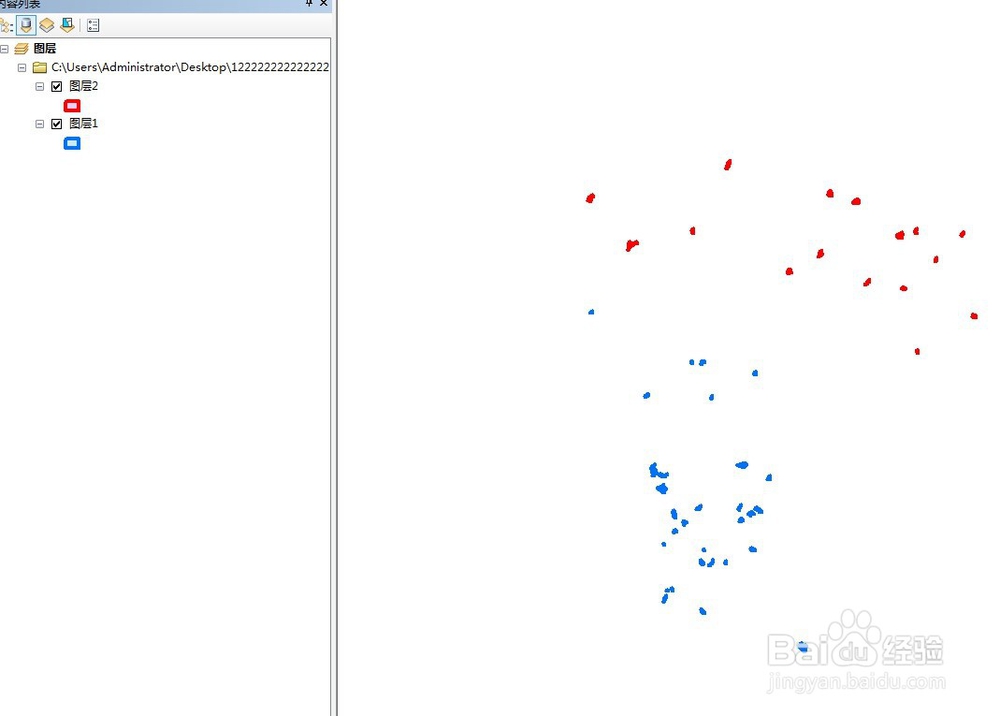
1、首先,打开arcgis软件arcmap,加入待合并数据。
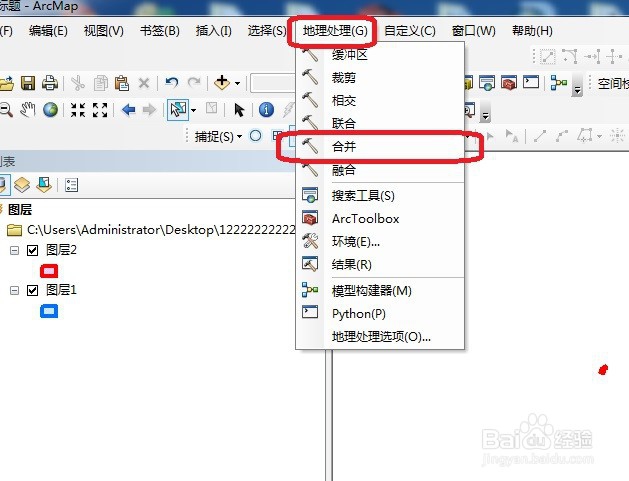
2、然后,选择工具栏中的地理工具中的合并。
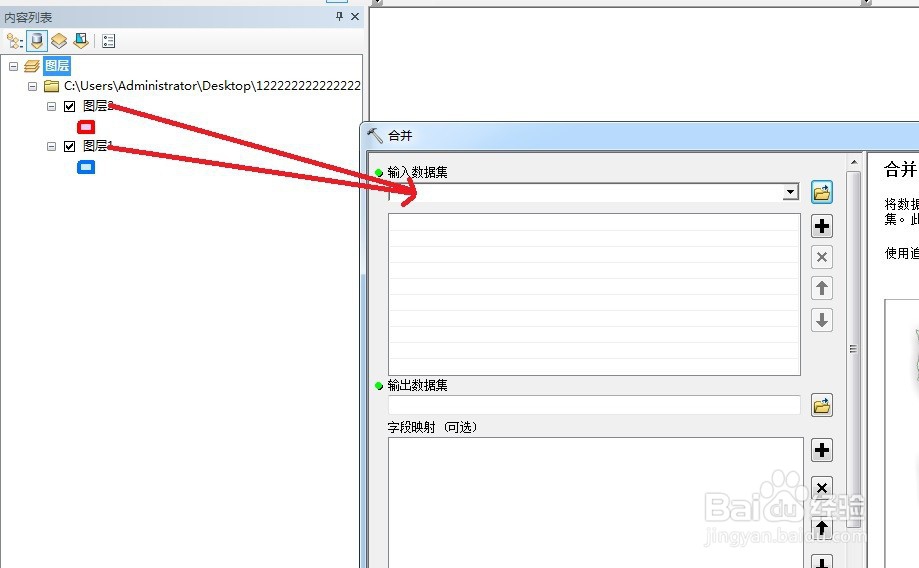
3、然后,将待合并的数据一一拖进窗口,如图,多个都行
4、数据拖入完成后,点击确认,
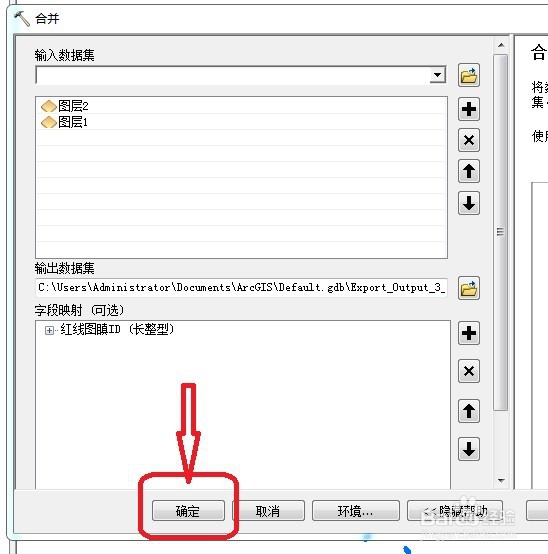
5、合并完成,如图,产生新的数据。
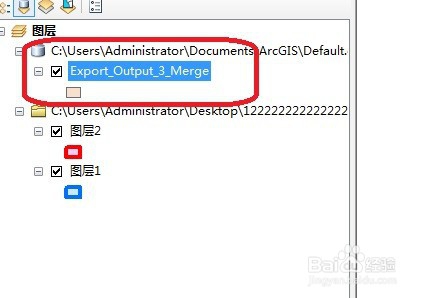
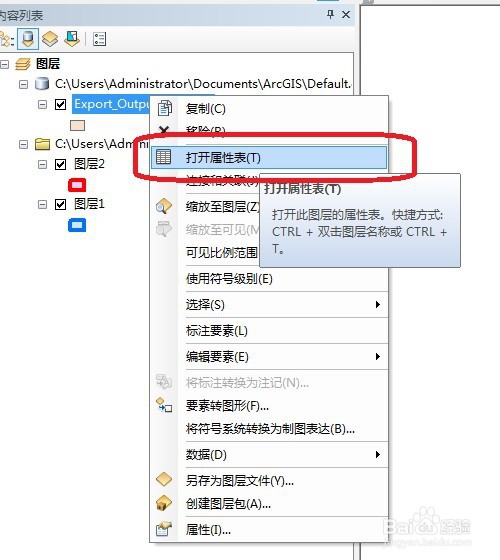
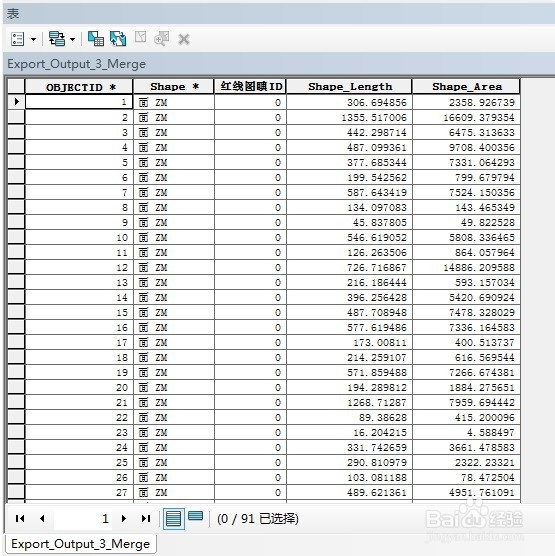
6、右键点击数据,可打开数据属性表检查是否完整,如图。
时间:2026-04-23 04:35:38
1、首先,打开arcgis软件arcmap,加入待合并数据。
2、然后,选择工具栏中的地理工具中的合并。
3、然后,将待合并的数据一一拖进窗口,如图,多个都行
4、数据拖入完成后,点击确认,
5、合并完成,如图,产生新的数据。
6、右键点击数据,可打开数据属性表检查是否完整,如图。
