PowerPoint中SmartArt图形的形状如何更换?

 时间:2026-02-12 00:37:33

1、打开PowerPoint软件。

PowerPoint中SmartArt图形的形状如何更换?

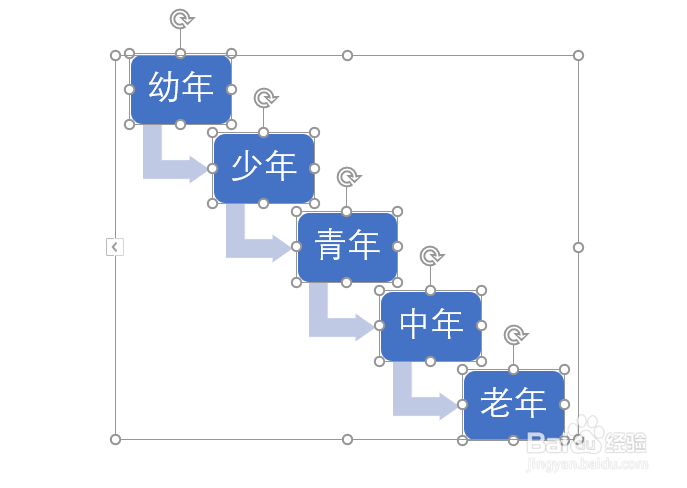
2、打开做好的SmartArt流程图。

PowerPoint中SmartArt图形的形状如何更换?

3、鼠标点中流程图。

PowerPoint中SmartArt图形的形状如何更换?

4、按住键盘上的Ctrl键点击需要更换的形状。

PowerPoint中SmartArt图形的形状如何更换?

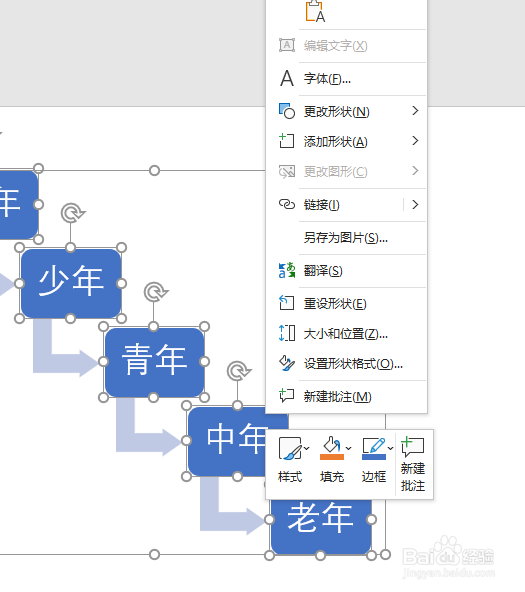
5、松开Ctrl键点击鼠标右键。

PowerPoint中SmartArt图形的形状如何更换?

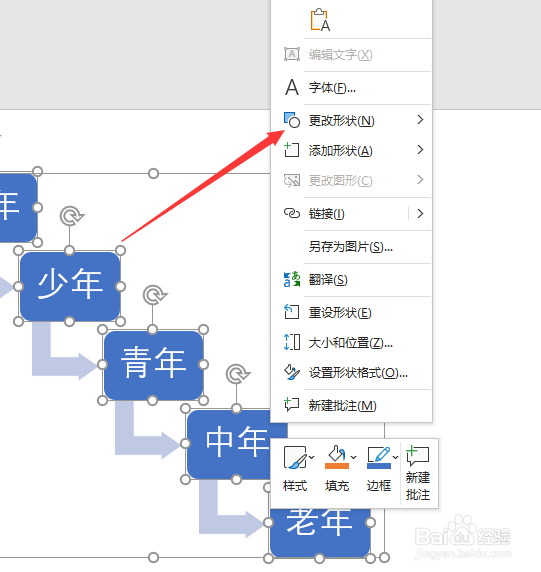
6、点击更改形状。

PowerPoint中SmartArt图形的形状如何更换?

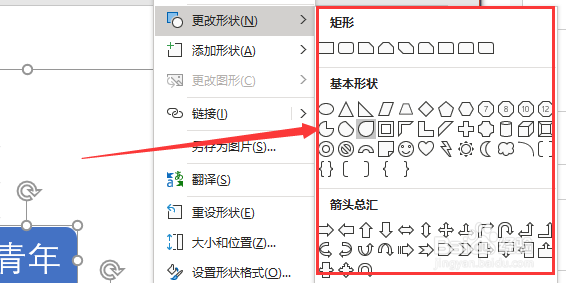
7、点击选择形状。

PowerPoint中SmartArt图形的形状如何更换?

8、这样就将PowerPoint中SmartArt图形的形状更换好了。

PowerPoint中SmartArt图形的形状如何更换?

  • 如何在Macbook的Word软件中创建收件人列表?
  • 如何在word2010插入编号?
  • Word2016怎么设置自动图文集?
  • PPT演示文档如何插入六边形集群关系
  • Word如何调整SmartArt图形大小设置
  • 热门搜索
    工作设想怎么写 肚子减肥方法 dnf攻略 初学者怎么学韩语 桌面图标大小怎么调 法令纹怎么消除按摩 三脚架怎么用 男神攻略系统 运动减肥的最好方法 怎么样去痘