Python:怎么打印string.ascii_lowercase属性

 时间:2026-02-14 11:03:45

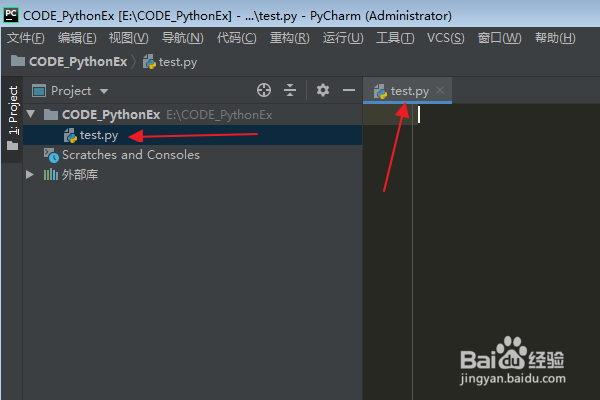
1、首先在PyCharm软件中,打开一个Python项目。

Python:怎么打印string.ascii_lowercase属性

2、在Python项目中,新建并打开一个空白的python文件(比如:test.py)。
Python:怎么打印string.ascii_lowercase属性

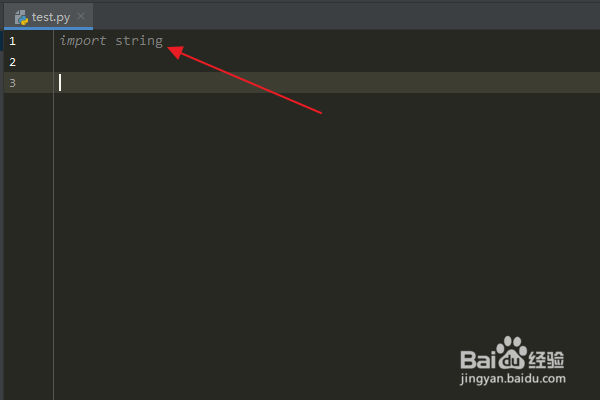
3、在python文件编辑区中,输入:“import string”,导入 string 模块。
Python:怎么打印string.ascii_lowercase属性

4、输入:“x = string.ascii_lowercase”,点击Enter键。

Python:怎么打印string.ascii_lowercase属性

5、然后输入:“print(x)”,打印出 string.ascii_lowercase 属性。

Python:怎么打印string.ascii_lowercase属性

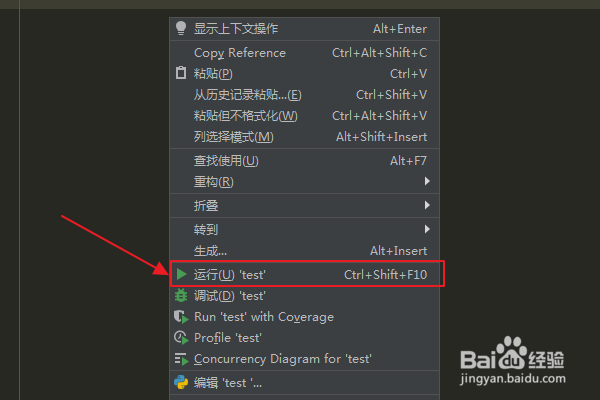
6、在编辑区域点击鼠标右键,在弹出菜单中选择“运行”选项。

Python:怎么打印string.ascii_lowercase属性

7、在运行结果窗口中查看运行结果,可以看到已经成功地打印了string模块的ascii_lowercase属性。

Python:怎么打印string.ascii_lowercase属性

  • pythonascii码转字符
  • python中input怎么输入数字
  • 怎样在C++将ASCII码转换为字符
  • 为什么 C 语言 sqrt 函数参数不支持 int?
  • python大小写字母转换
  • 热门搜索
    怎么去脚臭 乌龟怎么吃 怎么喝酒不醉 有抬头纹怎么办 眼睛散光是怎么回事 月计划怎么写 脸上皮肤过敏怎么办 怎么在电脑上截图 路由器怎么接 孕妇扁桃体发炎怎么办