photoshop(PS)怎么把某个图像设为背景图层?

 时间:2026-02-15 08:45:00

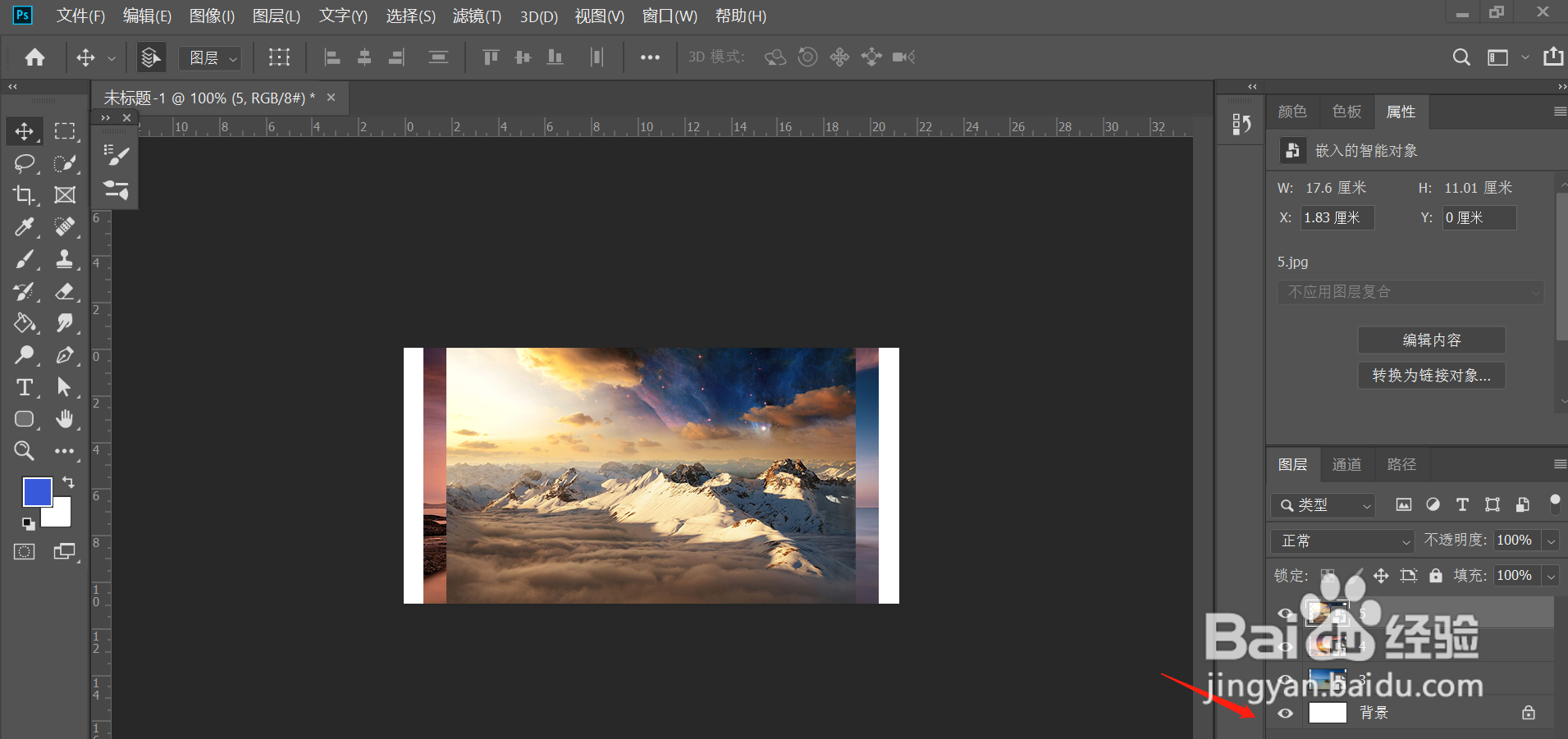
1、打开PS CC 2019软件。

photoshop(PS)怎么把某个图像设为背景图层?

2、打开图片文件。

photoshop(PS)怎么把某个图像设为背景图层?

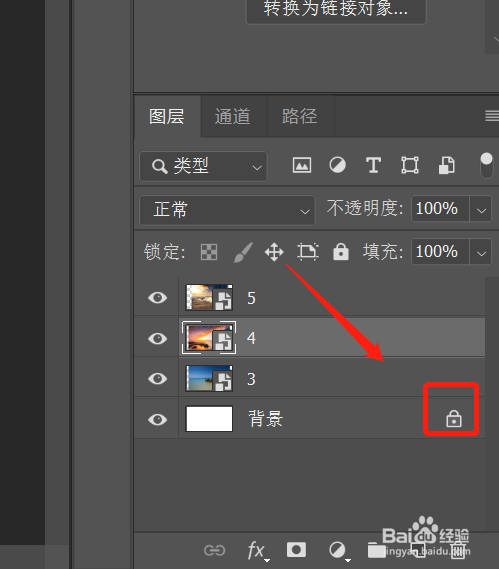
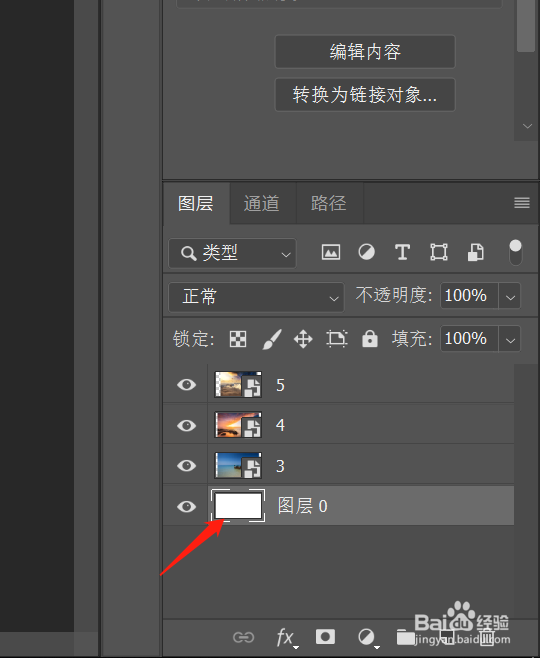
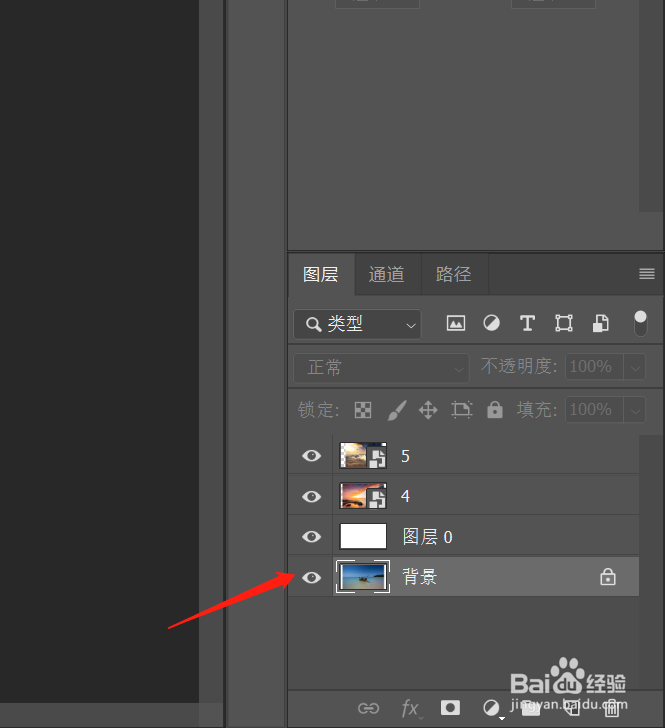
3、首先选择原有的背景图层,点击解锁。

photoshop(PS)怎么把某个图像设为背景图层?

photoshop(PS)怎么把某个图像设为背景图层?

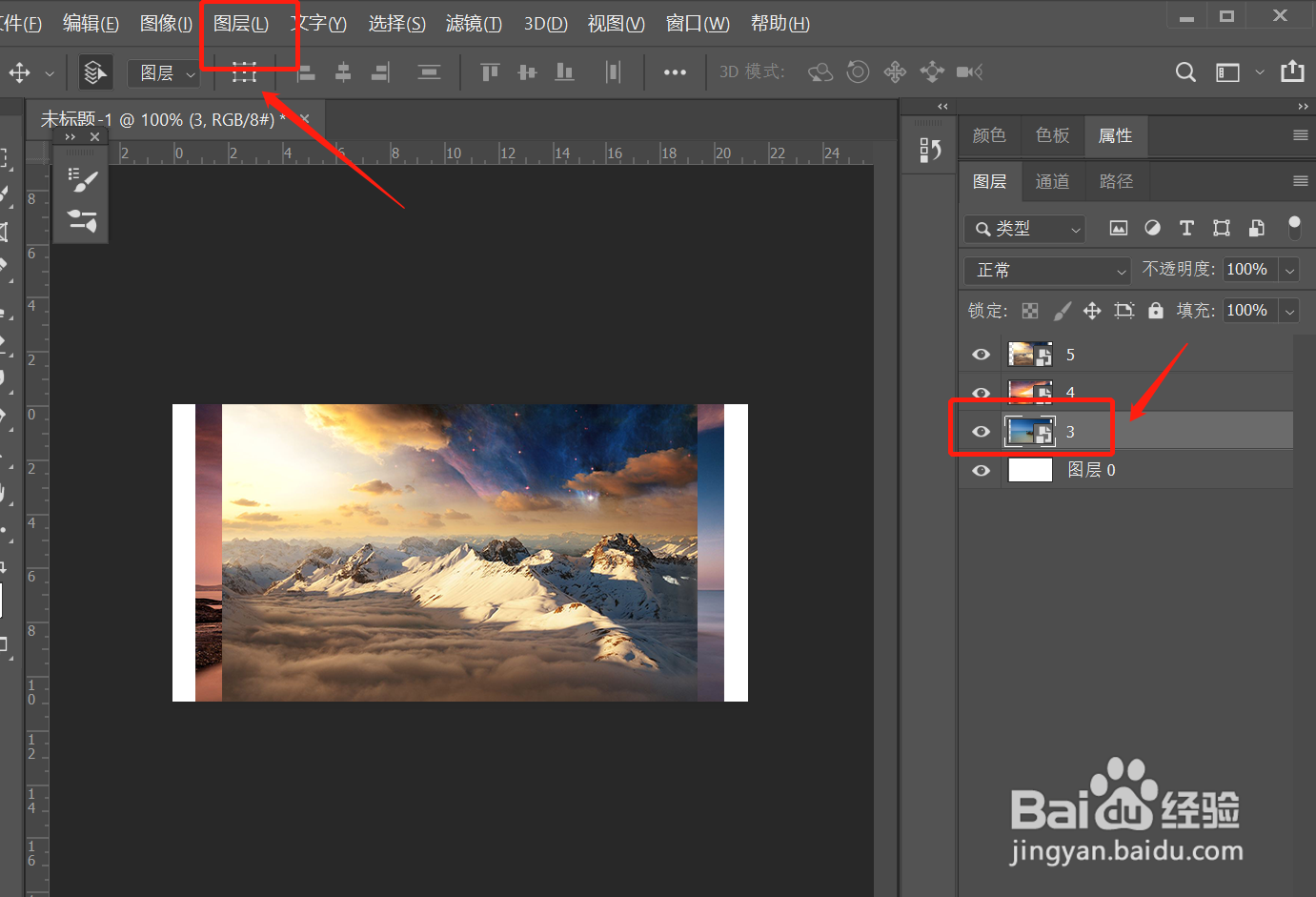
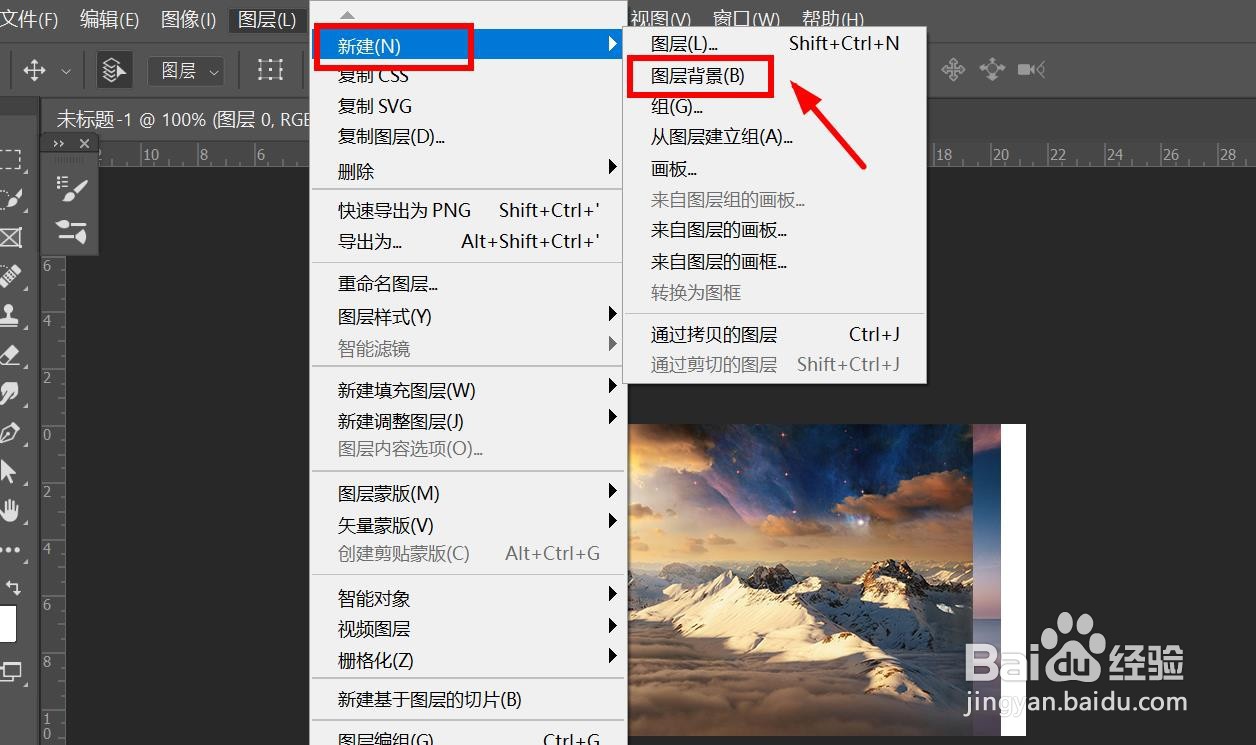
4、然后选择另外的图片。点击“图层”。

photoshop(PS)怎么把某个图像设为背景图层?

5、点击“新建”——“背景图层”。

photoshop(PS)怎么把某个图像设为背景图层?

6、背景图层就更改完了。

photoshop(PS)怎么把某个图像设为背景图层?

  • ps如何将图片图层拖到背景图层下边
  • ps如何擦除画笔痕迹
  • ps中智能对象不能直接编辑怎么办
  • ps怎么反转一个图层
  • ps怎么旋转图片
  • 热门搜索
    10万买什么车 幼儿健康教育知识 知识青年从军歌 汽车贴膜什么牌子好 微信运动不显示步数 蚂蚁粉的功效与作用 卸磨杀驴什么意思 什么人是不用电的 三七的功效与作用 女人的胸部长什么样