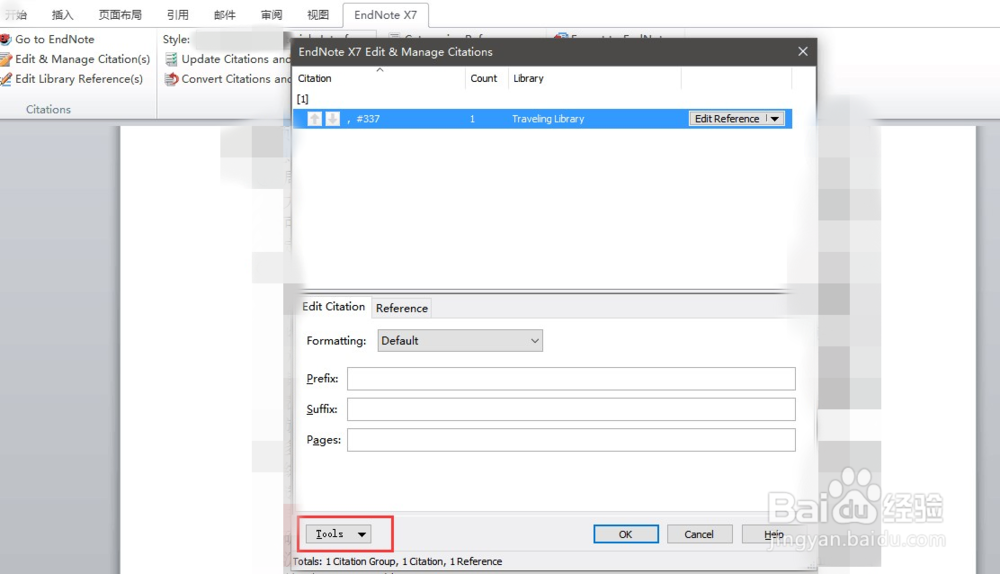
1、点击Endnote选项卡,选择Edit & Manage Citations

2、在弹出的对话框中点击左下角的 Tools 下拉菜单,选择Format Bibliography项
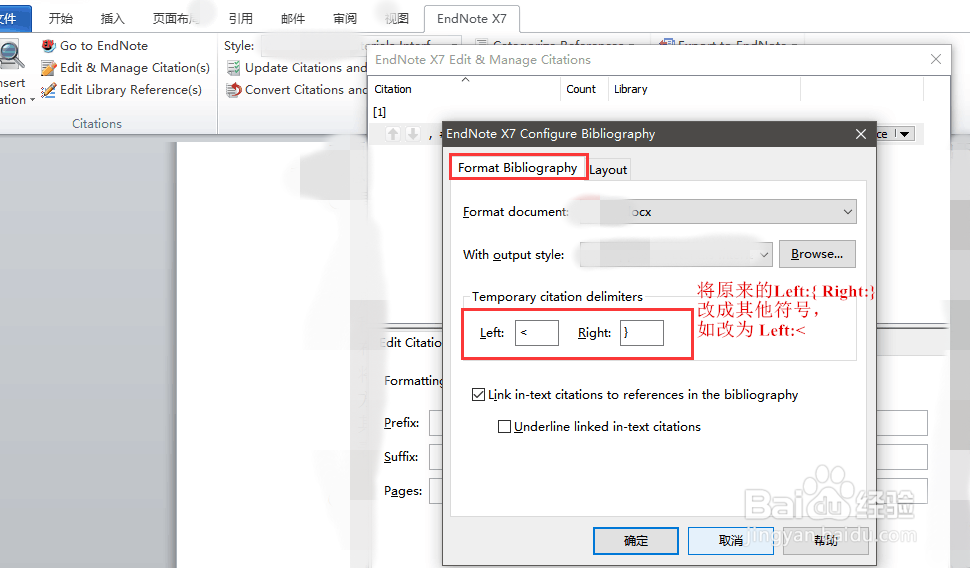
3、在Format Bibliography选项卡中,将大括号 { } 改为其它符号,,比如改为 < }
时间:2026-04-24 01:30:43
1、点击Endnote选项卡,选择Edit & Manage Citations
2、在弹出的对话框中点击左下角的 Tools 下拉菜单,选择Format Bibliography项
3、在Format Bibliography选项卡中,将大括号 { } 改为其它符号,,比如改为 < }
