win10打开方式没有Office word 2010怎么办啊

 时间:2026-02-14 21:07:30

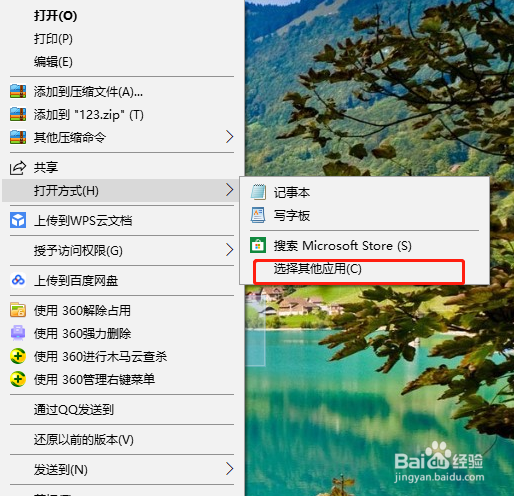
1、右键文档,选择“打开方式”。

win10打开方式没有Office word 2010怎么办啊

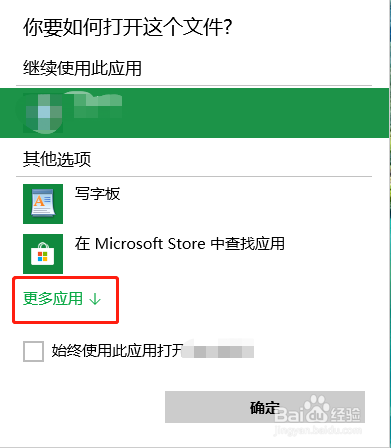
2、点击“选择其他应用”。

win10打开方式没有Office word 2010怎么办啊

3、点击“更多应用”。

win10打开方式没有Office word 2010怎么办啊

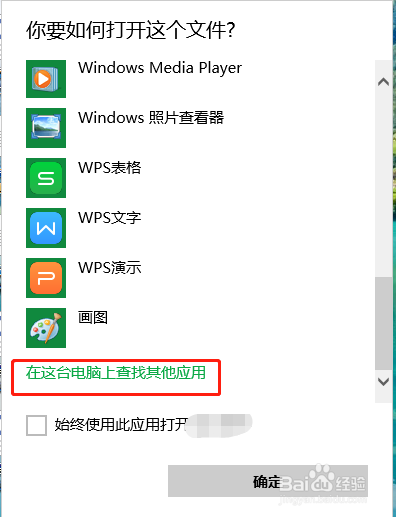
4、点击“在这台电脑上查找其他应用”。

win10打开方式没有Office word 2010怎么办啊

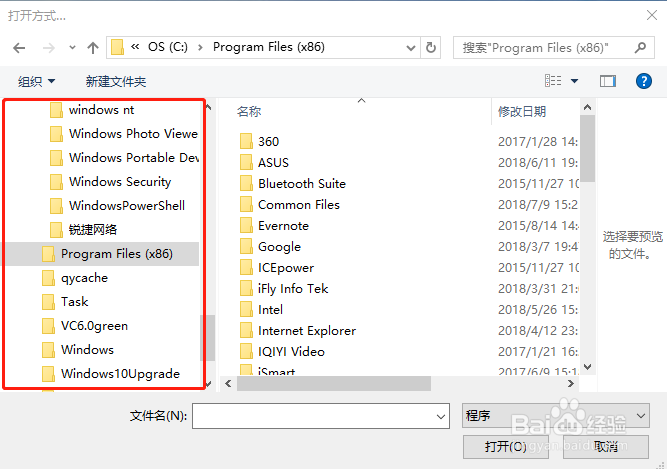
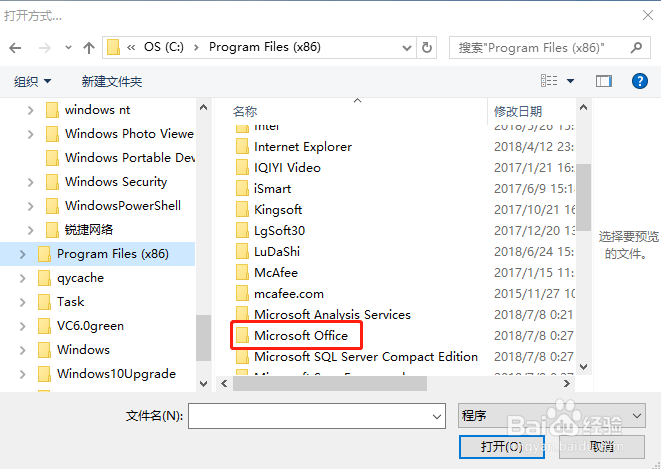
5、在左侧寻找并选择“Program Files(x86)"。

win10打开方式没有Office word 2010怎么办啊

6、双击"Microsoft Office"。

win10打开方式没有Office word 2010怎么办啊

7、双击"Office14"。

win10打开方式没有Office word 2010怎么办啊

8、点击“WINWORD”,再单击“打开”。

win10打开方式没有Office word 2010怎么办啊

  • WORD如何显示簇状柱形图效果
  • win7利用"排序方式"对文件进行高效管理
  • Word怎样插入二次公式
  • Word2016怎么样插入8pt星闪形呢?
  • 如何在虚拟机安装windows server 2012
  • 热门搜索
    指南针怎么用 ps怎么导入字体 中度宫颈糜烂怎么治疗 怎么避孕最安全 鄱阳湖怎么读 黄褐斑怎么治疗 鸡汤怎么做 怎么设置打印区域 函怎么写 怎么查微信注册时间