docker swarm集群安装搭建portainer UI管理

 时间:2024-11-05 07:40:23

1、这里先介绍集群的

docker swarm集群安装搭建portainer UI管理

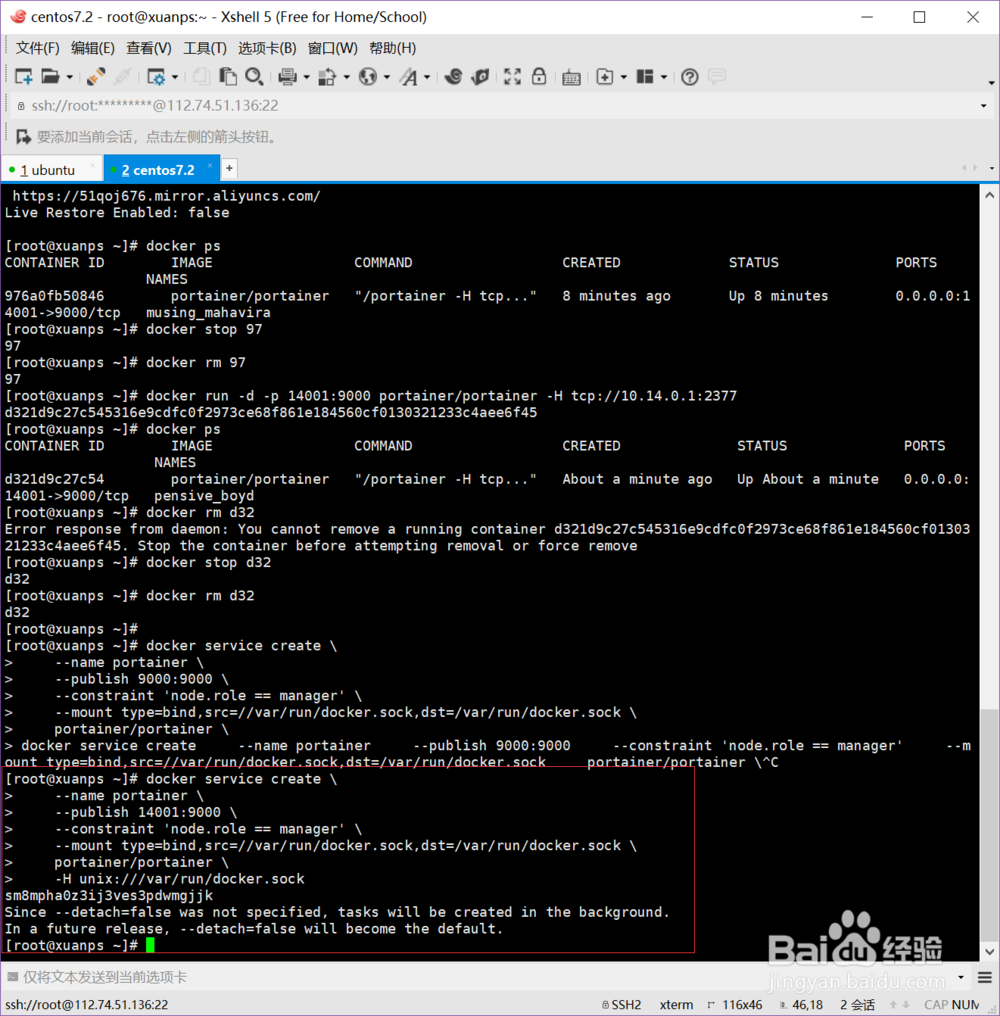
2、运行docker service create \ --name portainer \ --publish 9000:9000 \ --constraint 'node.role == manager' \ --mount type=bind,src=//var/run/docker.sock,dst=/var/run/docker.sock \ portainer/portainer \ -H unix:///var/run/docker.sock端口号和其他挂载可以根据自己需求修改

docker swarm集群安装搭建portainer UI管理

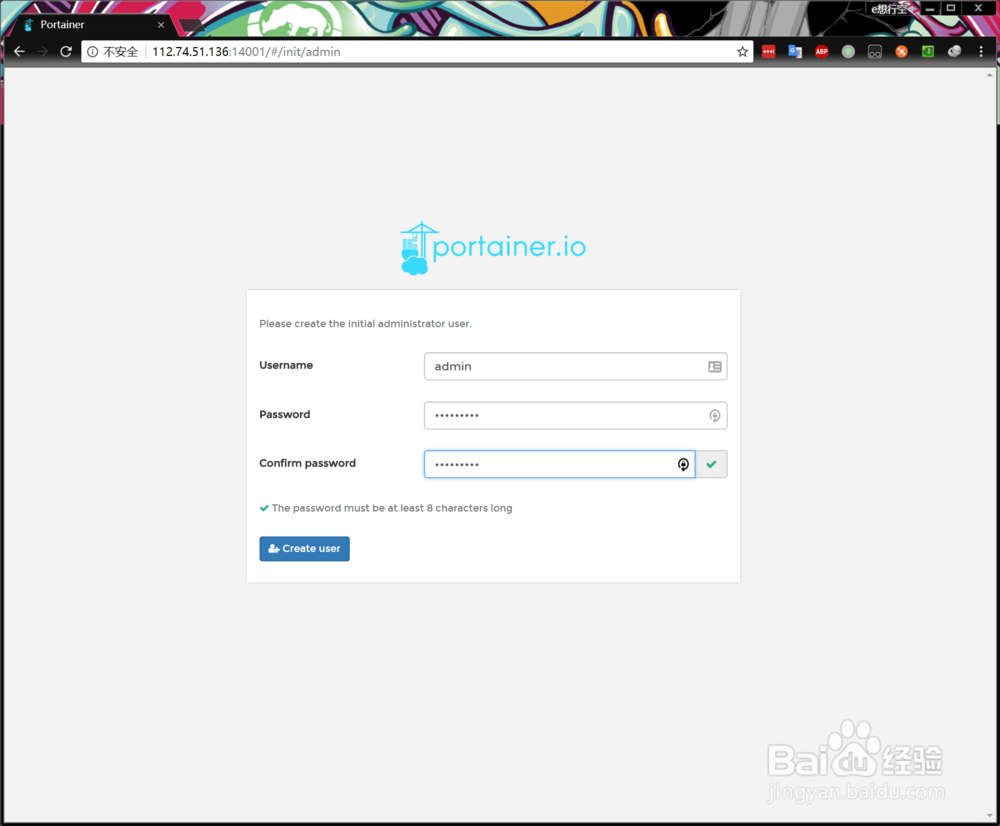
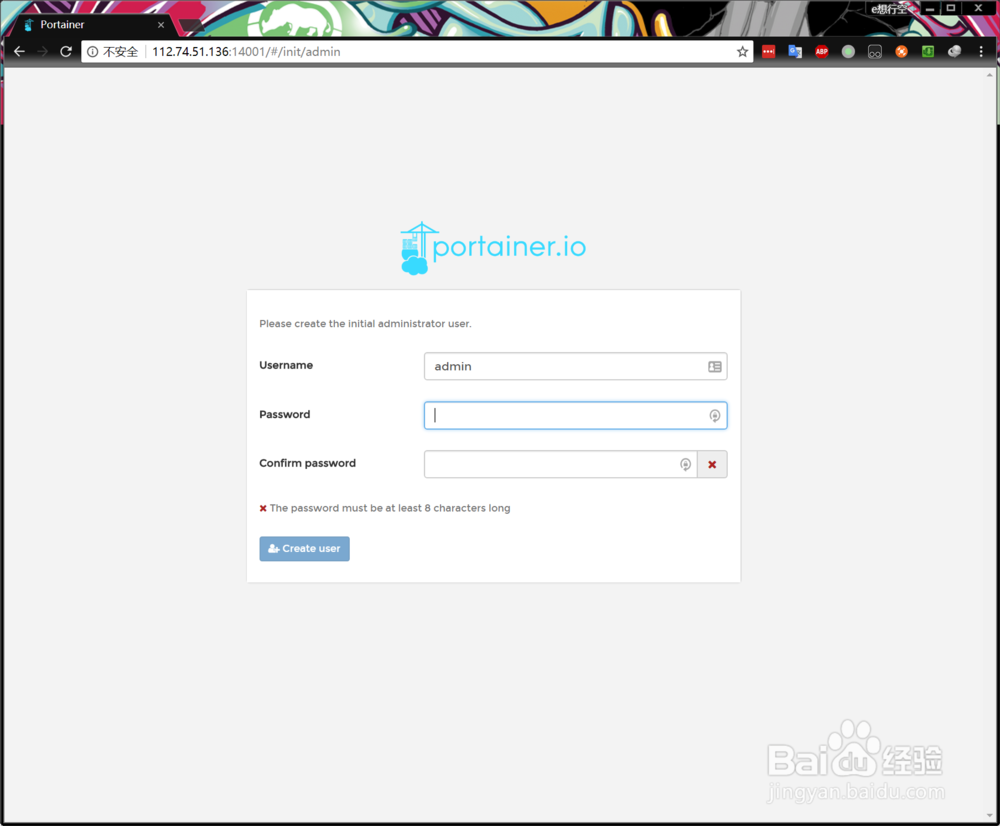
3、然后访问你的docker主机ip+端口号9000,这里是改过端口号的,然后设置管理员密码
docker swarm集群安装搭建portainer UI管理

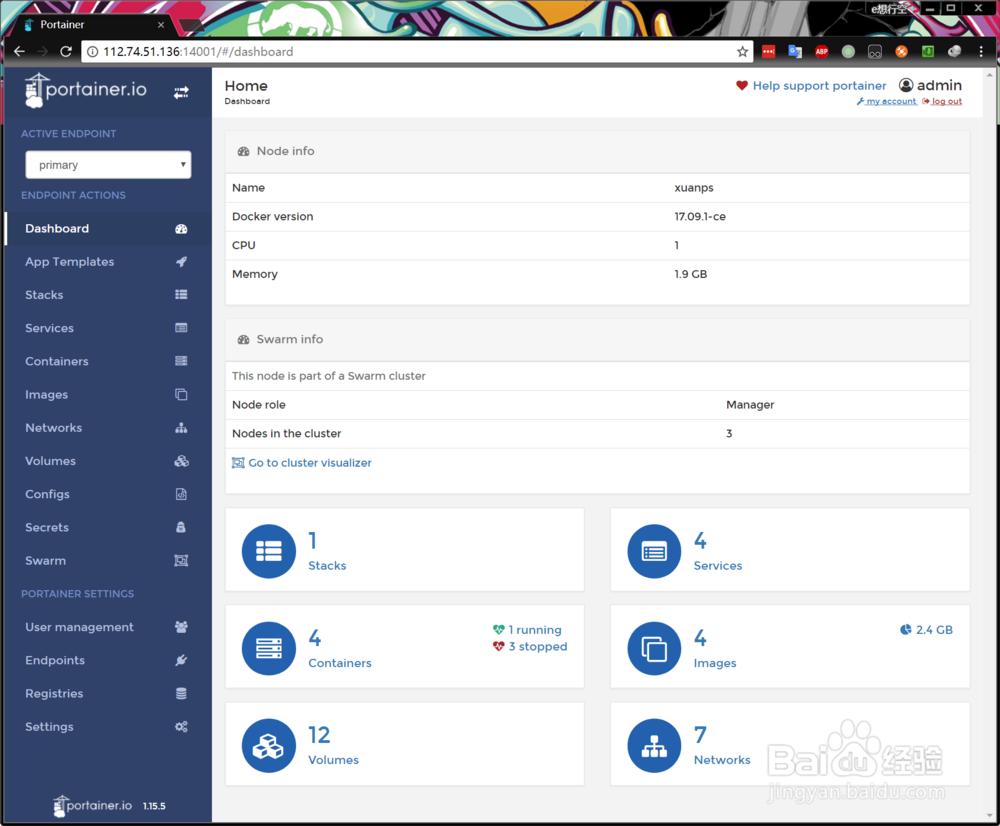
4、设置完成后就进入主页了

docker swarm集群安装搭建portainer UI管理

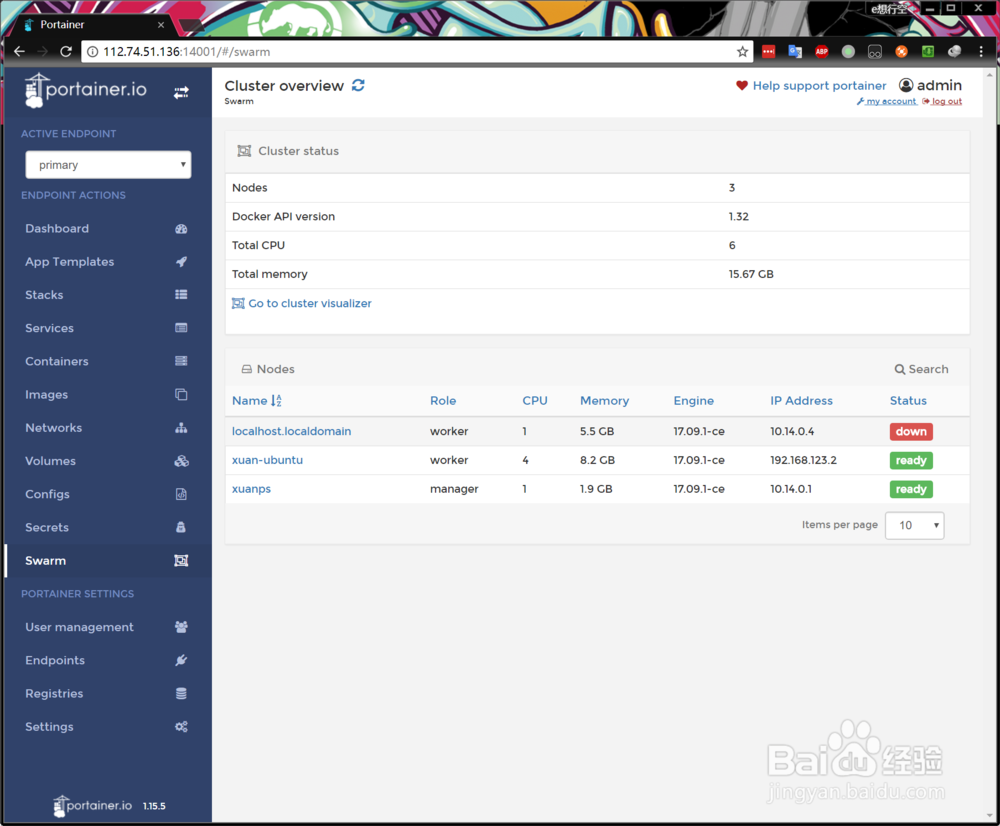
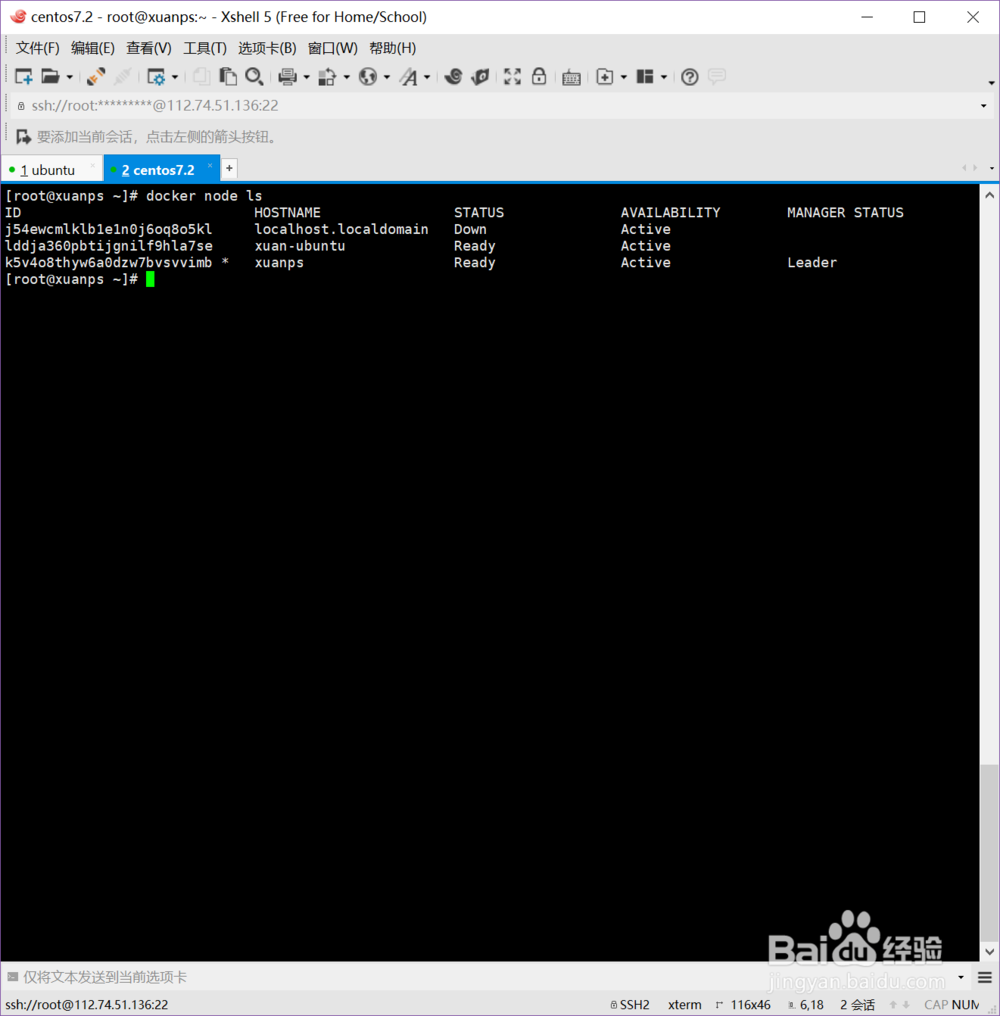
5、可以看到所有节点了

docker swarm集群安装搭建portainer UI管理

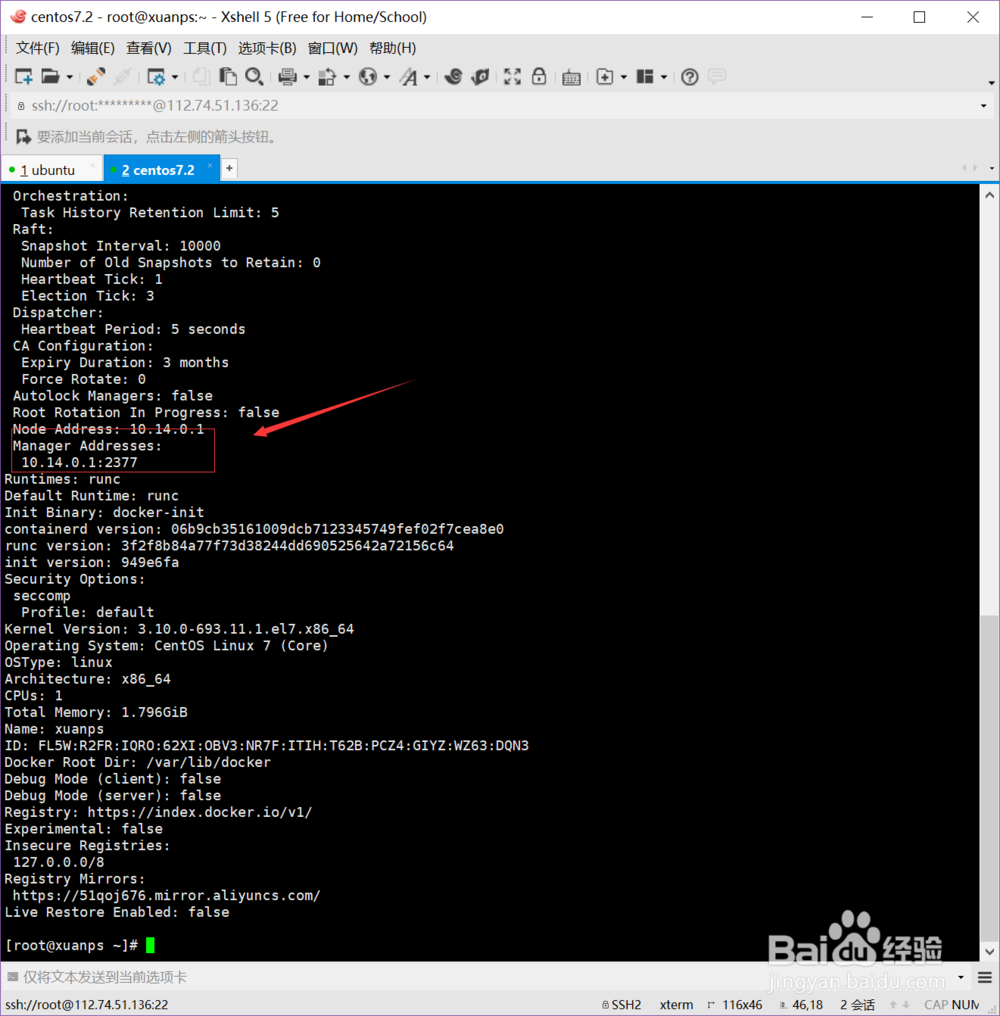
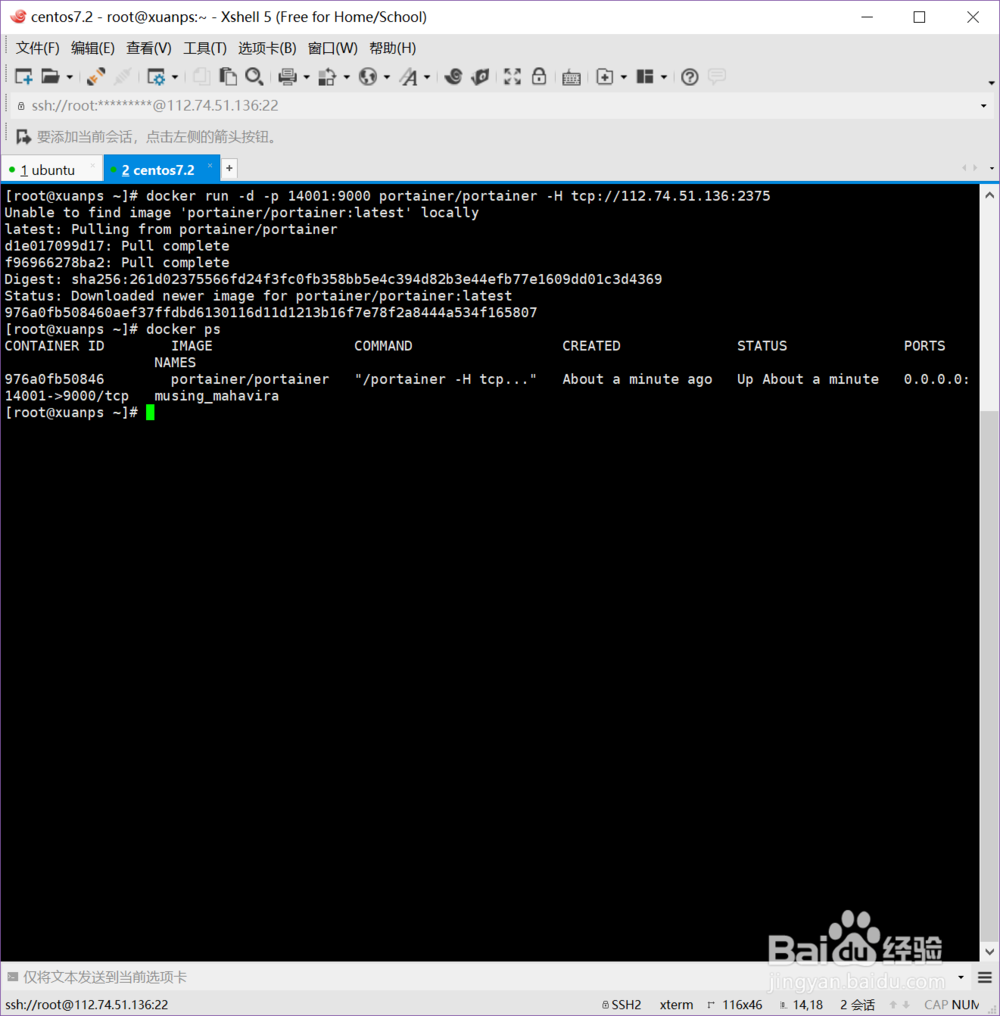
6、单机运行也很简单docker run -d 颍骈城茇-p 9000:9000 portainer/portainer -H tcp://<REMOTE_HOST>:<REMOTE忧溲枷茫_PORT>,注意端口号,和docker的要一致,可以通过docker info 查看

docker swarm集群安装搭建portainer UI管理docker swarm集群安装搭建portainer UI管理

7、服务启动好后

docker swarm集群安装搭建portainer UI管理

8、运行和集群的一样

docker swarm集群安装搭建portainer UI管理
  • ipv4和ipv6的区别是什么?
  • 如何在64位Ubuntu中编译32位Wine
  • 手把手教你操作Wireshark
  • Packet Tracer 配置VALN
  • visual studio 多核并发开发
  • 热门搜索
    白名单是什么意思 如何使用避孕套 梦见狗是什么意思 如何装修房子 sc是什么意思 玛卡巴卡是什么梗 天气潮湿怎么办 极限的祭坛潘怎么打 组织生活会发言稿 阿拉斯加犬怎么养