如何更改 Windows PowerShell 光标大小

 时间:2024-10-29 03:06:44

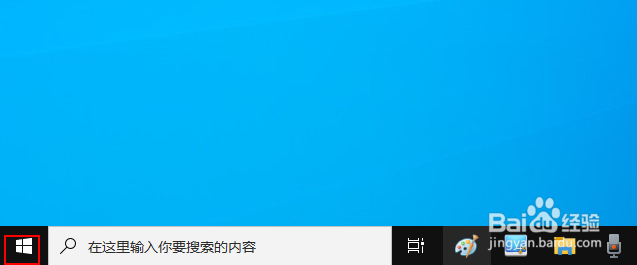
1、右键单击"开始"按钮。

如何更改 Windows PowerShell 光标大小

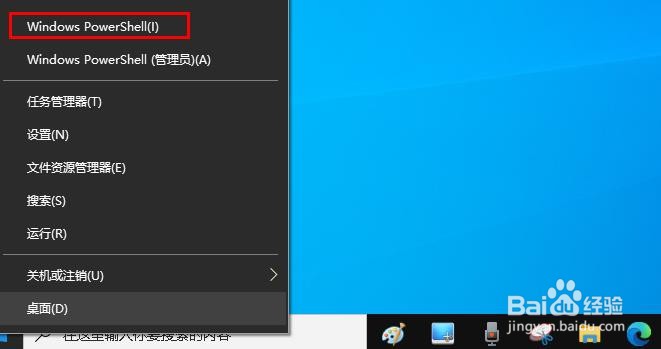
2、点击“Windows PowerShell ”。

如何更改 Windows PowerShell 光标大小

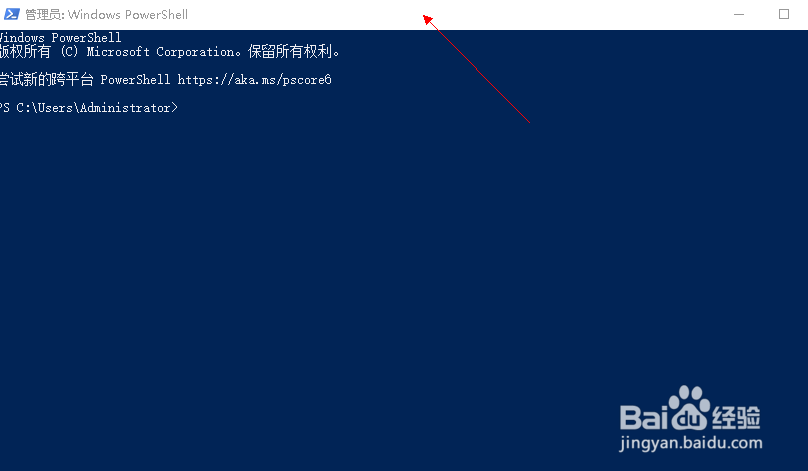
3、右键点击窗口上面白色部分。

如何更改 Windows PowerShell 光标大小

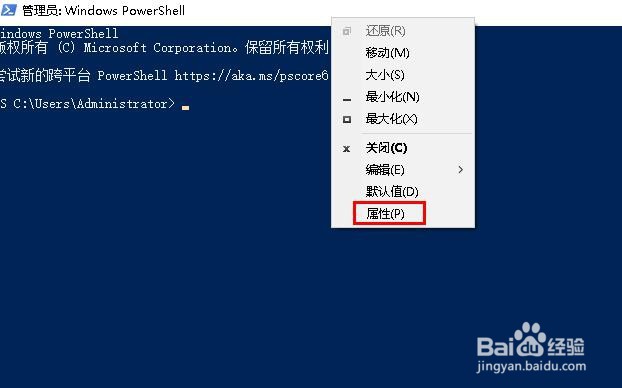
4、选择“属性”。

如何更改 Windows PowerShell 光标大小

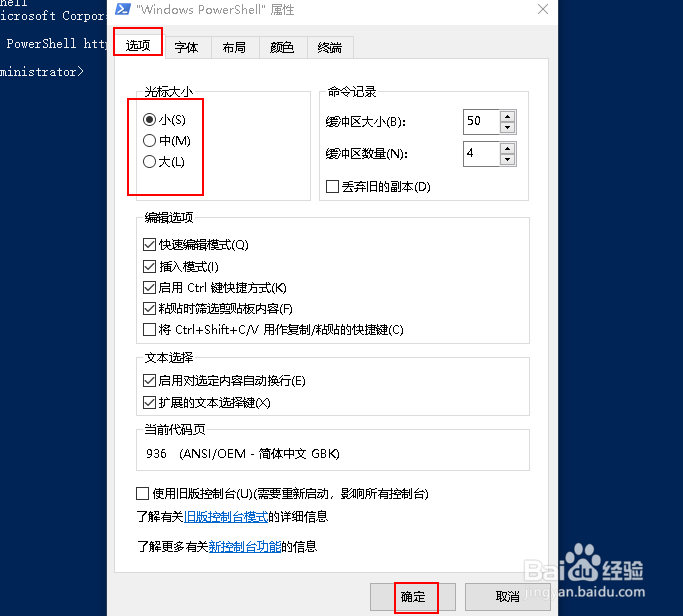
5、在“光标大小”下,大、中、小任选其一,点击“确定”。

如何更改 Windows PowerShell 光标大小
  • Win7怎么运行Windows PowerShell
  • powershell光标颜色怎么设置
  • 在Windows 10中启用/禁用Windows PowerShell
  • windows怎么打开powershell
  • Windows powershell要如何打开?
  • 热门搜索
    肩膀酸痛怎么办 人参怎么保存 阿拉伯数字怎么写好看 富光保温杯怎么样 qq密码忘记了怎么办 果郡王怎么死的 天津航空怎么样 美素力奶粉怎么样 月饼怎么做 怎么剥生板栗