1、打开需要加密的PowerPoint 演示文稿文档,在最上面菜单栏找到“工具”


2、在选项框中点击“安全性”
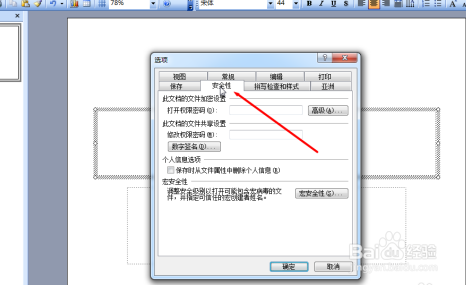
3、在 打开权限密码 处输入要设置的密码后再点“确定”

4、弹出新的对话框之后再重复输一次刚才设置的密码再点“确定”

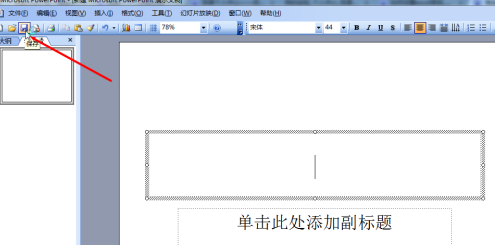
5、最后在左上角点击“保存”这样就完成PowerPoint 演示文稿的密码设置了
时间:2026-05-07 17:13:19
1、打开需要加密的PowerPoint 演示文稿文档,在最上面菜单栏找到“工具”
2、在选项框中点击“安全性”
3、在 打开权限密码 处输入要设置的密码后再点“确定”
4、弹出新的对话框之后再重复输一次刚才设置的密码再点“确定”
5、最后在左上角点击“保存”这样就完成PowerPoint 演示文稿的密码设置了
