1、首先更新apt程序库
apt update

2、更新metasploit 框架
apt install metasploit-framework

3、运行msfconsole发现报错了,报错信息为
/usr/lib/ruby/vendor_ruby/rubygems/defaults/operating_system.rb:10: warning: constant Gem::ConfigMap is deprecated
Could not find io-console-0.5.6 in any of the sources
Run `bundle install` to install missing gems
提示需要执行bundle install

4、安装的bundler版本需要大于等于Gemfile.lock中要求的版本
cd /usr/share/metasploit-framework/
cat Gemfile.lock | grep -A 1 "BUNDLED"
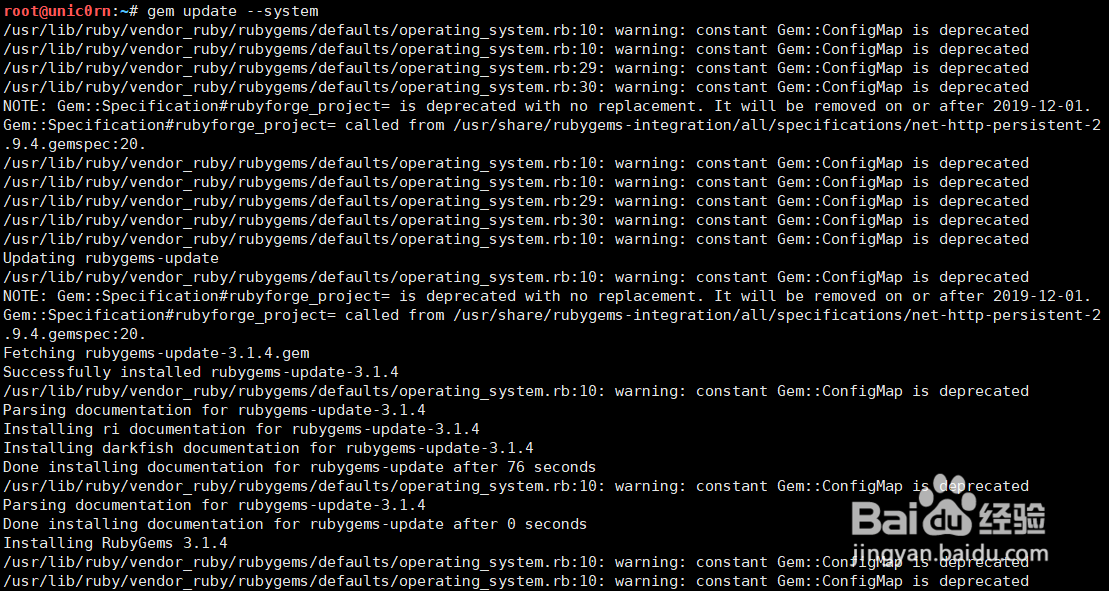
5、进行gem更新
gem update --system
6、安装对应版本的bundler
gem install bundler -v 2.1.4

7、经过测试需要安装这些依赖
apt-get install ruby-dev
apt-get install postgresql
apt-get install libpcap-dev
apt-get install oracle*
apt-get install libsqlite3-dev

8、进入metasploit目录,执行bundle install 安装
cd /usr/share/metasploit-framework/
bundle install


9、执行msfconsole成功启动,但会出现下面警告提示。
/usr/lib/ruby/vendor_ruby/rubygems/defaults/operating_system.rb:10: warning: constant Gem::ConfigMap is deprecated

10、通过下面方式可以解决警告提示的问题。
sed -i "s#Gem::ConfigMap\[:arch\]#RbConfig::CONFIG\['arch'\]#g;s#Gem::ConfigMap\[:ruby_version\]#RbConfig::CONFIG\['ruby_version'\]#g" /usr/lib/ruby/vendor_ruby/rubygems/defaults/operating_system.rb

