小米手机如何打开静音勿扰模式

 时间:2026-04-23 03:14:13

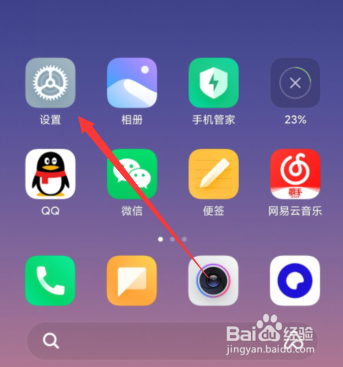
1、打开设置,如图所示

Open the Settings, as shown in the figure
小米手机如何打开静音勿扰模式

2、点击“声音与振动”,如图所示

Click "sound and vibration", as shown in the picture

小米手机如何打开静音勿扰模式

3、点击“静音/勿扰”,如图所示

Click "mute/do not disturb", as shown

小米手机如何打开静音勿扰模式

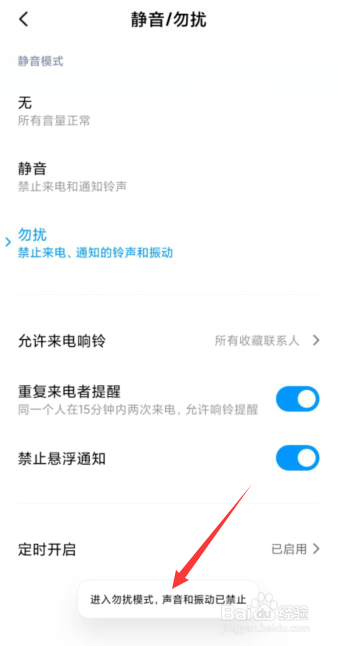
4、点击“勿扰”,如图所示

Click "do not disturb", as shown

小米手机如何打开静音勿扰模式

5、勿扰模式成功打开。

Do not disturb mode successfully turned on.
小米手机如何打开静音勿扰模式

  • 小米12充电时如何显示指示灯
  • 解决小米手机note侧边按键易误触
  • 小米手机怎么开启DC调光
  • 小米手机怎么设置打字时键盘会按键振动?
  • 小米手机如何设置音量键快捷方式?
  • 热门搜索
    杨森简介 红烧鲫鱼的家常做法 转运竹怎么水养 四川职业技术学院怎么样 子宫内膜薄怎么调理恢复快一点 都江堰旅游攻略 轻微烫伤怎么办 台湾简介 喝咖啡减肥吗 qq怎么快速删除好友