在ulead cool 3d中给文字添加红色扭曲特效

 时间:2026-02-14 18:07:27

1、打开ulead cool 3d,进入其主界面;

在ulead cool 3d中给文字添加红色扭曲特效

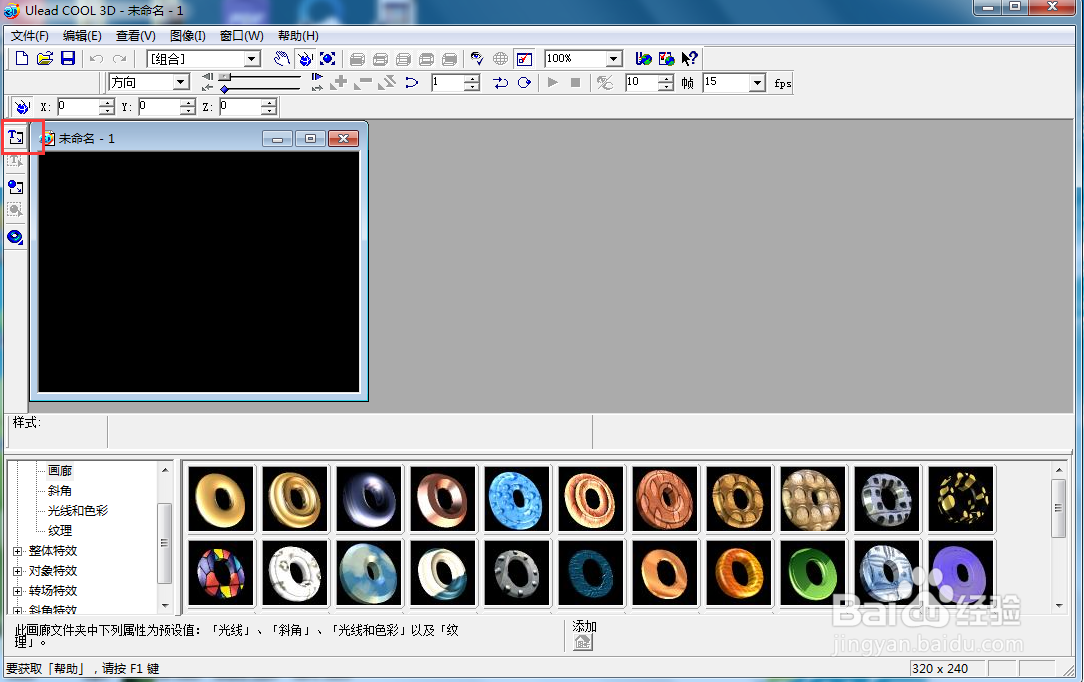
2、点击插入文字;

在ulead cool 3d中给文字添加红色扭曲特效

3、输入文字新春佳节,按确定;

在ulead cool 3d中给文字添加红色扭曲特效

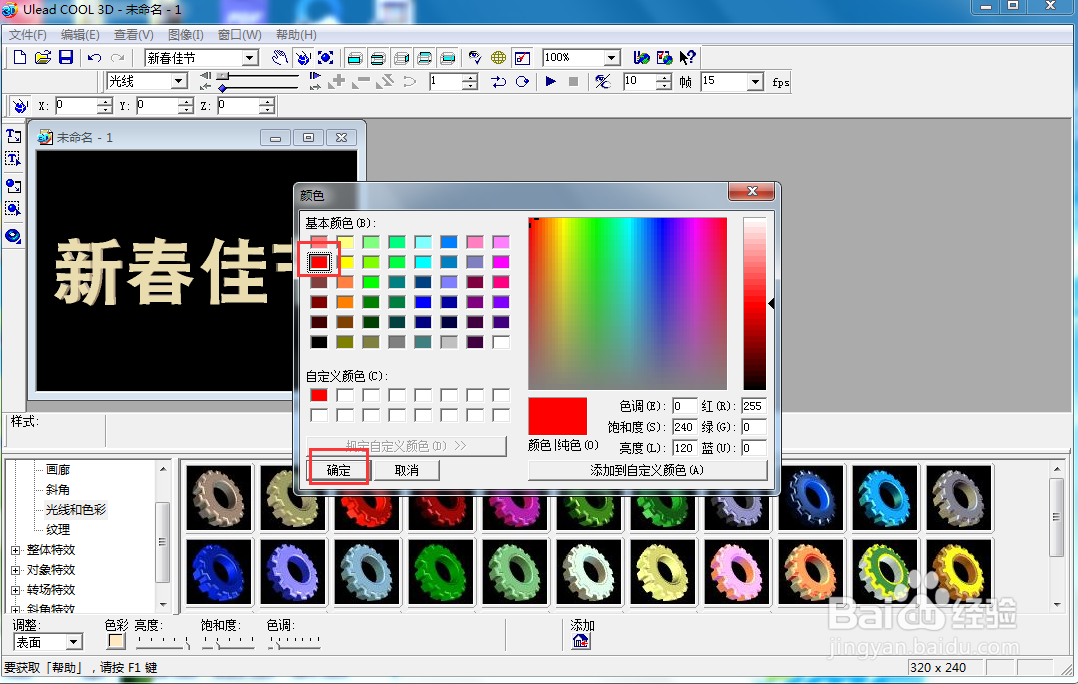
4、点击色彩,选择红色,按确定;

在ulead cool 3d中给文字添加红色扭曲特效

5、将时间轴控件移动到右边,点击添加关键帧;

在ulead cool 3d中给文字添加红色扭曲特效

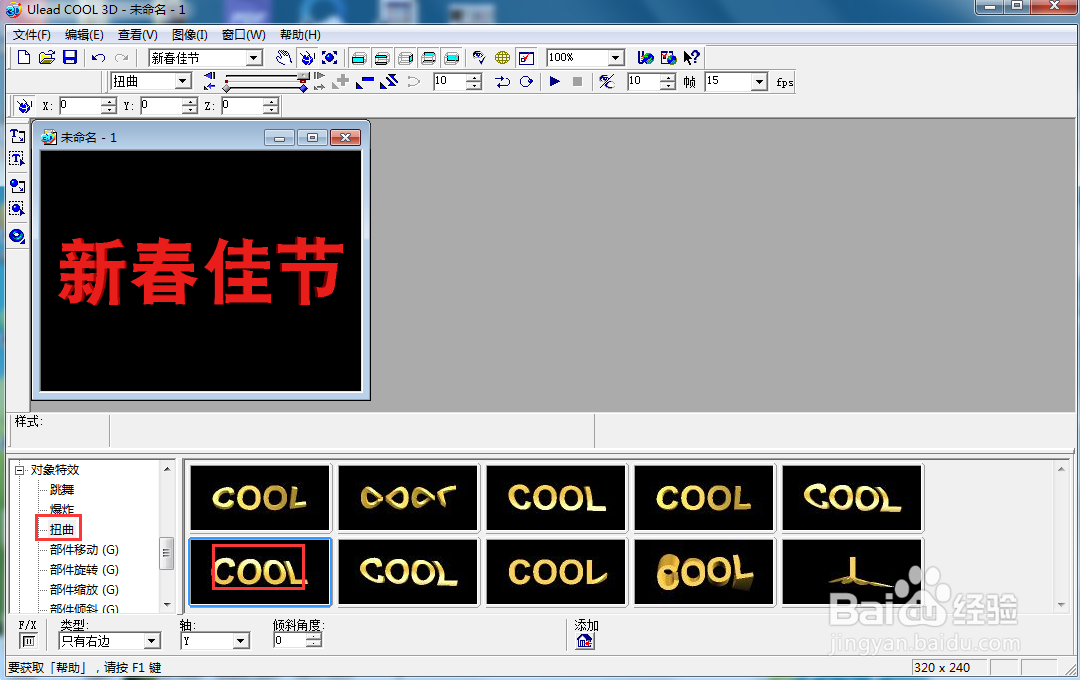
6、在对象特效下点击扭曲,选择一种扭曲样式;

在ulead cool 3d中给文字添加红色扭曲特效

7、我们就给文字添加上了红色扭曲特效。

在ulead cool 3d中给文字添加红色扭曲特效

  • 怎样在ulead cool 3d中给文字添加红色缩放特效
  • ulead cool 3d中给文字添加光晕和扭曲特效
  • 在ulead cool 3d中给文字添加红色底板效果
  • 在ulead cool 3d中给文字添加红色炸开特效
  • 在ulead cool 3d中给文字添加红色底板效果
  • 热门搜索
    空调外机不转是什么原因 行车证丢失如何补办 如何赚大钱 高血压如何治疗 松鼠的生活习性 如何申请淘宝网店 电脑蓝牙怎么用 教师如何说课 如何提高客户满意度 yyds什么意思