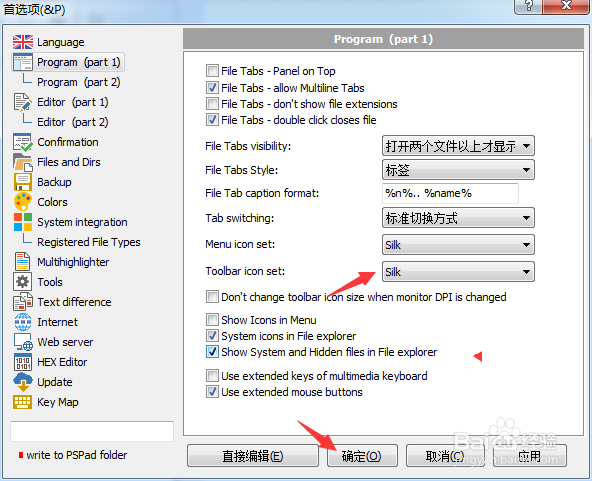
PSPad editor怎么工具栏图标集为silk

 时间:2024-10-30 23:28:16

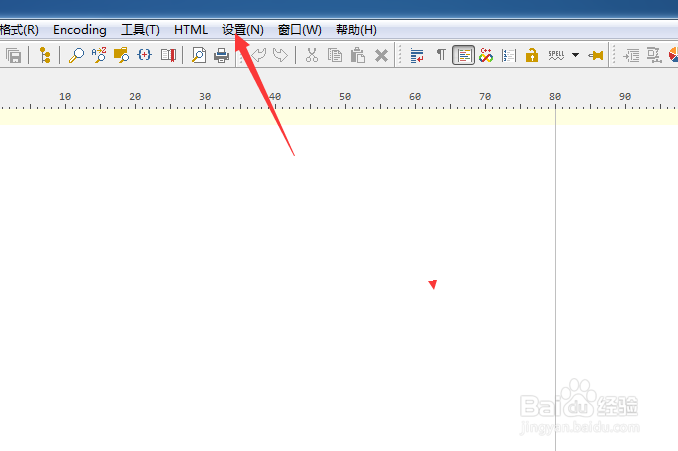
1、点击PSPad editor菜单中设置菜单

PSPad editor怎么工具栏图标集为silk

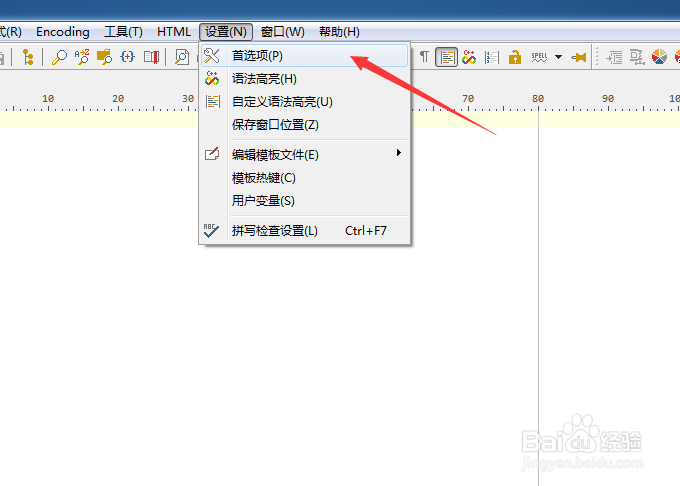
2、弹出了下拉菜单选中为首选项

PSPad editor怎么工具栏图标集为silk

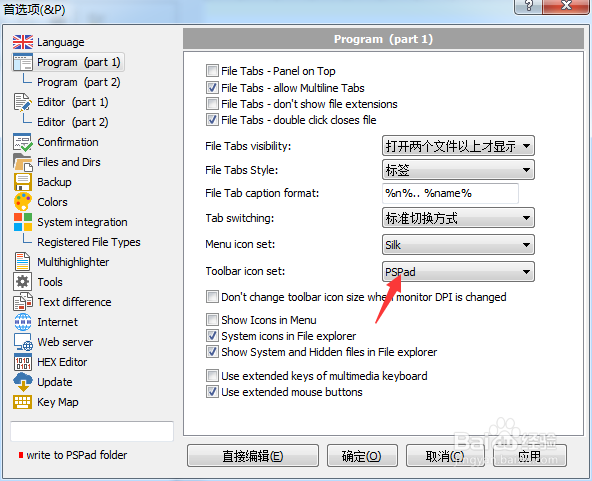
3、点击toolbar icon set选项

PSPad editor怎么工具栏图标集为silk

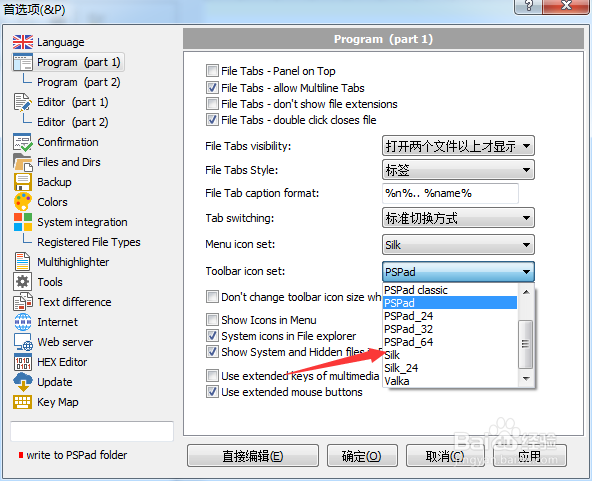
4、弹出了下拉菜单选择为silk选项

PSPad editor怎么工具栏图标集为silk

5、选择为silk选项之后,点击确定

PSPad editor怎么工具栏图标集为silk
  • PSPad editor怎么文件选项卡样式为标签
  • PSPad editor怎么关闭双击关闭文件
  • PSPad editor怎么开启oem转换
  • PSPad editor怎么关闭顶部面板
  • PSPad editor怎么关闭在文件中搜索
  • 热门搜索
    小孩长水痘怎么办 低烧不退怎么办 广东外语外贸大学怎么样 淘宝店铺怎么改名 罗志祥怎么了 蛋糕怎么做的松软蓬松 论文创新点怎么写 蝴蝶兰花怎么养 梦魇是怎么回事 重庆大学城市科技学院怎么样