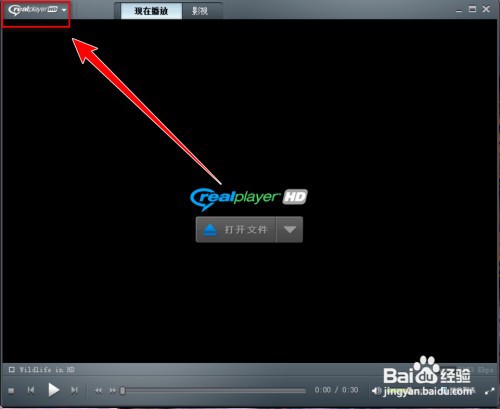
1、在RealPlayer窗口中,点击左上角的【RealPlayer】,如图所示
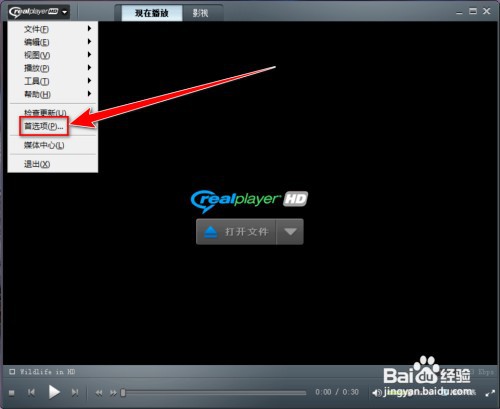
2、在下拉菜单中,点击【首选项】,如图所示
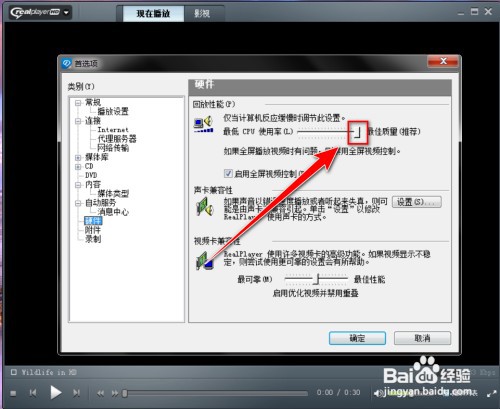
3、在【首选项】窗口中,点击左侧的【硬件】,如图所示

4、在【硬件】设置页中,向左拖动【cpu使用率】右边的滑块,如图所示
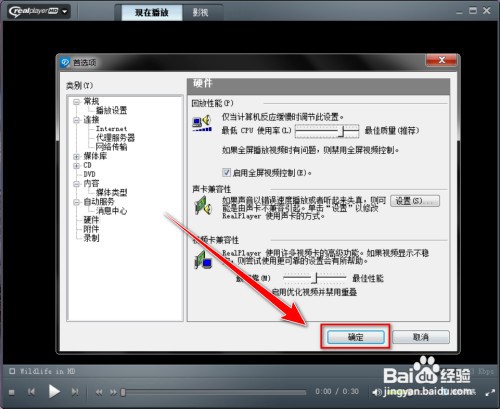
5、点击【确定】按钮,即可降低cpu使用率,如图所示
时间:2026-04-23 10:20:26
1、在RealPlayer窗口中,点击左上角的【RealPlayer】,如图所示
2、在下拉菜单中,点击【首选项】,如图所示
3、在【首选项】窗口中,点击左侧的【硬件】,如图所示
4、在【硬件】设置页中,向左拖动【cpu使用率】右边的滑块,如图所示
5、点击【确定】按钮,即可降低cpu使用率,如图所示
