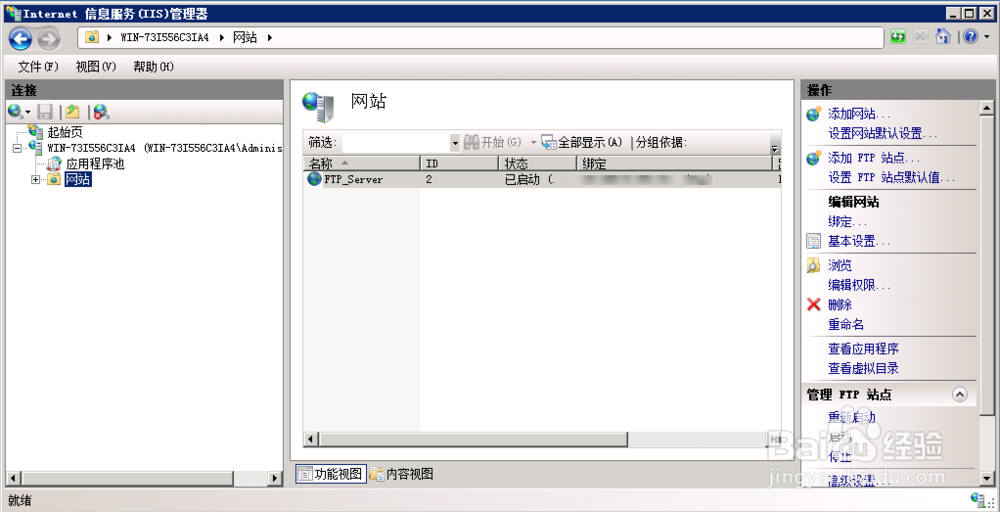
1、安装IIS管理器,win2008 R2为7.0版本,安装步骤此处忽略;安装完成后在管理工具处找到,并打开

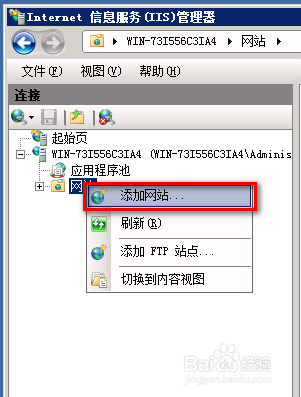
2、右击网站,添加网站
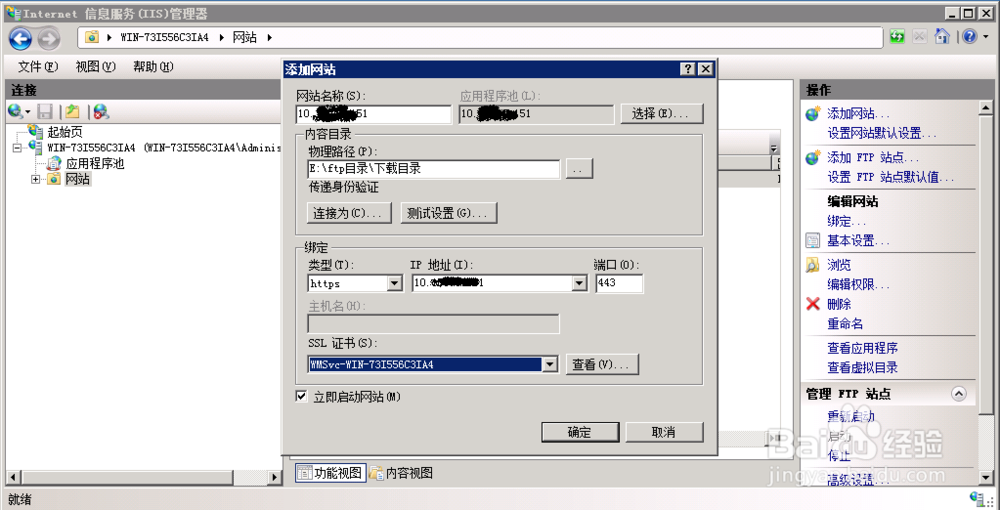
3、根据下图修改默认参数,将http改为https
4、启用目录浏览


5、通过浏览器地址栏输入https://ip;即可访问ssl加密后的目录

时间:2026-04-23 02:37:13
1、安装IIS管理器,win2008 R2为7.0版本,安装步骤此处忽略;安装完成后在管理工具处找到,并打开
2、右击网站,添加网站
3、根据下图修改默认参数,将http改为https
4、启用目录浏览
5、通过浏览器地址栏输入https://ip;即可访问ssl加密后的目录
