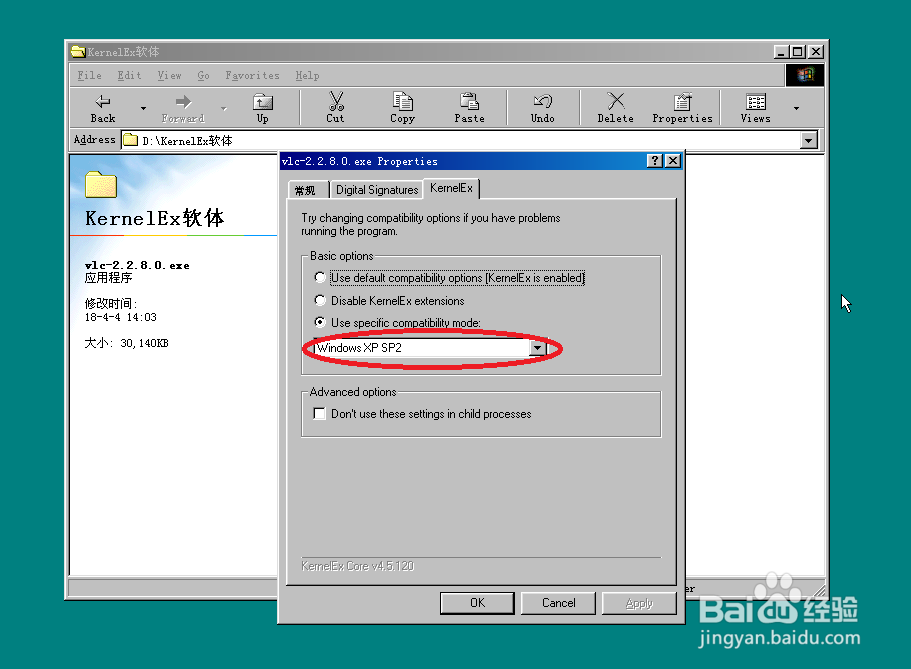
1、找到你从网上DOWN下来的VLCPlayer安装包,然后在KernelEX兼容选项中选择XP SP2

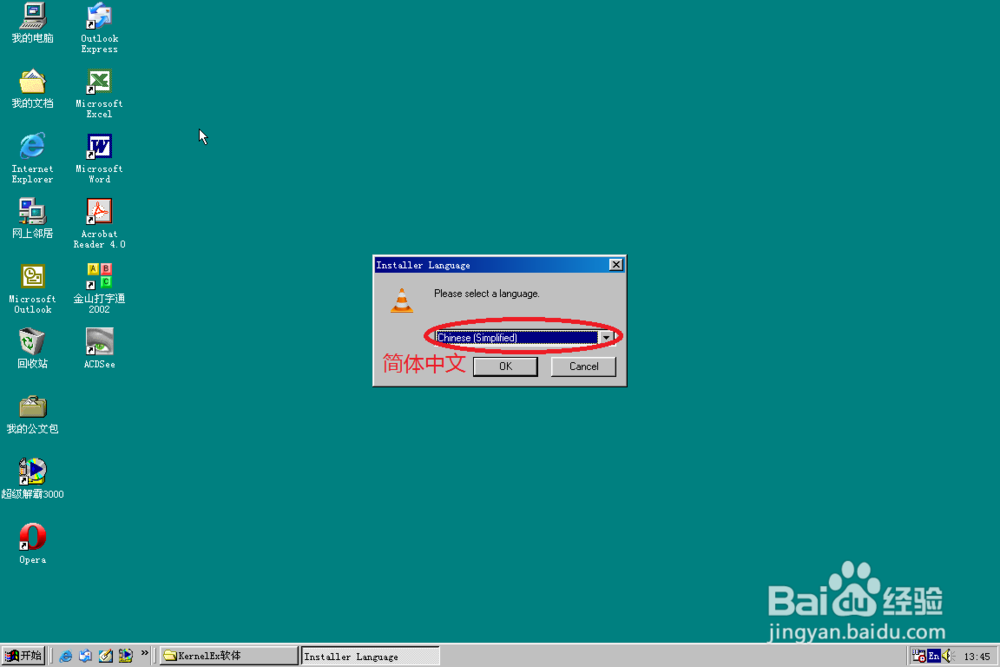
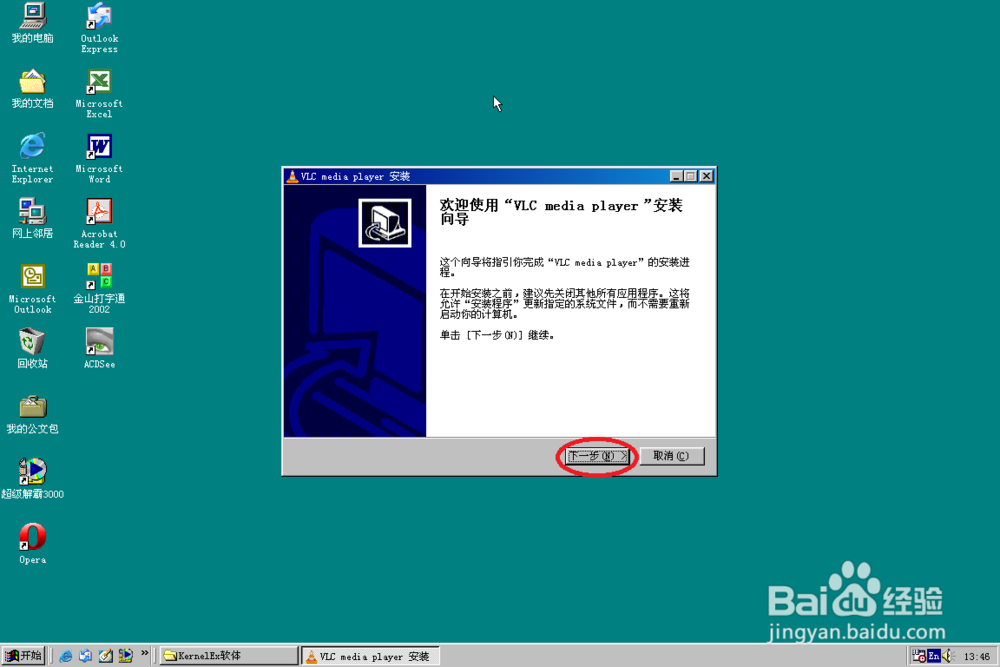
2、然后吧安装语言设置成“简体中文”,接着在欢迎界面中点击NEXT继续
3、接受许可协议,然后再根据你的实际情况选择你需要安装的组件


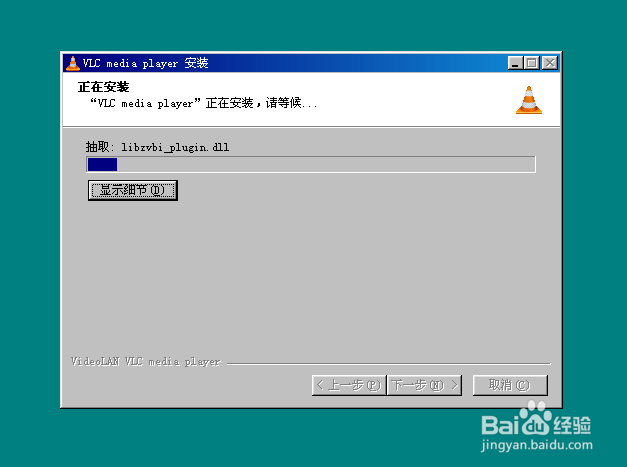
4、设置好安装路径,然后点击NEXT即可正式的将VLCPlayer安装到你的电脑中

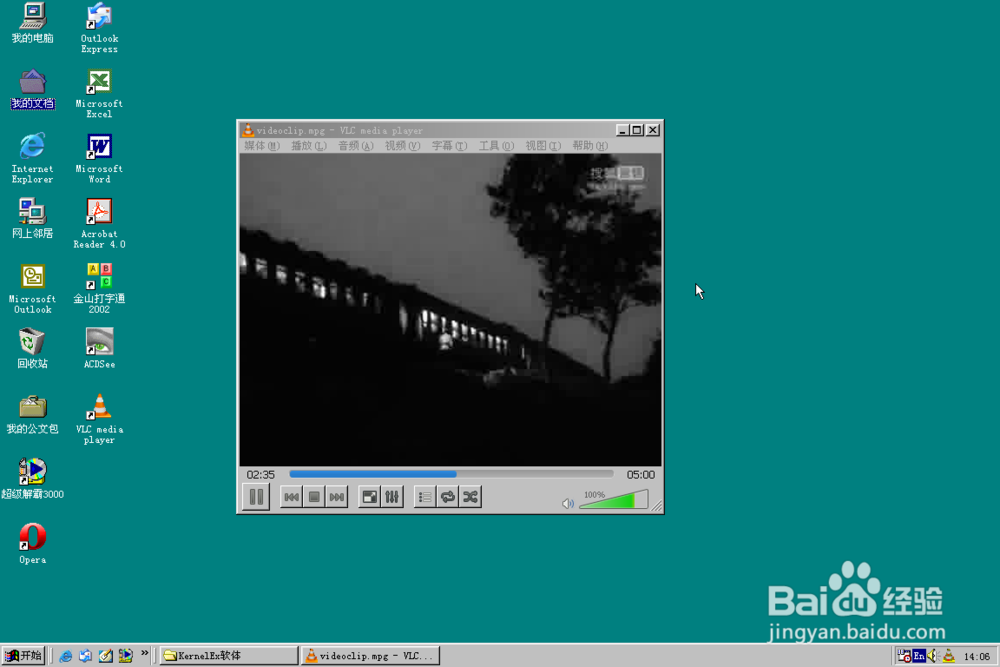
5、点击“完成”退出安装,至此你就可以利用VLC Player观看精彩的视频了

时间:2026-04-22 03:59:52
1、找到你从网上DOWN下来的VLCPlayer安装包,然后在KernelEX兼容选项中选择XP SP2
2、然后吧安装语言设置成“简体中文”,接着在欢迎界面中点击NEXT继续
3、接受许可协议,然后再根据你的实际情况选择你需要安装的组件
4、设置好安装路径,然后点击NEXT即可正式的将VLCPlayer安装到你的电脑中
5、点击“完成”退出安装,至此你就可以利用VLC Player观看精彩的视频了
