1、点击电脑桌面左下角的微软图标

2、打开菜单之后,点击左侧列表的设置图标

3、在系统设置页面,点击下方的更新和安全
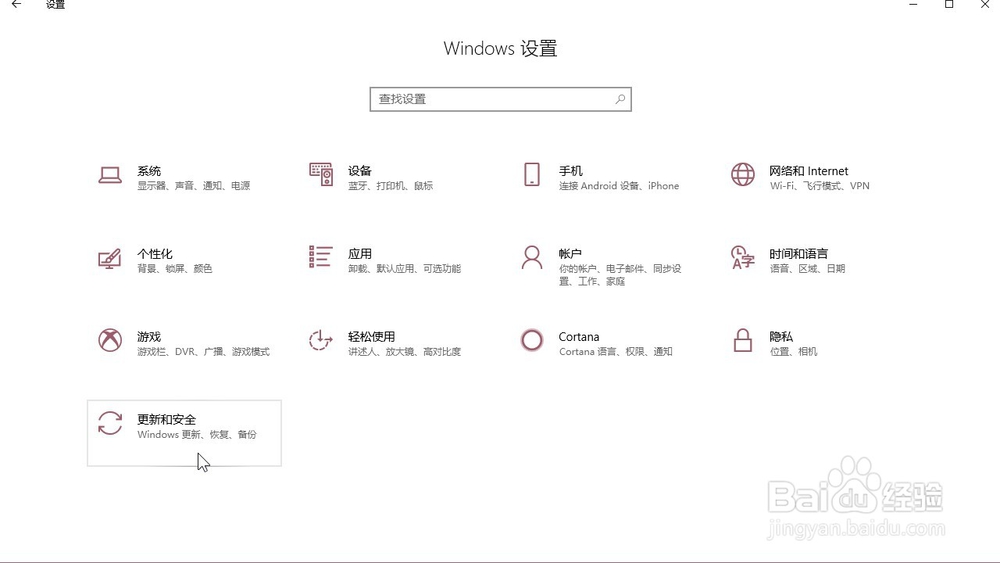
4、在页面左侧的列表中找到系统安全,点击进入
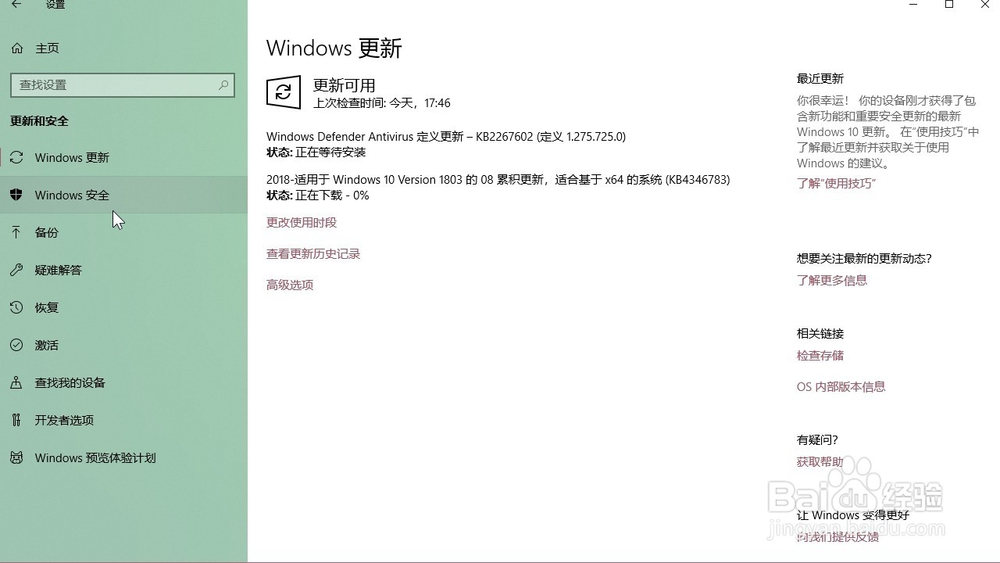
5、在页面下方找到打开Windows Defender安全中心,点击进入
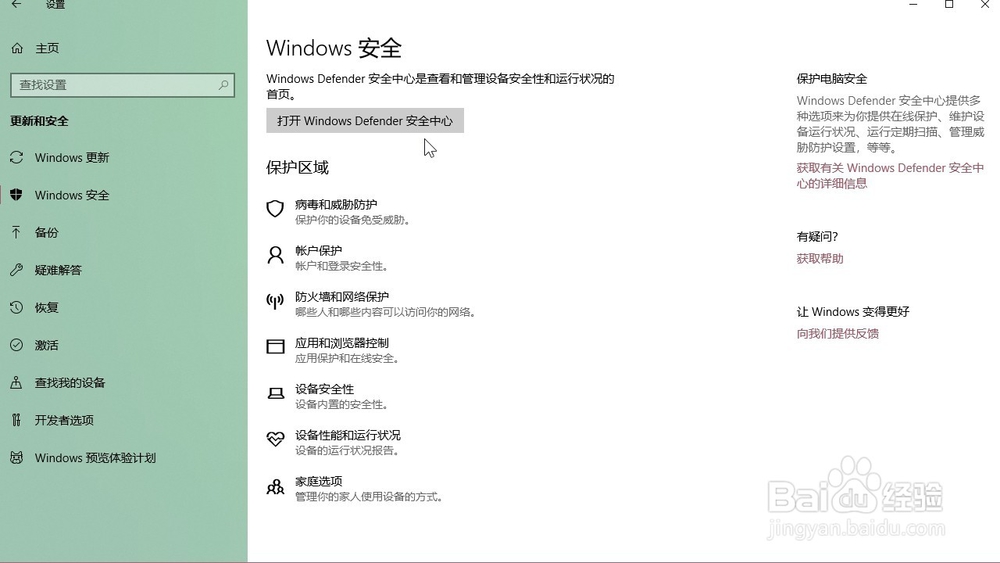
6、点击页面中间的应用和浏览器控制

7、点击页面下方的Exploit Protection设置

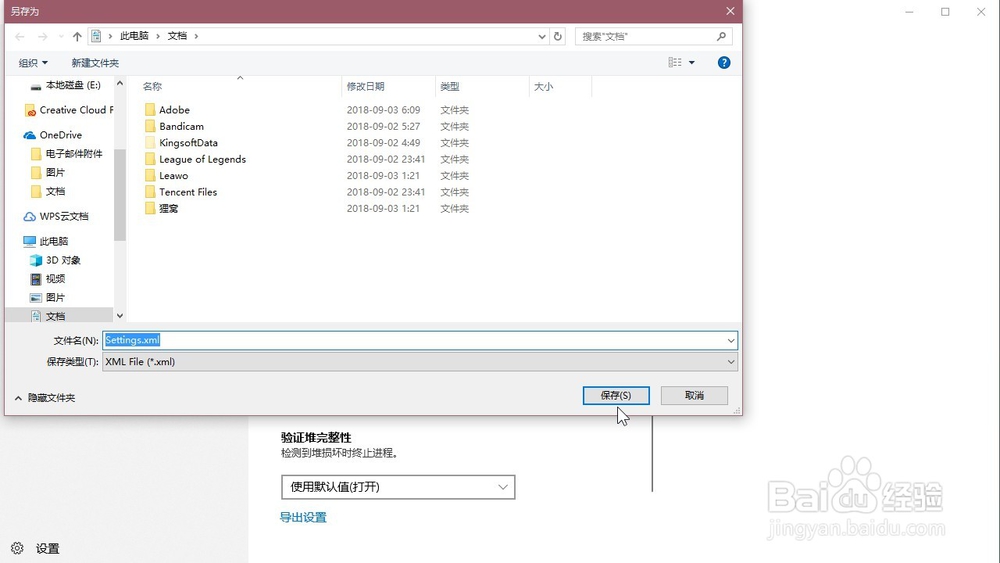
8、点击页面最下方的导出设置

9、在电脑文件夹中选择我们想要保存的位置,点击保存即可
时间:2026-04-22 20:03:04
1、点击电脑桌面左下角的微软图标
2、打开菜单之后,点击左侧列表的设置图标
3、在系统设置页面,点击下方的更新和安全
4、在页面左侧的列表中找到系统安全,点击进入
5、在页面下方找到打开Windows Defender安全中心,点击进入
6、点击页面中间的应用和浏览器控制
7、点击页面下方的Exploit Protection设置
8、点击页面最下方的导出设置
9、在电脑文件夹中选择我们想要保存的位置,点击保存即可
