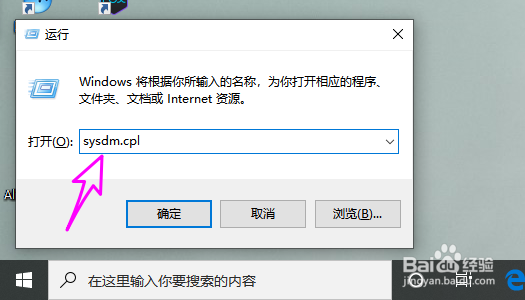
1、win+r打开运行对话框。

2、输入sysdm.cpl,可以快速打开系统属性。
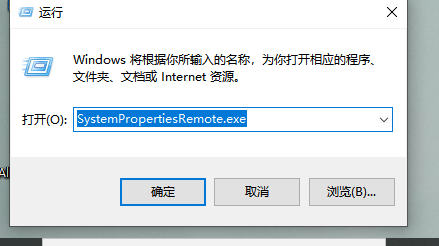
3、除此之外,windows 10提供计算机属性中每个选项卡的可执行程序,用户可以直接运行程序,会自动打开系统属性的特定选项卡。比如运行:SystemPropertiesRemote.exe
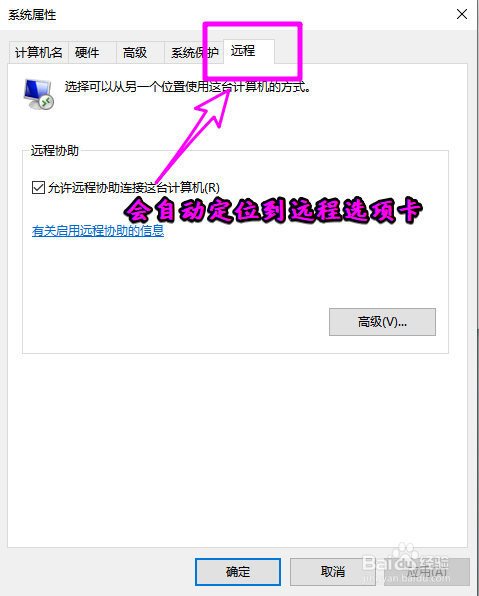
4、会自动切换到系统属性中的远程选项卡。
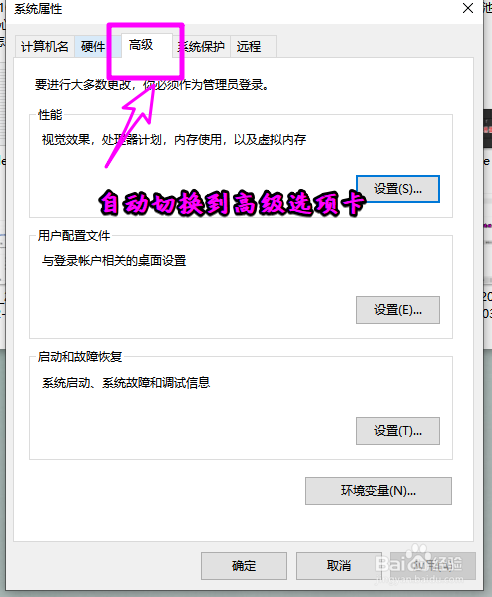
5、再比如SystemPropertiesAdvanced.exe
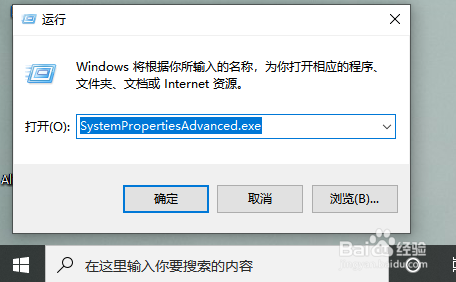
6、执行后会自动定位到系统属性的高级选项卡。
7、每个选项卡对应的exe文件列表分别如下:
C:\Windows\System32\SystemPropertiesAdvanced.exe
C:\Windows\System32\SystemPropertiesComputerName.exe
C:\Windows\System32\SystemPropertiesDataExecutionPrevention.exe
C:\Windows\System32\SystemPropertiesHardware.exe
C:\Windows\System32\SystemPropertiesPerformance.exe
C:\Windows\System32\SystemPropertiesProtection.exe
C:\Windows\System32\SystemPropertiesRemote.exe
