1、 WELCOME TO THE
CADENCE INSTALLATION UTILITY,
SOFTLOAD 6.0
Copyright (c) 1996-1998 Cadence Design Systems, Inc. All Rights
Reserved. Unpublished -- rights reserved under the copyright laws
of the United States.
Copyright (c) 1996-1998 UNIX Systems Laboratories, Inc. Reproduced
with Permission.
THIS SOFTWARE AND ON-LINE DOCUMENTATION CONTAIN CONFIDENTIAL INFORMATION
AND TRADE SECRETS OF CADENCE DESIGN SYSTEMS, INC. USE, DISCLOSURE, OR
REPRODUCTION IS PROHIBITED WITHOUT THE PRIOR EXPRESS WRITTEN PERMISSION OF
CADENCE DESIGN SYSTEMS, INC.
RESTRICTED RIGHTS LEGEND
Use, duplication, or disclosure by the Government is subject to
restrictions as set forth in subparagraph (c)(1)(ii) of the Rights in
Technical Data and Computer Software clause at DFARS 252.227-7013 or
subparagraphs (c)(1) and (2) of Commercial Computer Software -- Restricted
Rights at 48 CFR 52.227-19, as applicable.
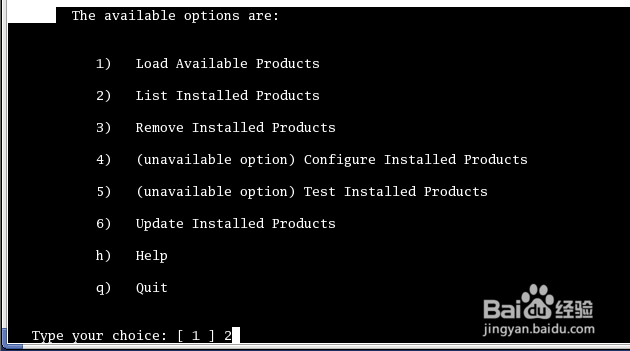
2、选择2
-------------------MAIN MENU----------------------
The available options are:
1) Load Available Products
2) List Installed Products
3) Remove Installed Products
4) (unavailable option) Configure Installed Products
5) (unavailable option) Test Installed Products
6) Update Installed Products
h) Help
--More--
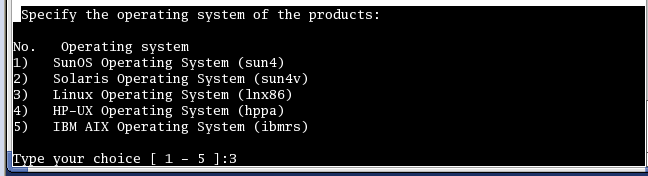
3、选择3
Specify the operating system of the products:
No. Operating system
1) SunOS Operating System (sun4)
2) Solaris Operating System (sun4v)
3) Linux Operating System (lnx86)
4) HP-UX Operating System (hppa)
5) IBM AIX Operating System (ibmrs)
Type your choice [ 1 - 5 ]:3
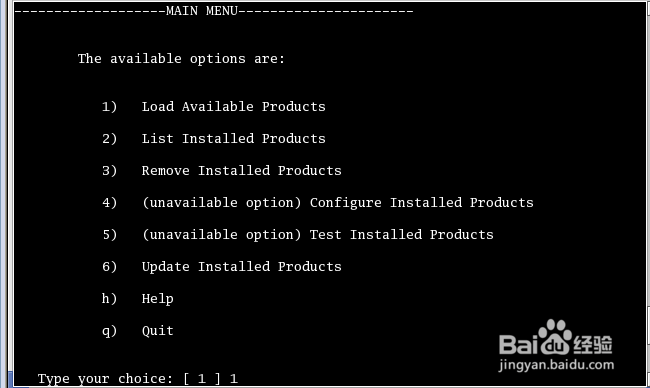
4、选择1
-------------------MAIN MENU----------------------
The available options are:
1) Load Available Products
2) List Installed Products
3) Remove Installed Products
4) (unavailable option) Configure Installed Products
5) (unavailable option) Test Installed Products
6) Update Installed Products
h) Help
q) Quit
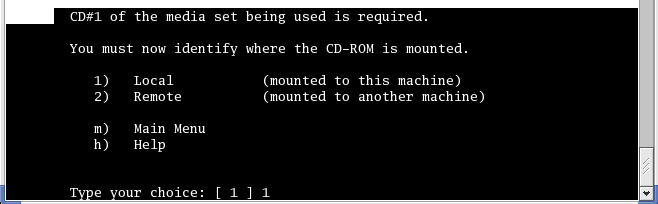
5、选择1
CD#1 of the media set being used is required.
You must now identify where the CD-ROM is mounted.
1) Local (mounted to this machine)
2) Remote (mounted to another machine)
m) Main Menu
h) Help
Type your choice: [ 1 ] 1
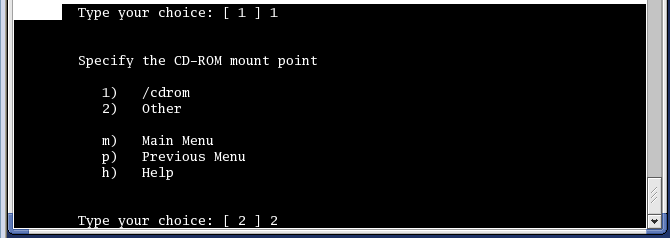
6、选择2
Specify the CD-ROM mount point
1) /cdrom
2) Other
m) Main Menu
p) Previous Menu
h) Help
Type your choice: [ 2 ] 2
7、输入CD1的路径
Type the CD-ROM mount point: [ /mnt/hgfs/IC5141安装教程20150915/Cadence_IC5141_CDROM1 ]

8、 选择no
Extracting installation information from CD#1.
Do you want to view the README file?
Please press y (yes) or n (no) : n

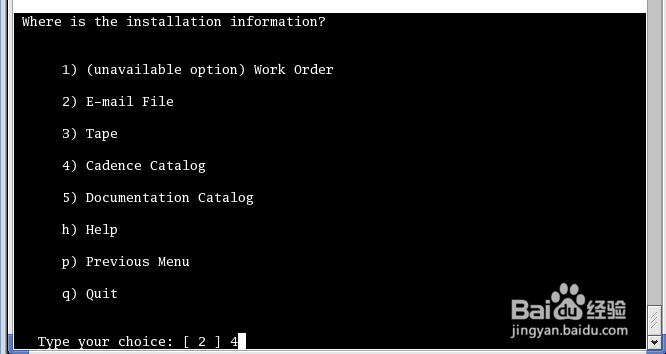
9、选择4
Where is the installation information?
1) (unavailable option) Work Order
2) E-mail File
3) Tape
4) Cadence Catalog
5) Documentation Catalog
h) Help
p) Previous Menu
q) Quit
Type your choice: [ 2 ] 4
10、接下来步骤参考:Cadence IC5141超详细安装教程(三)
