windows10目前无法访问smartscreen筛选器

 时间:2026-04-28 09:05:34

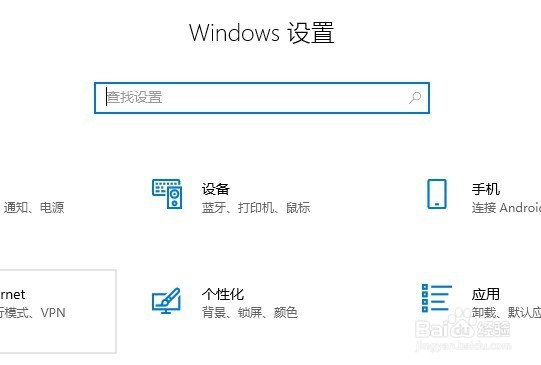
1、按下快捷键win+i,打开系统设置界面。
windows10目前无法访问smartscreen筛选器

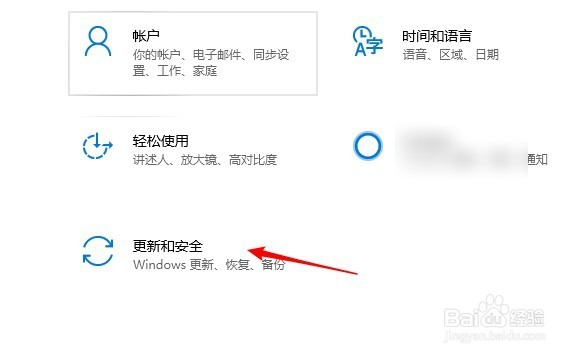
2、点击打开“更新和安全”

windows10目前无法访问smartscreen筛选器

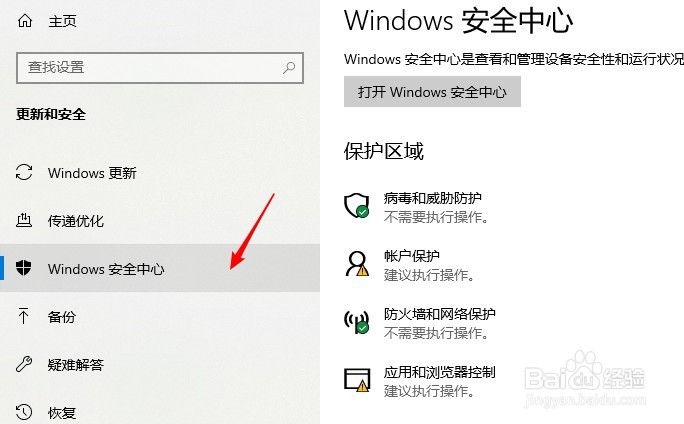
3、点击进入“WINDOWS安全中心”

windows10目前无法访问smartscreen筛选器

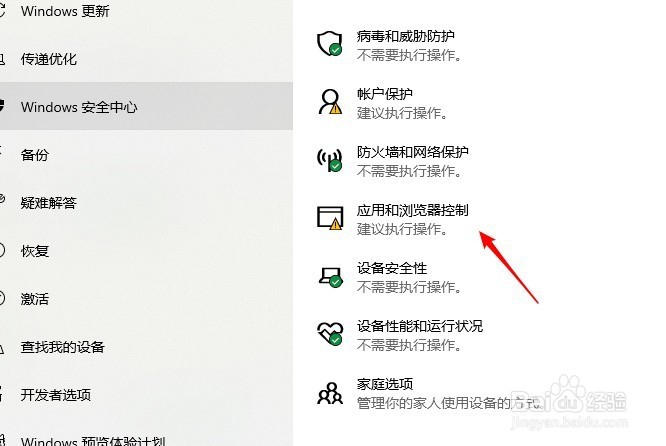
4、在保护区域点击打开“应用和浏览器控制”

windows10目前无法访问smartscreen筛选器

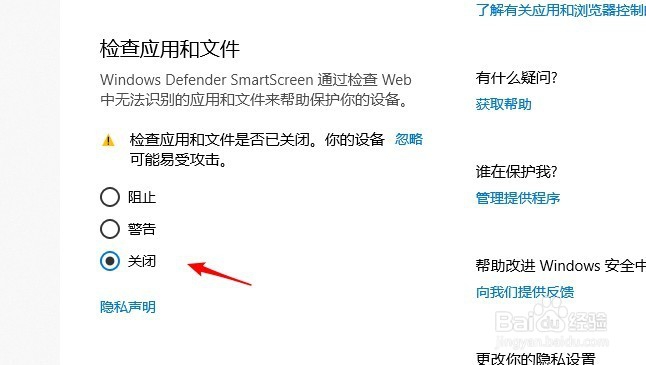
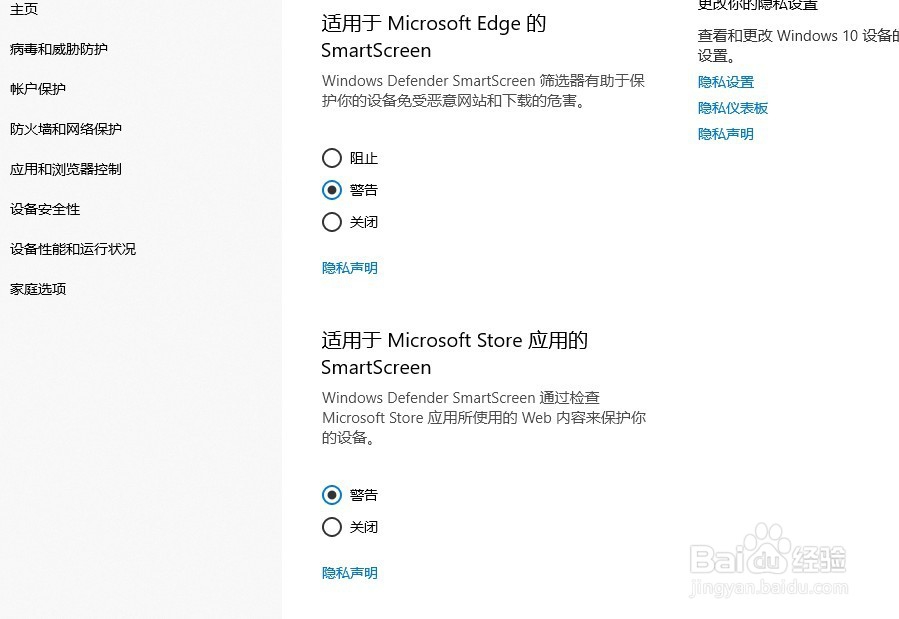
5、把检查应用和文件项设置成“警告”或“关闭”

windows10目前无法访问smartscreen筛选器

6、还有其余几项smartscreen设置,都可以关闭。

windows10目前无法访问smartscreen筛选器

  • win10无法访问smartscreen怎么解决
  • 目前无法访问SmartScreen解决办法
  • 当前无法访问>smartscreen
  • win10 安装文件 无法访问smartscreen解决方法
  • 电脑更新显卡驱动黑屏怎么办?
  • 热门搜索
    温州科技职业学院怎么样 电脑怎么系统还原 血龙木手串怎么盘 旅游日记 怎么样提高网速 柳州旅游 承德医学院怎么样 我可以无所谓 石英表怎么调日期 台湾旅游