1、选择Windows->Preferences;

2、选择MyEclipse->Servers->Integrated Sandbox->MyEclispe Tomcat 6下的JDK;
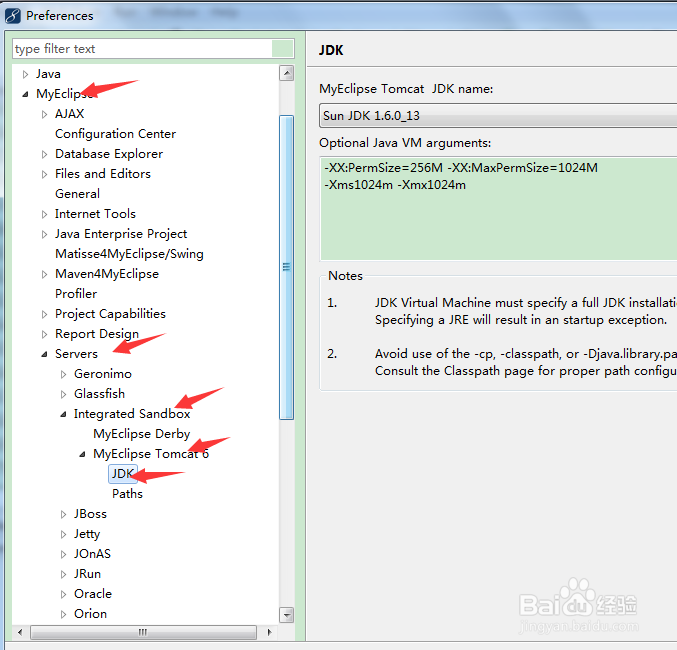
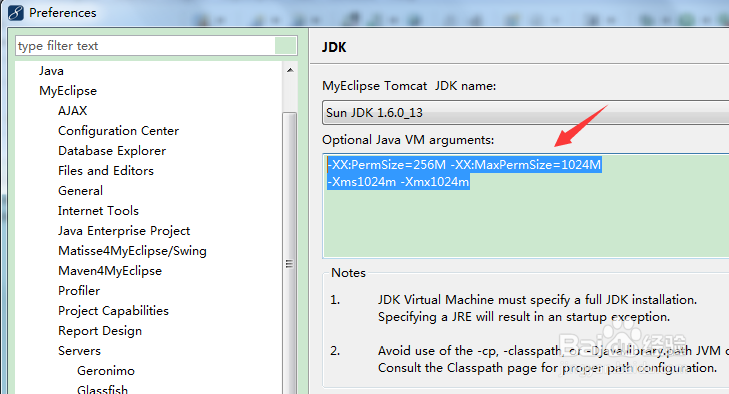
3、在Option Java VM arguments下粘贴以下代码:
-XX:PermSize=256M -XX:MaxPermSize=1024M
-Xms1024m -Xmx1024m
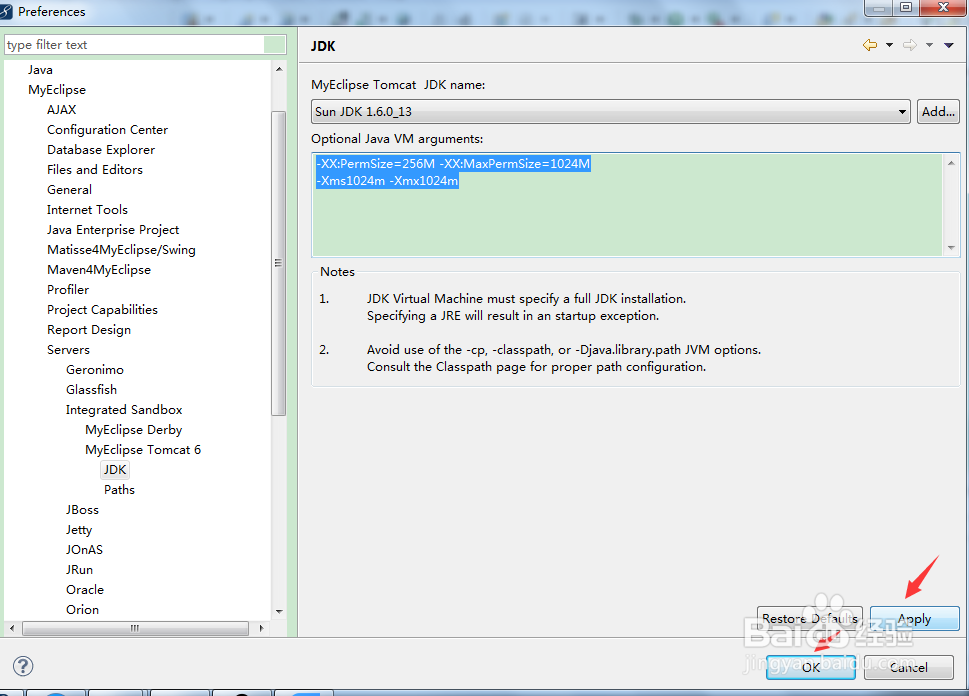
4、点击apply,ok,即可。
时间:2026-04-26 15:00:07
1、选择Windows->Preferences;
2、选择MyEclipse->Servers->Integrated Sandbox->MyEclispe Tomcat 6下的JDK;
3、在Option Java VM arguments下粘贴以下代码:
-XX:PermSize=256M -XX:MaxPermSize=1024M
-Xms1024m -Xmx1024m
4、点击apply,ok,即可。
