LaunchScreen.storyboard加了没有显示

 时间:2026-02-14 15:12:22

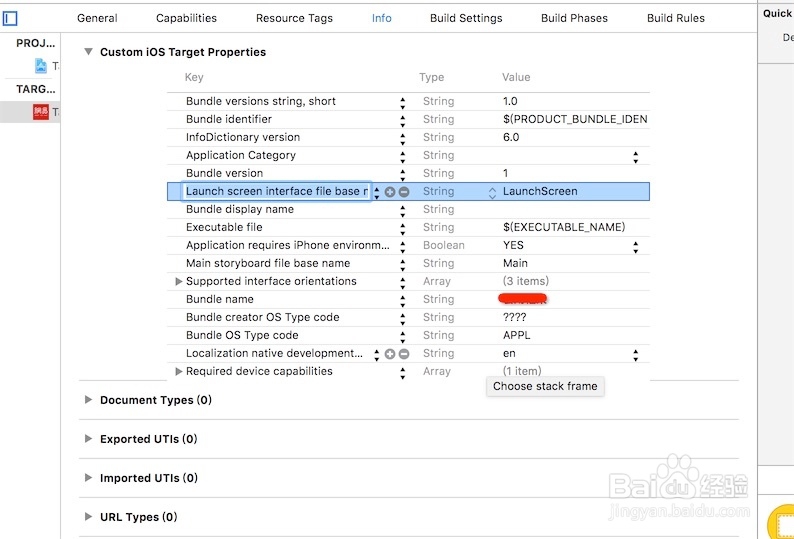
1、找到Launch screen interface file base name。
LaunchScreen.storyboard加了没有显示

2、删掉该行Launch screen interface file base name。

LaunchScreen.storyboard加了没有显示

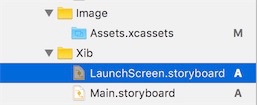
3、找到LaunchScreen.storyboard,低版本用不到。可以删掉。
LaunchScreen.storyboard加了没有显示

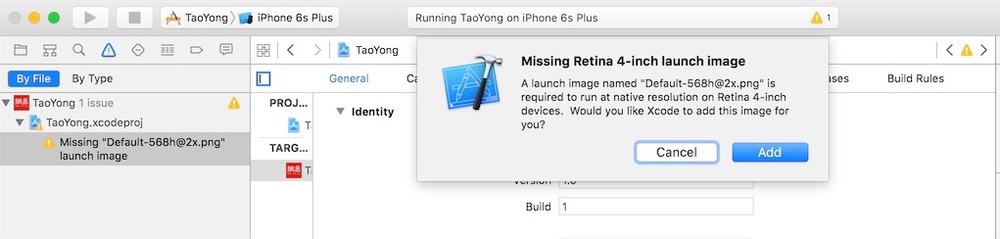
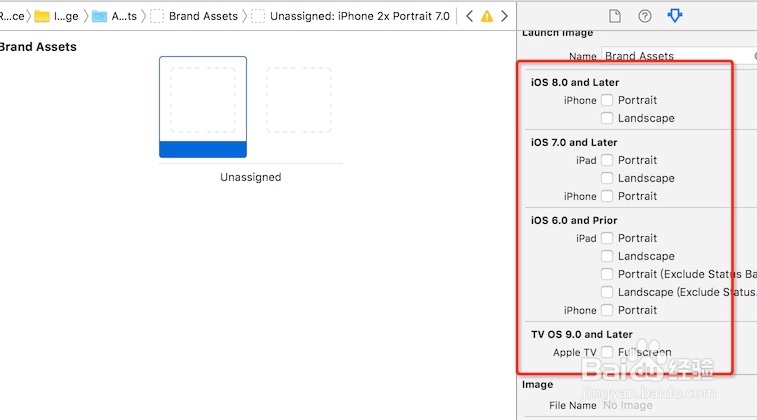
4、假如删掉的话会出现以下的警告,需要添加以下警告的尺寸图片。

LaunchScreen.storyboard加了没有显示

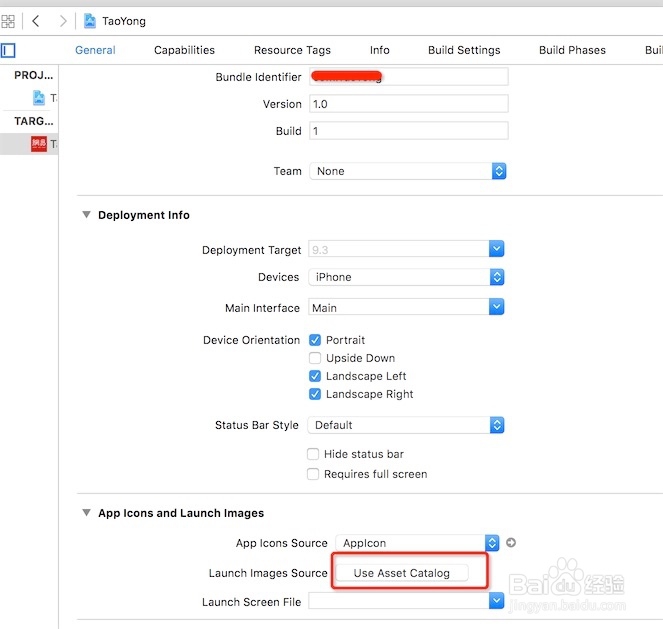
5、接下来创建LaunchScreen的链接图片。点击下面的按钮。

LaunchScreen.storyboard加了没有显示

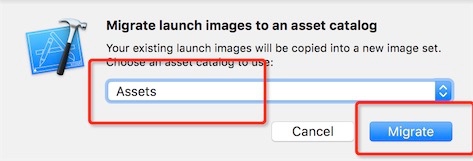
6、这里示例指定的位置如下。

LaunchScreen.storyboard加了没有显示

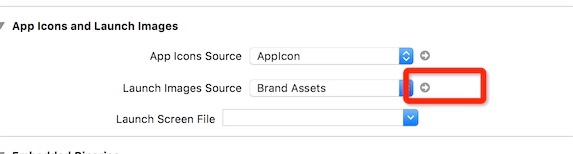
7、怎么查看,指定的具体文件呢?,点击以下的箭头。

LaunchScreen.storyboard加了没有显示

8、可以看到生成新的文件。

LaunchScreen.storyboard加了没有显示

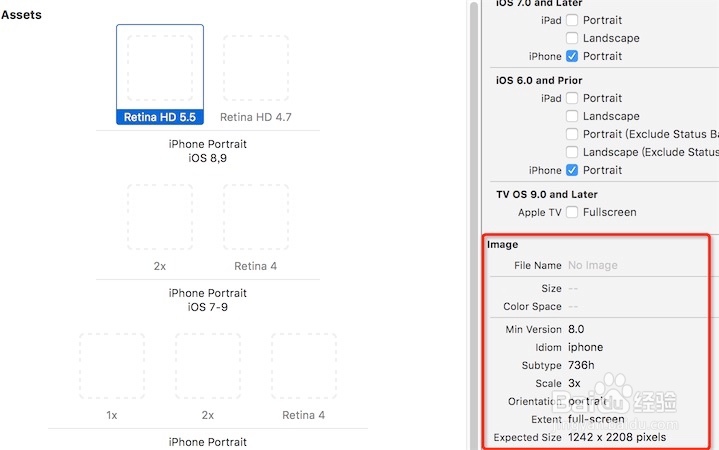
9、项目需要哪些尺寸的设备,则在右边进行勾选。

LaunchScreen.storyboard加了没有显示

10、想要知道,每个屏幕的尺寸大小,在以下的红框里面。

LaunchScreen.storyboard加了没有显示

  • e浏览器怎么设置字体大小
  • 如何使用After Effect软件制作三维相册
  • 婚礼策划方案及流程怎么制作
  • 家庭自制蒜香树菜苗
  • 渲染的意思?
  • 热门搜索
    手机分辨率是什么意思 心肌酶高是什么原因 ac什么意思 当量是什么意思 11月9日是什么星座 三个代表是什么 珠海有什么大学 腐女什么意思 什么牌子洗发水好用 heart是什么意思