windows搭建FTP Server (FileZilla)

 时间:2026-04-27 09:11:31

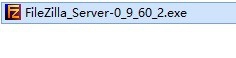
1、下载安装包

windows搭建FTP Server (FileZilla)

2、双击运行安装包,弹出安装向导

同意许可

windows搭建FTP Server (FileZilla)

3、使用默认的配置

继续next

windows搭建FTP Server (FileZilla)

4、选择安装目录

windows搭建FTP Server (FileZilla)

5、这里可以使用默认的设定和端口

windows搭建FTP Server (FileZilla)

6、选择用户,默认就好

windows搭建FTP Server (FileZilla)

7、下面就开始安装了

windows搭建FTP Server (FileZilla)

8、安装完成,可以自动打开server

设定管理员信息

选择OK就可以登录了

windows搭建FTP Server (FileZilla)

  • 开机提示:NTLDT is missing,怎么解决?
  • ADOBE软件安装错误解决
  • 炸香椿怎么做?
  • Citrix XenServer如何添加连接服务器
  • 3wareRAID卡配置方法
  • 热门搜索
    鸡脖子的做法大全 欧派抽油烟机怎么样 特长怎么填 数字骂人顺口溜大全 医疗保险在手机上怎么交 通货膨胀怎么办 对啊网怎么样 火绒怎么卸载 景点大全 浆糊怎么做