怎么进行testNG安装

 时间:2026-04-29 13:53:33

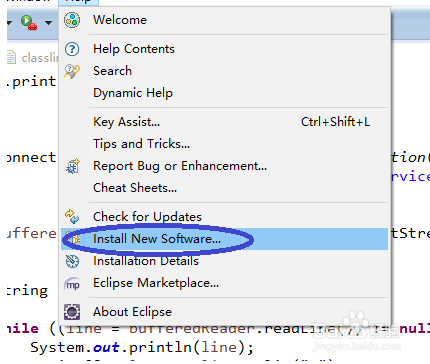
1、启动Eclipse,选择“Install New Software”
怎么进行testNG安装

2、单击“Add”

怎么进行testNG安装

3、Name:TestNG

location:http://beust.com/eclipse

填写完毕,然后点击“OK”

怎么进行testNG安装

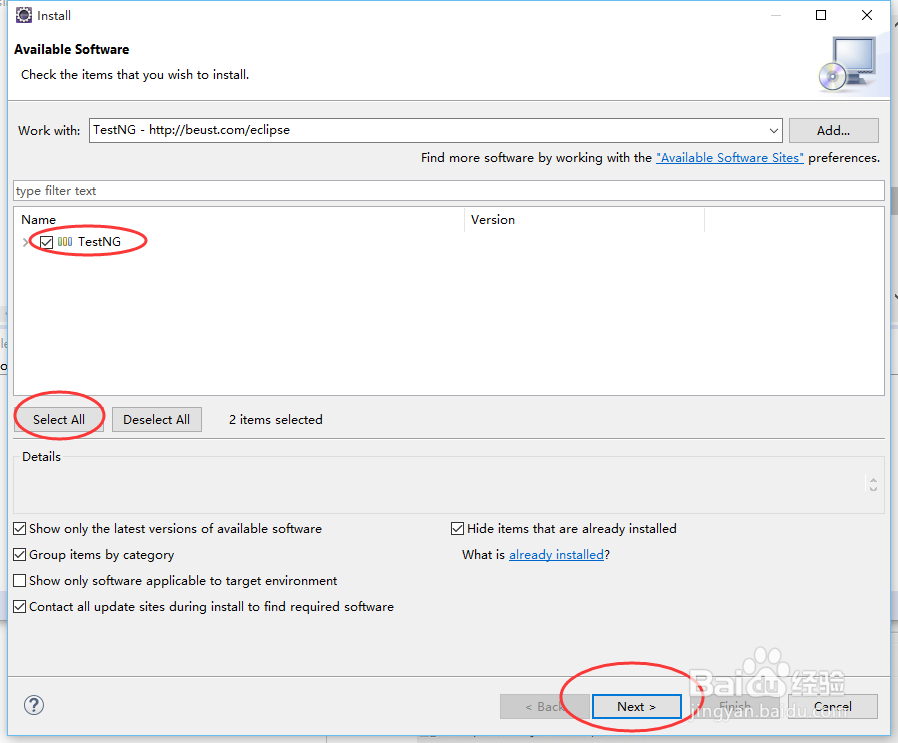
4、选择“Select All”和“TestNG”,点击“Next”继续

怎么进行testNG安装

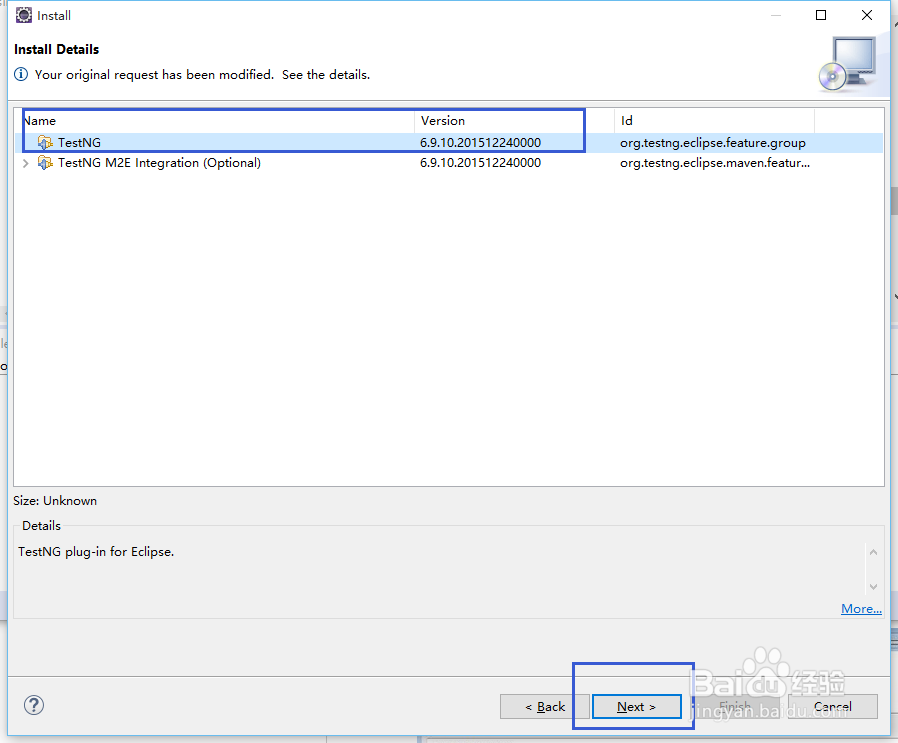
5、选中项目,然后单击“Next”

怎么进行testNG安装

6、勾选“Accept the License Agreement”,然后单击“Finish”

怎么进行testNG安装

7、TestNG开始安装并且展示出进度

怎么进行testNG安装

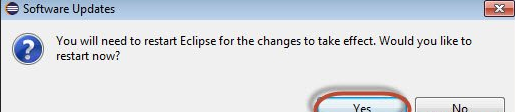
8、安装程序弹出的需要重启,单击“Yes”

怎么进行testNG安装

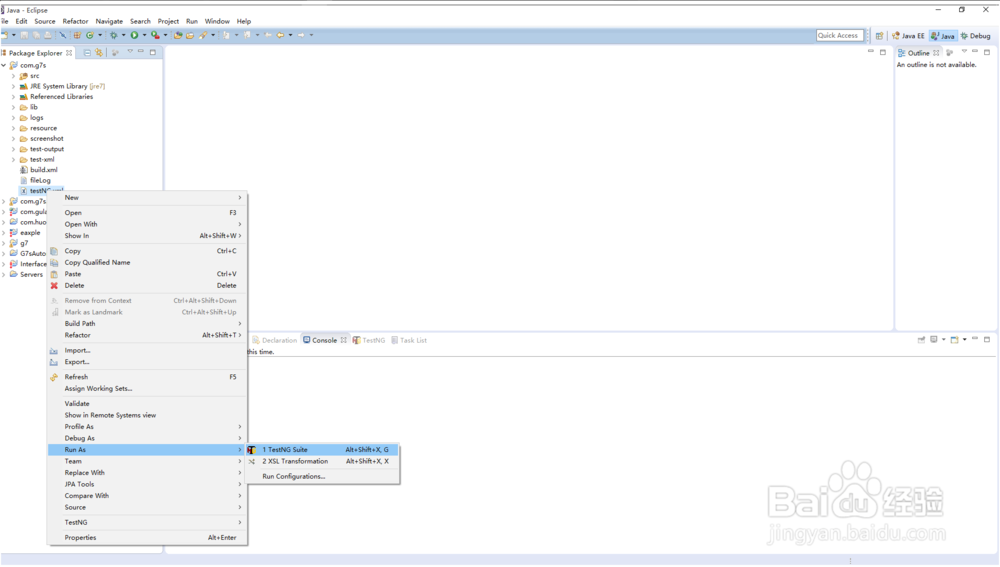
9、安装完成

怎么进行testNG安装

  • idea 2020如何设置背景颜色
  • ajax提交如何跳转新页面
  • jquery如何设置input框的默认值
  • JS如何将文本框里的值清空
  • java 截取字符串第一个字符
  • 热门搜索
    满意的近义词和反义词 男发型短发 樱花抽油烟机怎么样 潇洒的近义词 低烧不退怎么办 怎么改路由器名字 鱼钩怎么绑线 ps怎么改变图片颜色 开门见山的近义词 幸福的近义词是什么