PowerShape 2017怎么设置拟合方法为内侧

 时间:2024-10-16 19:18:34

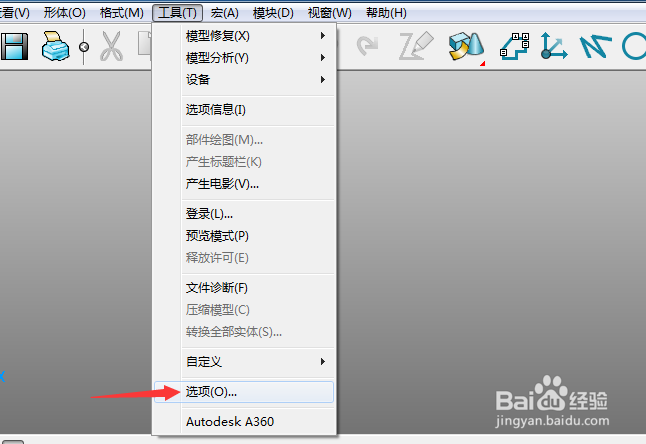
1、首先,点击菜单中的工具菜单,弹出了下拉菜单选中为选项

PowerShape 2017怎么设置拟合方法为内侧

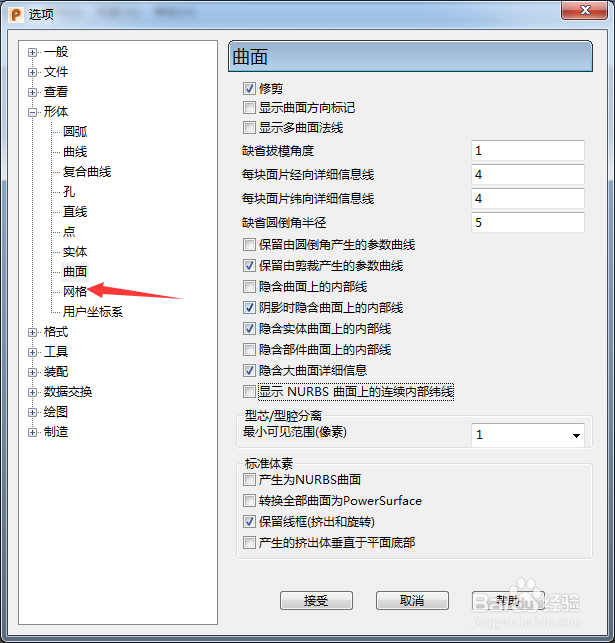
2、点击网格选项

PowerShape 2017怎么设置拟合方法为内侧

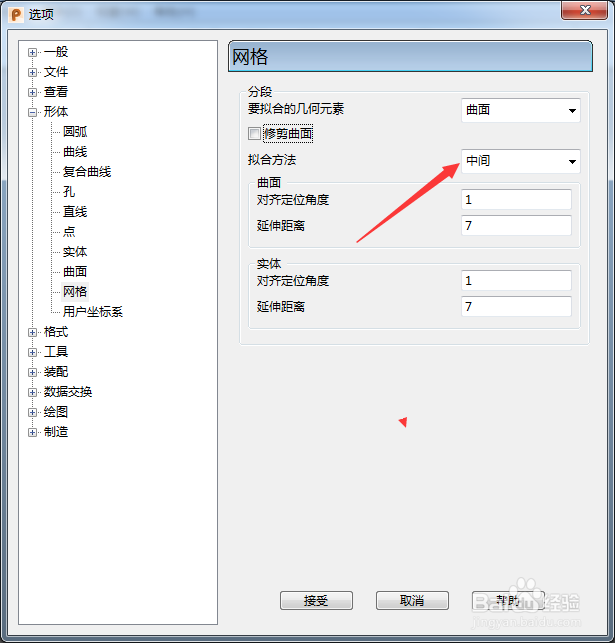
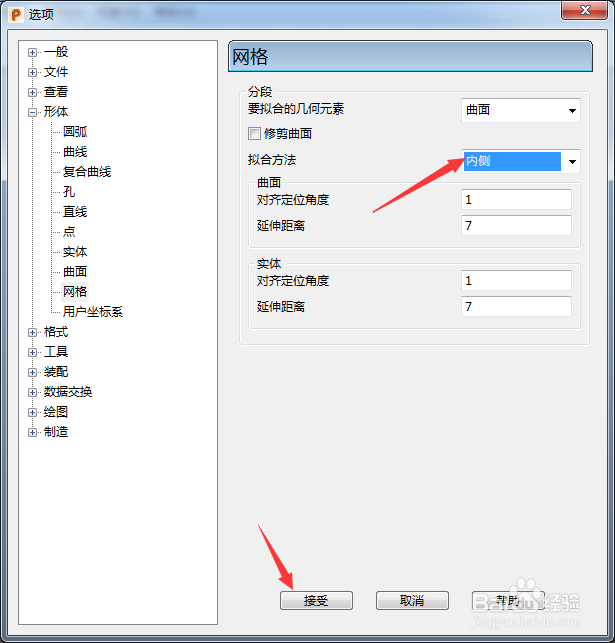
3、点击拟合方法选项

PowerShape 2017怎么设置拟合方法为内侧

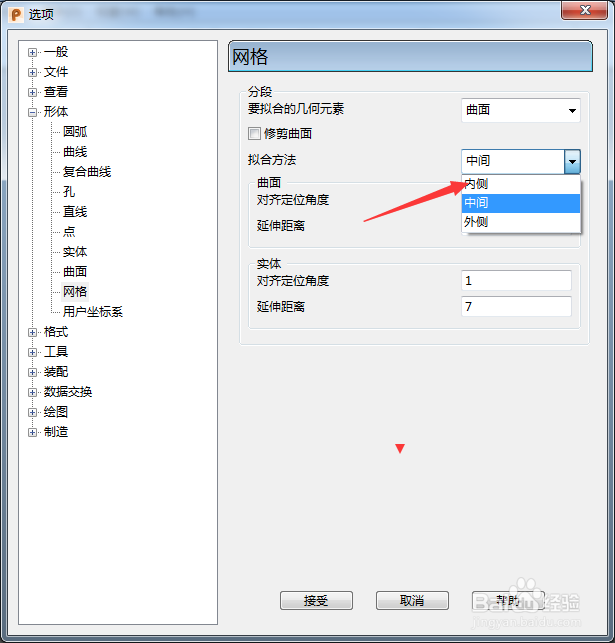
4、弹出了下拉菜单选择为内侧

PowerShape 2017怎么设置拟合方法为内侧

5、选择为内侧选项之后,点击接受按钮

PowerShape 2017怎么设置拟合方法为内侧
  • PowerShape 2017怎么设置最大不连续角度为30
  • PowerShape 2017怎么设置矩形
  • PowerShape 2017怎么设置要拟合几何元素为实体
  • PowerShape 2017怎么跟踪球颜色为明亮
  • PowerShape 2017怎么设置viewGube大小为极小
  • 热门搜索
    擎怎么读 怎么写读后感 腊肉怎么吃 你为什么说谎 河虾怎么做好吃 变形缝做法 dress怎么读 苹果派怎么做 雪莲子的做法 为什么过年要吃饺子