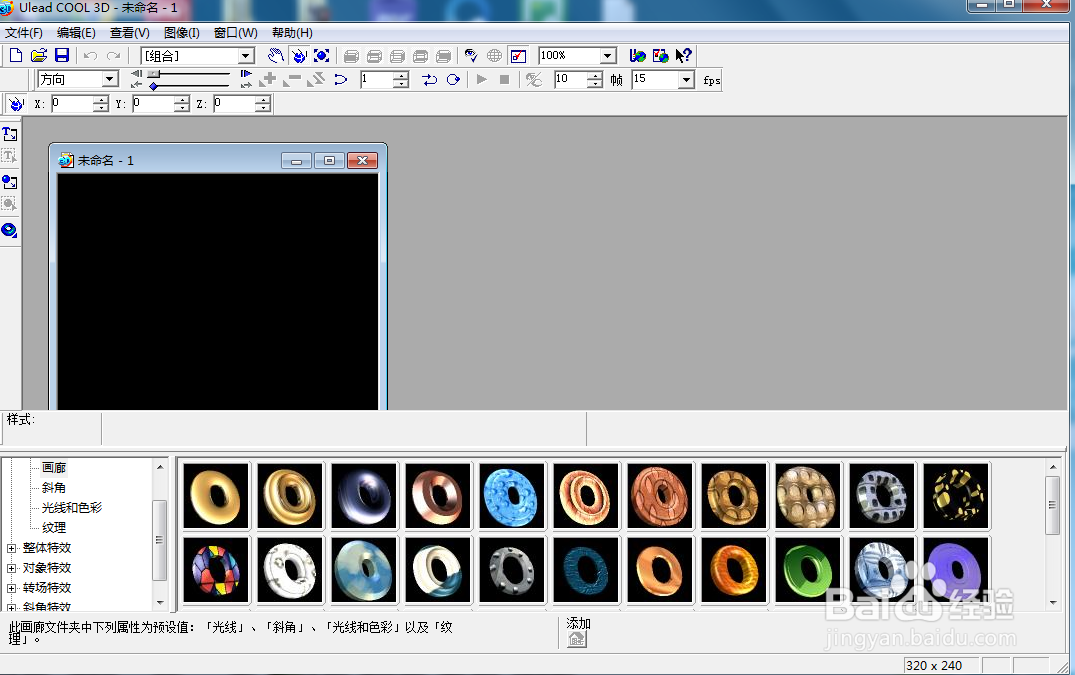
1、打开ulead cool 3d,进入它的主界面;
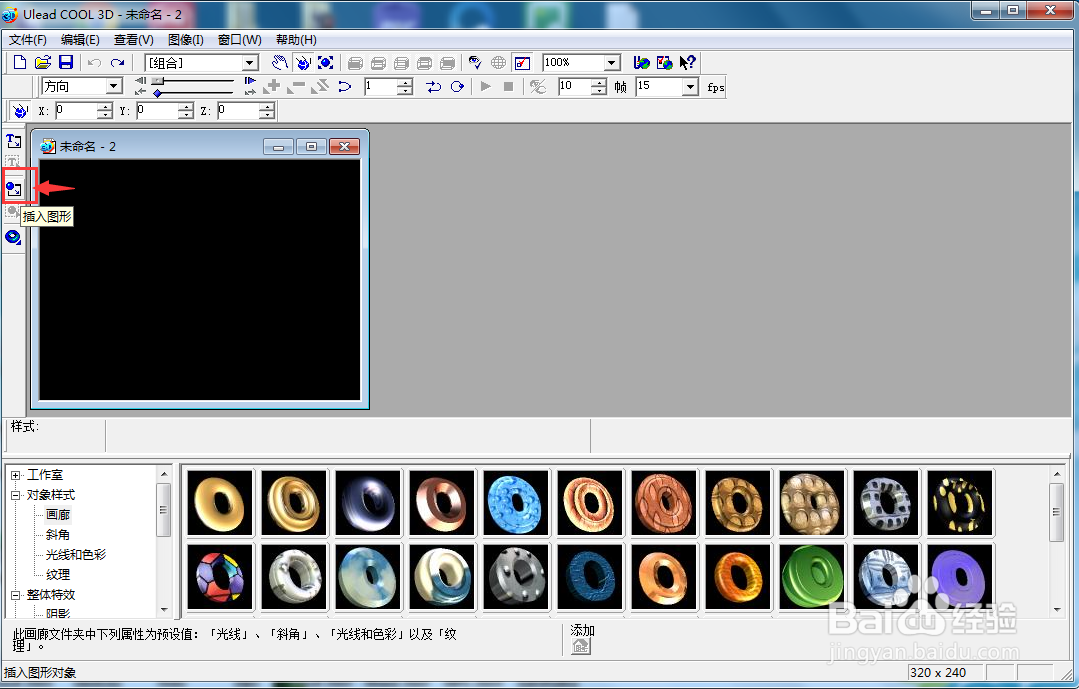
2、用鼠标点击插入图形;
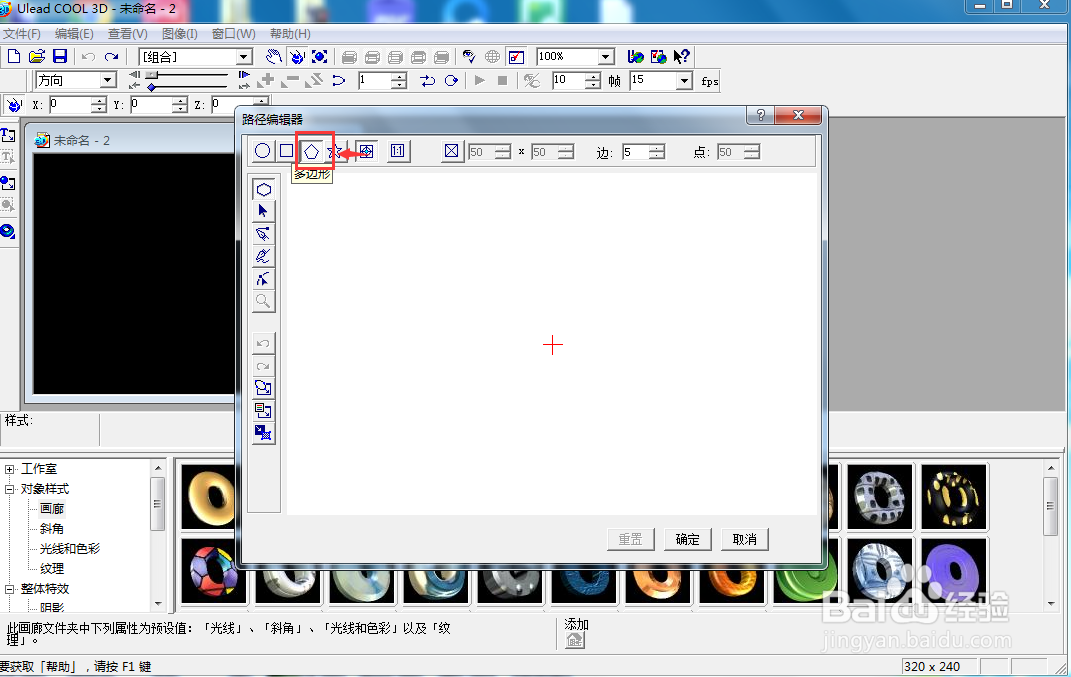
3、在打开的路径编辑器中点击多边形;
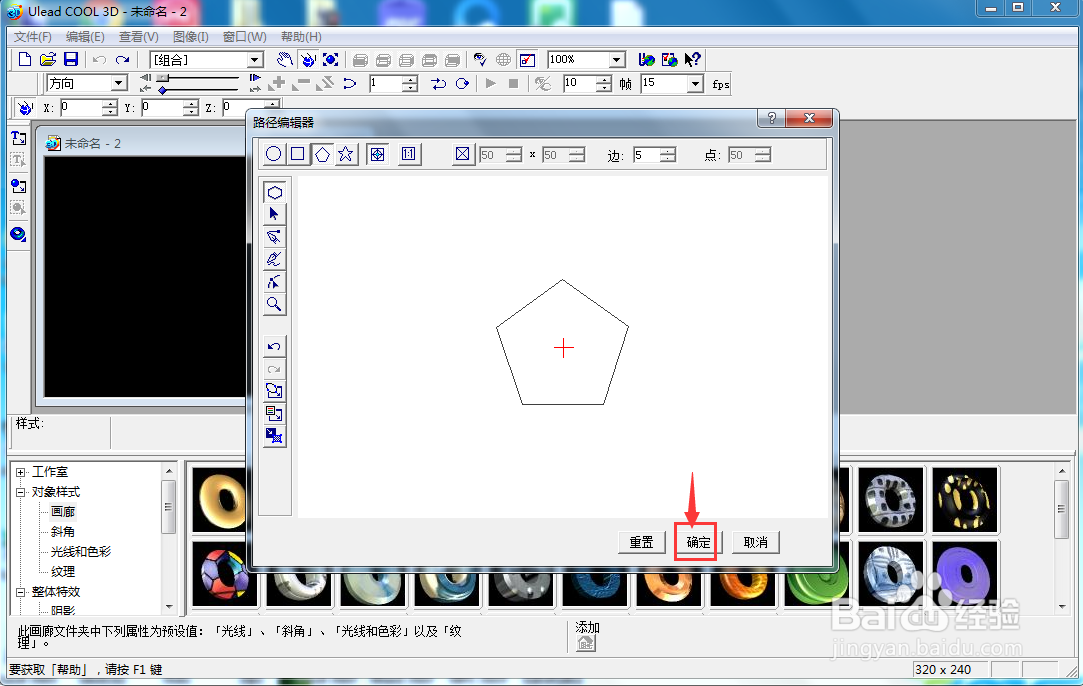
4、从中心向外拖动鼠标,画出一个五边形;
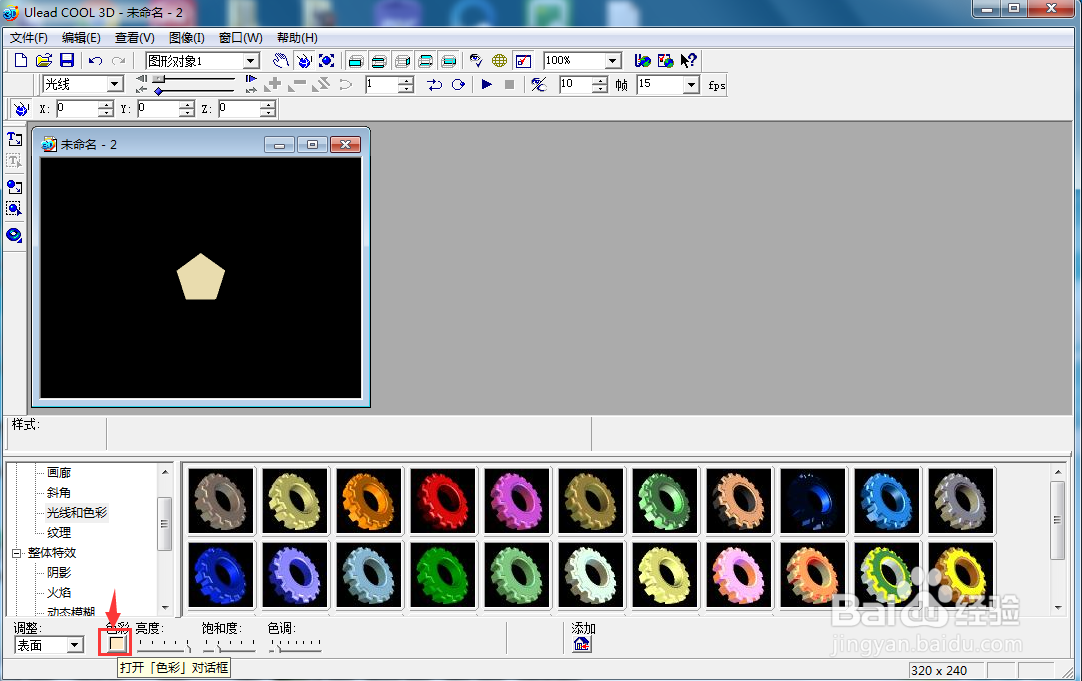
5、点击光线和色彩下的色彩;
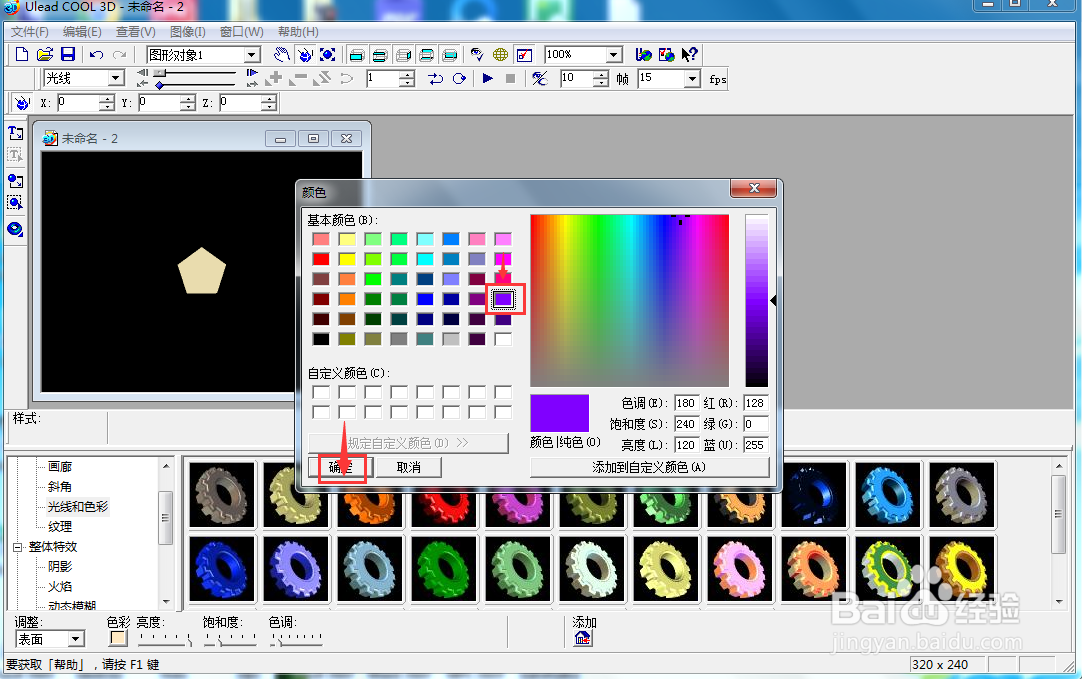
6、选择紫色,按确定;
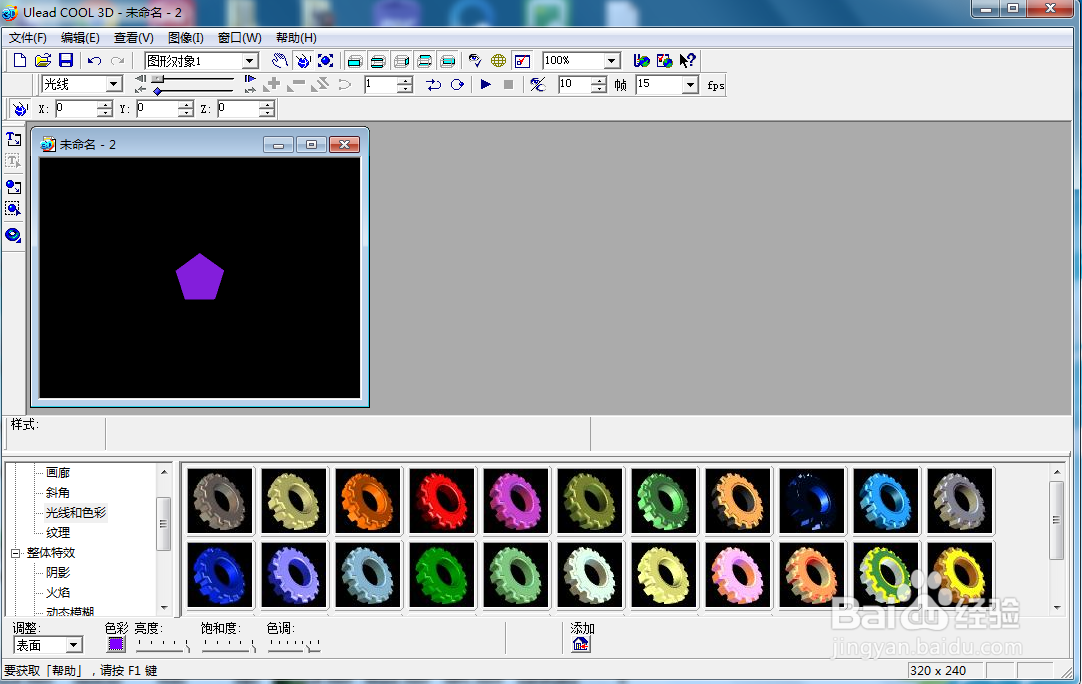
7、我们就在ulead cool 3d中创建好了一个紫色五边形。
时间:2026-04-22 05:00:59
1、打开ulead cool 3d,进入它的主界面;
2、用鼠标点击插入图形;
3、在打开的路径编辑器中点击多边形;
4、从中心向外拖动鼠标,画出一个五边形;
5、点击光线和色彩下的色彩;
6、选择紫色,按确定;
7、我们就在ulead cool 3d中创建好了一个紫色五边形。
