1、首先准备好需要用到的图片。

2、新建html文档。

3、书写hmtl5代码。
<main>
<section class="cd-section" id="Welcome">
<div class="highlight bg">
<div class="core"> <span class="examples">examples</span>
<ul class="buttons">
<li><a href="#" class="trigger-info" data-iziToast>Info</a></li>
<li><a href="#" class="trigger-success" data-iziToast>Success</a></li>
<li><a href="#" class="trigger-warning" data-iziToast>Warning</a></li>
<li><a href="#" class="trigger-error">Error</a></li>
<li><a href="#" class="trigger-custom1">Custom I</a></li>
<li><a href="#" class="trigger-custom2">Custom II</a></li>
<li class="lava"></li>
</ul>
</div>
</div>
</section>
</main>

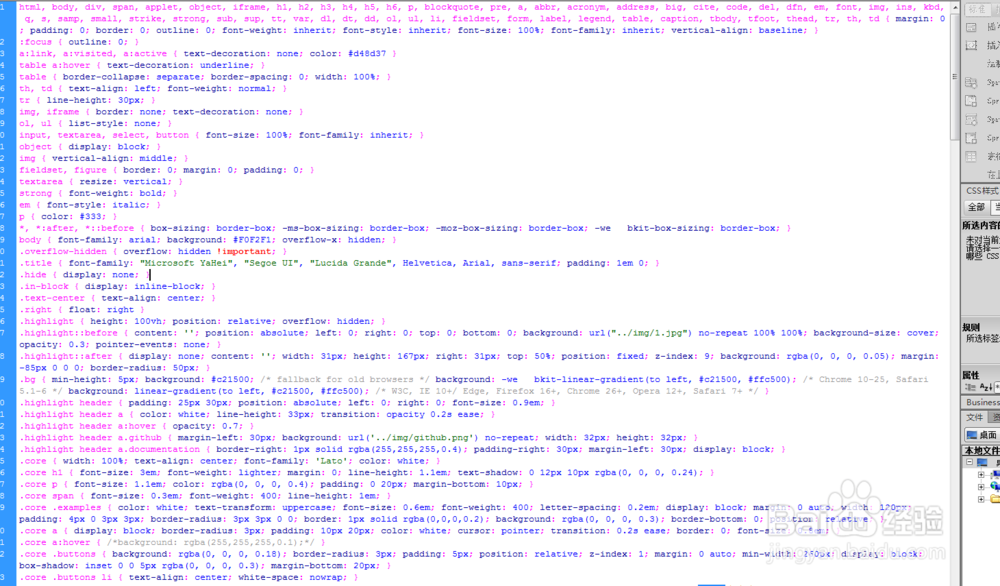
4、书写css代码。
html, body, div, span, applet, object, iframe, h1, h2, h3, h4, h5, h6, p, blockquote, pre, a, abbr, acronym, address, big, cite, code, del, dfn, em, font, img, ins, kbd, q, s, samp, small, strike, strong, sub, sup, tt, var, dl, dt, dd, ol, ul, li, fieldset, form, label, legend, table, caption, tbody, tfoot, thead, tr, th, td { margin: 0; padding: 0; border: 0; outline: 0; font-weight: inherit; font-style: inherit; font-size: 100%; font-family: inherit; vertical-align: baseline; }
:focus { outline: 0; }
a:link, a:visited, a:active { text-decoration: none; color: #d48d37 }
table a:hover { text-decoration: underline; }
table { border-collapse: separate; border-spacing: 0; width: 100%; }
th, td { text-align: left; font-weight: normal; }
tr { line-height: 30px; }
img, iframe { border: none; text-decoration: none; }
ol, ul { list-style: none; }
input, textarea, select, button { font-size: 100%; font-family: inherit; }
object { display: block; }
img { vertical-align: middle; }
fieldset, figure { border: 0; margin: 0; padding: 0; }
textarea { resize: vertical; }
strong { font-weight: bold; }
em { font-style: italic; }
p { color: #333; }
*, *:after, *::before { box-sizing: border-box; -ms-box-sizing: border-box; -moz-box-sizing: border-box; -we bkit-box-sizing: border-box; }
body { font-family: arial; background: #F0F2F1; overflow-x: hidden; }
.overflow-hidden { overflow: hidden !important; }
.title { font-family: "Microsoft YaHei", "Segoe UI", "Lucida Grande", Helvetica, Arial, sans-serif; padding: 1em 0; }
.hide { display: none; }
.in-block { display: inline-block; }
.text-center { text-align: center; }
.right { float: right }
.highlight { height: 100vh; position: relative; overflow: hidden; }
.highlight::before { content: ''; position: absolute; left: 0; right: 0; top: 0; bottom: 0; background: url("../img/1.jpg") no-repeat 100% 100%; background-size: cover; opacity: 0.3; pointer-events: none; }
.highlight::after { display: none; content: ''; width: 31px; height: 167px; right: 31px; top: 50%; position: fixed; z-index: 9; background: rgba(0, 0, 0, 0.05); margin: -85px 0 0 0; border-radius: 50px; }
.bg { min-height: 5px; background: #c21500; /* fallback for old browsers */ background: -we bkit-linear-gradient(to left, #c21500, #ffc500); /* Chrome 10-25, Safari 5.1-6 */ background: linear-gradient(to left, #c21500, #ffc500); }
.highlight header { padding: 25px 30px; position: absolute; left: 0; right: 0; font-size: 0.9em; }
.highlight header a { color: white; line-height: 33px; transition: opacity 0.2s ease; }
.highlight header a:hover { opacity: 0.7; }
.highlight header a.github { margin-left: 30px; background: url('../img/github.png') no-repeat; width: 32px; height: 32px; }
.highlight header a.documentation { border-right: 1px solid rgba(255,255,255,0.4); padding-right: 30px; margin-left: 30px; display: block; }
.core { width: 100%; text-align: center; font-family: 'Lato'; color: white; }
.core h1 { font-size: 3em; font-weight: lighter; margin: 0; line-height: 1.1em; text-shadow: 0 12px 10px rgba(0, 0, 0, 0.24); }
.core p { font-size: 1.1em; color: rgba(0, 0, 0, 0.4); padding: 0 20px; margin-bottom: 10px; }
.core span { font-size: 0.3em; font-weight: 400; line-height: 1em; }
.core .examples { color: white; text-transform: uppercase; font-size: 0.6em; font-weight: 400; letter-spacing: 0.2em; display: block; margin: 0 auto; width: 120px; padding: 4px 0 3px 3px; border-radius: 3px 3px 0 0; border: 1px solid rgba(0,0,0,0.2); background: rgba(0, 0, 0, 0.3); border-bottom: 0; position: relative; }
.core a { display: block; border-radius: 3px; padding: 10px 20px; color: white; cursor: pointer; transition: 0.2s ease; border: 0; font-size: 0.8em; }
.core a:hover { /*background: rgba(255,255,255,0.1);*/ }
.core .buttons { background: rgba(0, 0, 0, 0.18); border-radius: 3px; padding: 5px; position: relative; z-index: 1; margin: 0 auto; min-width: 260px; display: block; box-shadow: inset 0 0 5px rgba(0, 0, 0, 0.3); margin-bottom: 20px; }
.core .buttons li { text-align: center; white-space: nowrap; }
5、书写并添加js代码。
<script src="js/jquery-1.11.0.min.js" ></script>
<script src="js/iziToast.min.js" ></script>

6、代码整体结构。

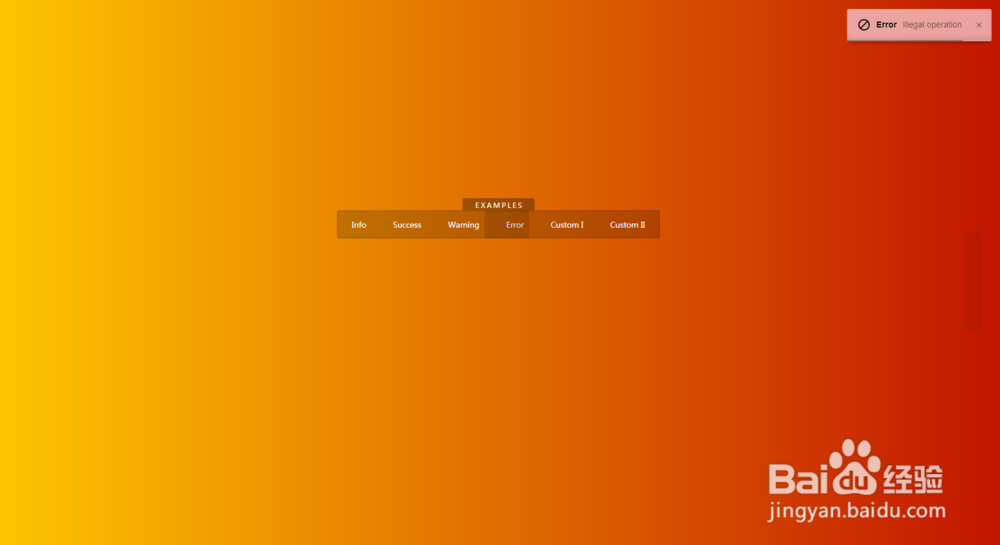
7、查看效果。