1、新建一个html代码页面,在这个代码页面创建一个<img>标签,然后给这个<img>标签引入一个图片路径。如图:

2、设置鼠标滚动事件。向上滚动鼠标就弹出一个mouseup文字,向下滚动鼠标就弹出mousedown。如图:
JavaScript代码:
<script type="text/javascript">
window.onload = function(){
/*滚轮事件只有firefox比较特殊,使用DOMMouseScroll; 其他浏览器使用mousewheel;*/
// firefox
var direction;
document.body.addEventListener("DOMMouseScroll", function(event) {
direction= event.detail && (event.detail > 0 ? "mousedown" : "mouseup");
alert(direction)
});
// chrome and ie
document.body.onmousewheel = function (event) {
event = event || window.event;
direction = event.wheelDelta && (event.wheelDelta > 0 ? "mouseup" : "mousedown");
console.log(direction);
alert(direction)
};
}
</script>

3、保存html代码文件后使用浏览器打开,在图片上滚动鼠标就会弹出向上或向下的文字提示。效果如图:

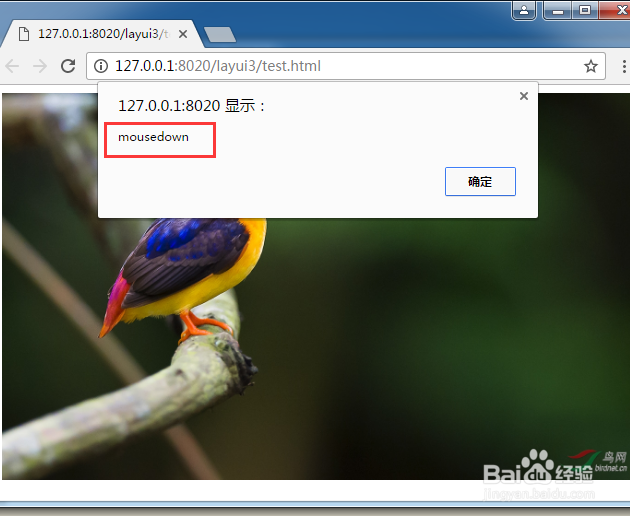
4、所有代码。可以直接复制所有代码粘贴到新建的html文件,保存后运行即可看到效果。
所有代码:
<!DOCTYPE html>
<html>
<head>
<meta charset="UTF-8">
<title></title>
<script type="text/javascript">
window.onload = function(){
/*滚轮事件只有firefox比较特殊,使用DOMMouseScroll; 其他浏览器使用mousewheel;*/
// firefox
var direction;
document.body.addEventListener("DOMMouseScroll", function(event) {
direction= event.detail && (event.detail > 0 ? "mousedown" : "mouseup");
alert(direction)
});
// chrome and ie
document.body.onmousewheel = function (event) {
event = event || window.event;
direction = event.wheelDelta && (event.wheelDelta > 0 ? "mouseup" : "mousedown");
console.log(direction);
alert(direction)
};
}
</script>
<style type="text/css">
img{
width: 630px;
};
</style>
</head>
<body>
<img src="img/1.jpg" alt="" />
</body>
</html>
