1、字符串查找增强 findstr,首先在命令提示符中使用findstr /?基本介绍如下。

2、基本格式:findstr " strings " [drive:][path]filename string是查找的内容,[drive:][path]filename指定要查找的文件,路径可缺省例查找proxy和erro的行。


3、/I 指定搜索不区分大小写,findstr /i "Error" 4.txt, findstr /i "proxy" 4.txt。

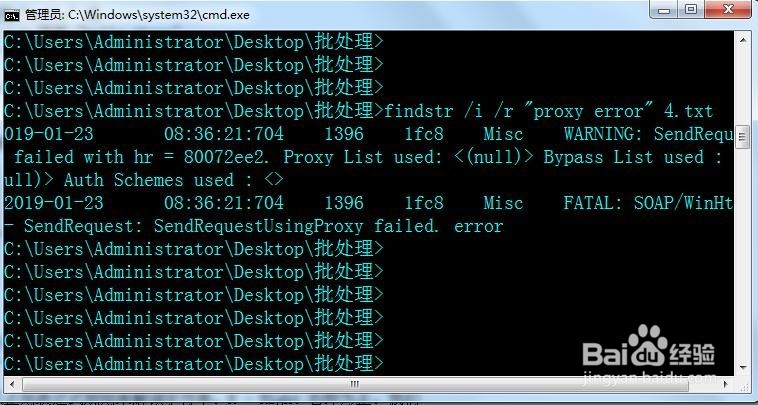
4、/R 将搜索字符串作为正则表达式使用。参数/R 强调以正则表达式规则来解读字符串。R - Right 右即为正左为负(findstr /i /r "proxy error" 4.txt 查找包含proxy 或者error的行。)
5、/S 在当前目录和所有子目录中搜索。findstr /s /i "error" *.txt在当前目录和所有子目录中的txt文件中搜索字符串"error"(不区分字母大小写)。

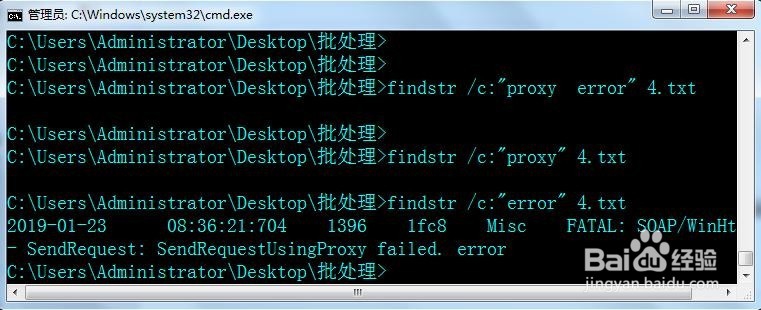
6、/C:string 使用指定字符串作为文字搜索字符串。findstr /c:"proxy error" 4.txt
"proxy error"是一个整体。