1、首先进入github登录上自己的帐号,我们这里以test为例,选择test。

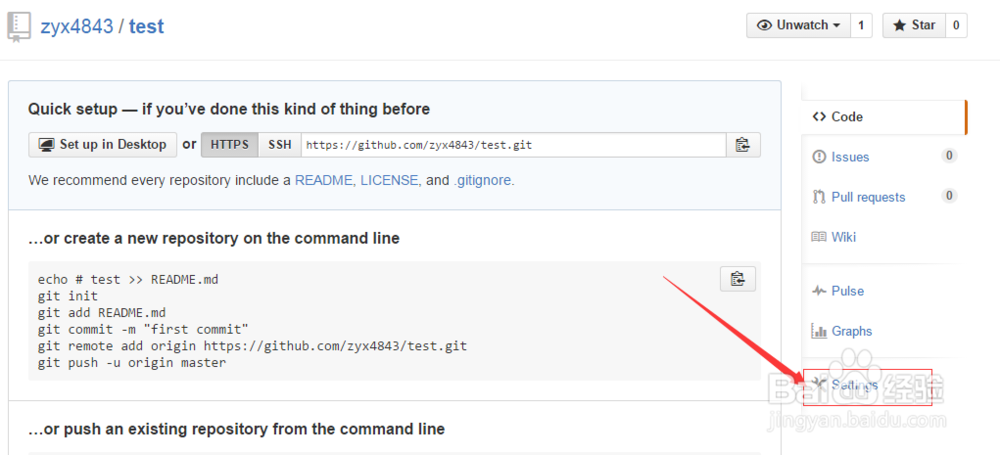
2、进入test项目页面,右下方找到settings,点击settings。
3、进入如下页面。
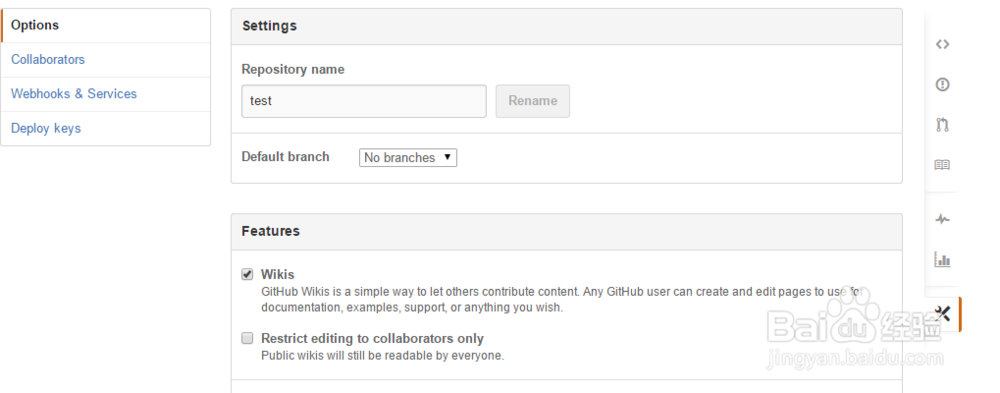
4、向下拉找到Delete this repositoty,点击它。

5、弹出如下对话框,需要输入项目名称,这里是test。
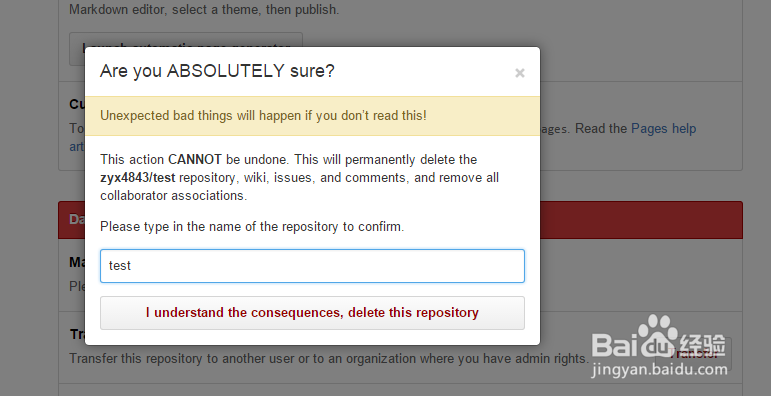
6、点击下方按钮,删除成功转入到成功提示页面,再看主页已经没有了test。


时间:2026-05-04 04:15:05
1、首先进入github登录上自己的帐号,我们这里以test为例,选择test。
2、进入test项目页面,右下方找到settings,点击settings。
3、进入如下页面。
4、向下拉找到Delete this repositoty,点击它。
5、弹出如下对话框,需要输入项目名称,这里是test。
6、点击下方按钮,删除成功转入到成功提示页面,再看主页已经没有了test。
