ct generic not ascii(83::2)AE字体完美解决

 时间:2026-02-14 08:54:44

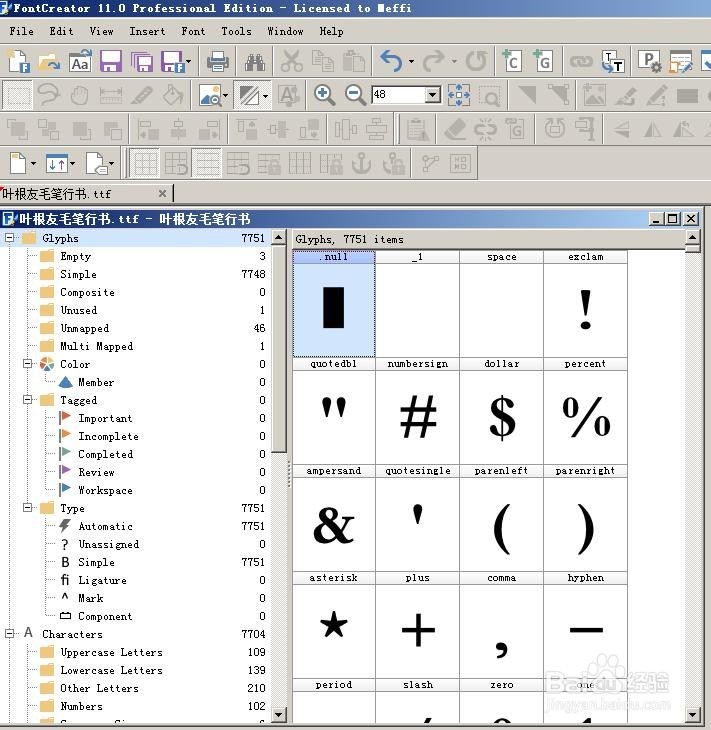
1、安装FontCreator11专业版本。把出错的中文字体打开
ct generic not ascii(83::2)AE字体完美解决

2、修改字体属性

ct generic not ascii(83::2)AE字体完美解决

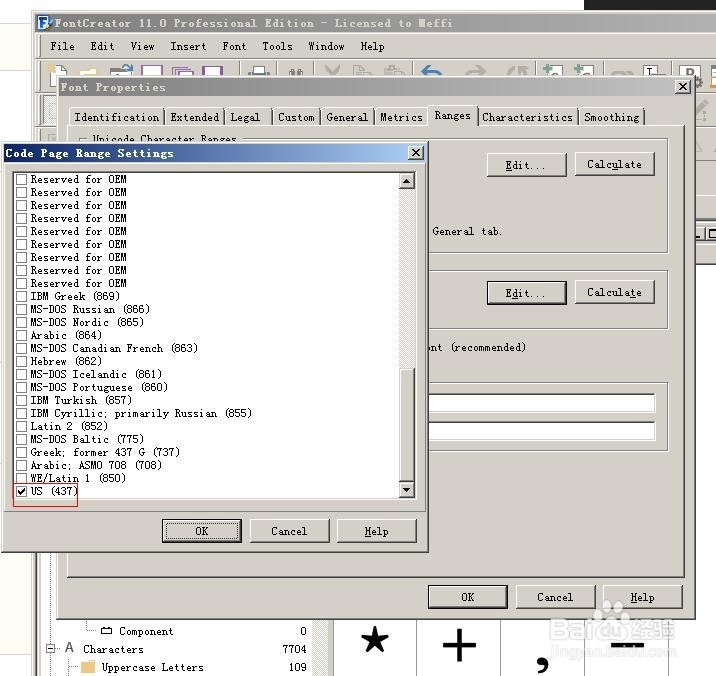
3、勾选美国标准码,ascii

ct generic not ascii(83::2)AE字体完美解决

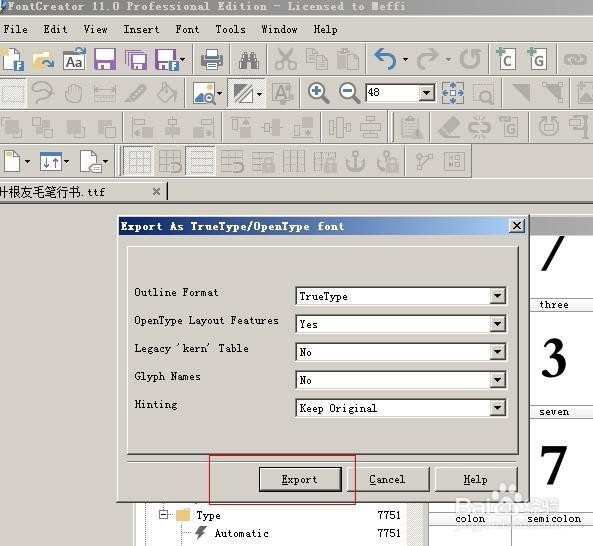
4、file》export font as》

ct generic not ascii(83::2)AE字体完美解决

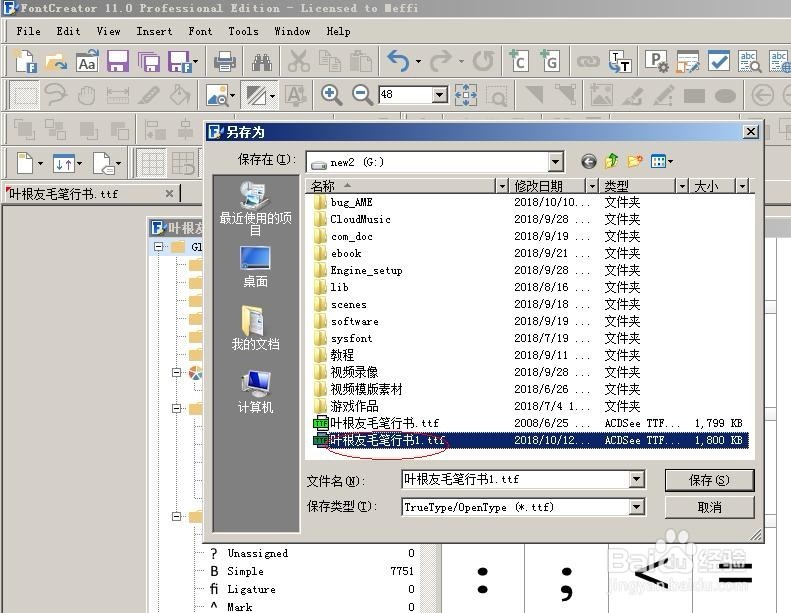
5、存为备份1字体文件tff

ct generic not ascii(83::2)AE字体完美解决

6、再把C:\Windows\Fonts下的出错文字字体删除,重新安装修改编码后的字体,大家再看看有问题没?

ct generic not ascii(83::2)AE字体完美解决

  • 《逆水寒》铁衣技能天赋如何选
  • 剑网三侠之大者任务怎么交
  • 易语言分组框设置标题颜色
  • C4D Octane菜单栏里有两个选项是多余吗?
  • PotPlayer图像处理怎么设置渐进降噪
  • 热门搜索
    telephone是什么意思 别无长物的意思 issue是什么意思 nvr是什么意思 dn15是什么意思 5到6万买什么车好 制作幻灯片用什么软件 sneakers是什么意思 祝福祖国的成语 临幸是什么意思