1、打开一个需要编辑的excel表格。

2、选择所有数据。

3、点击“复制”。
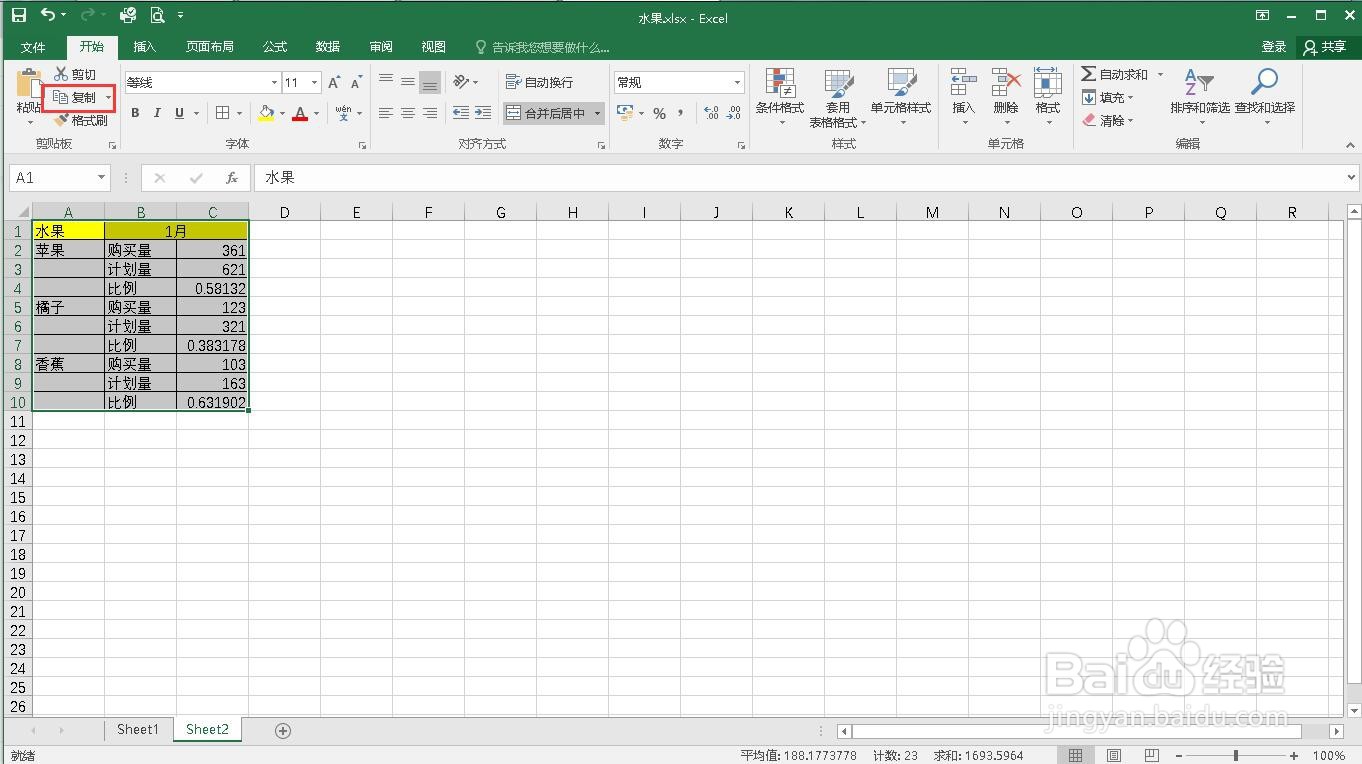
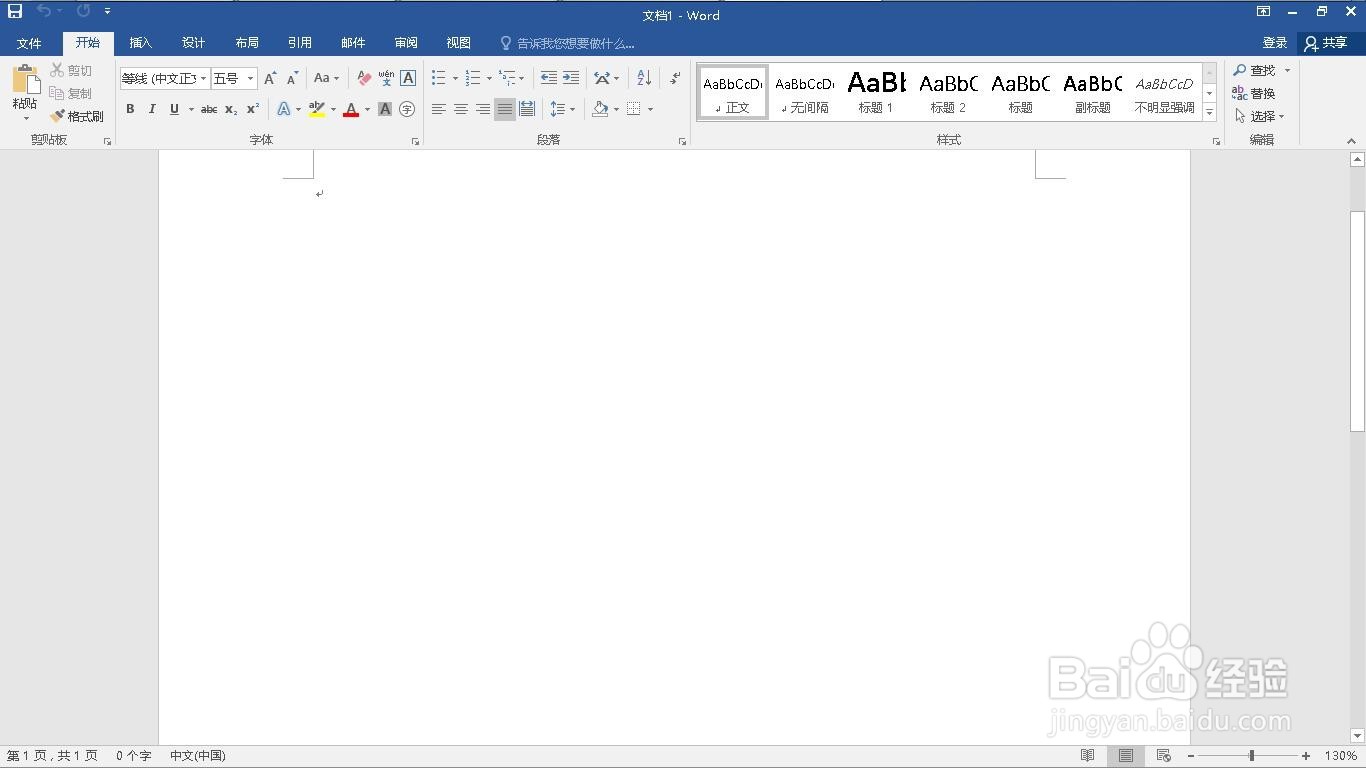
4、新建一个word文档。
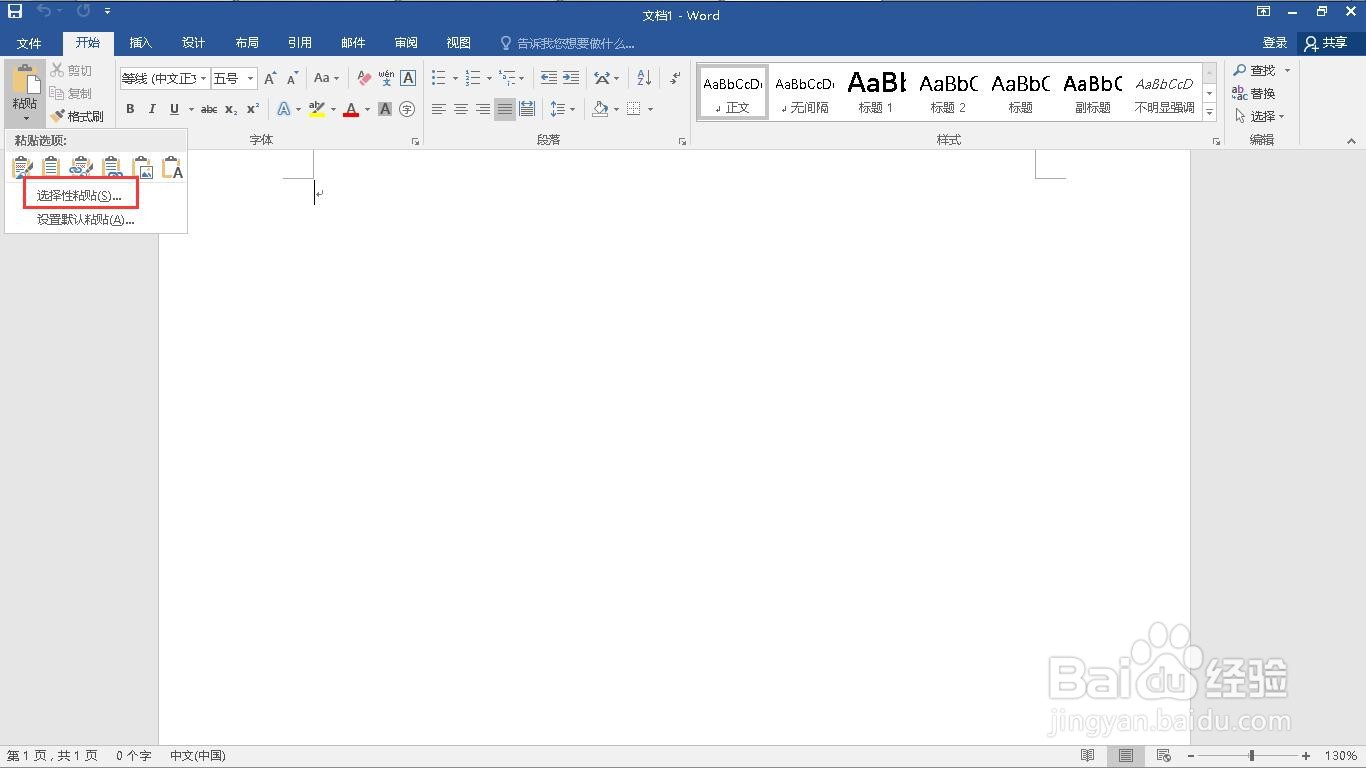
5、点击“粘贴”下的小三角。

6、点击“选择性粘贴”。
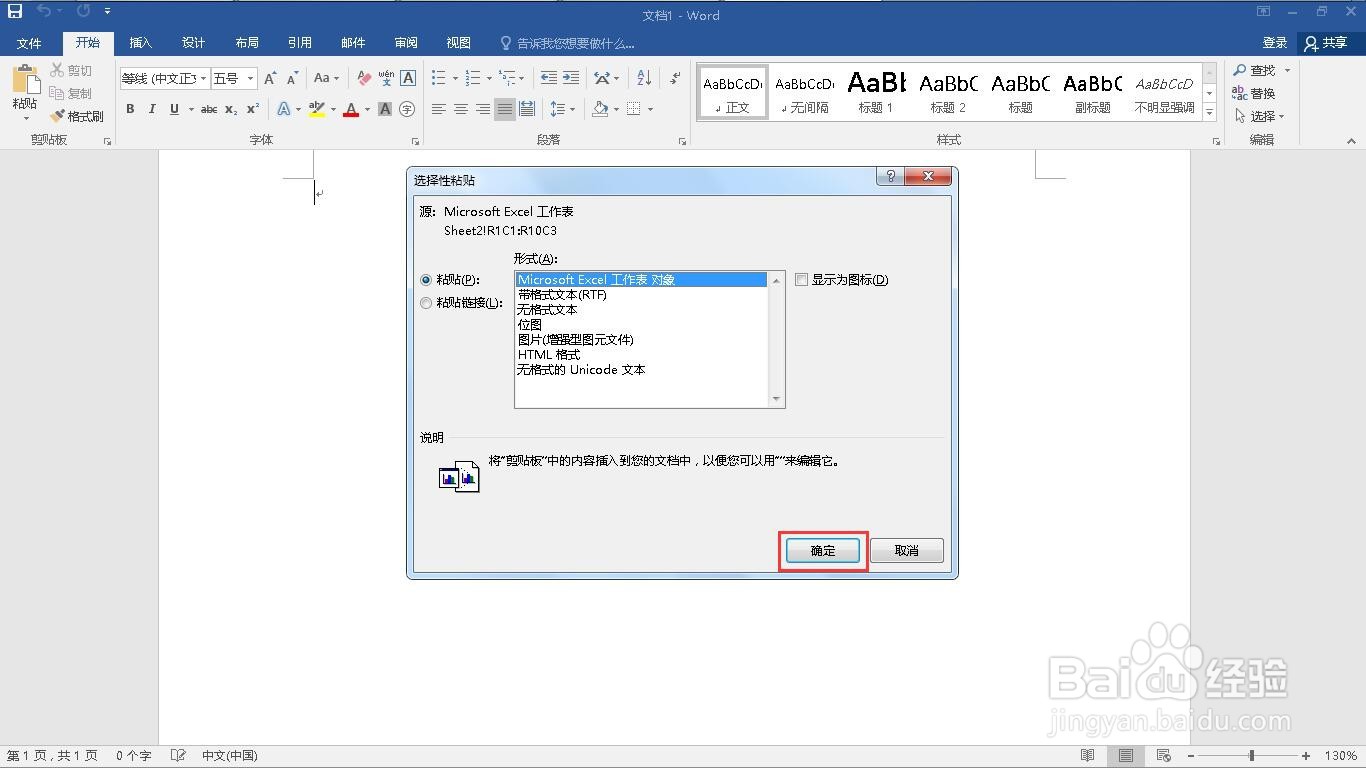
7、点击“Microsoft Excel 工作表 对象”。
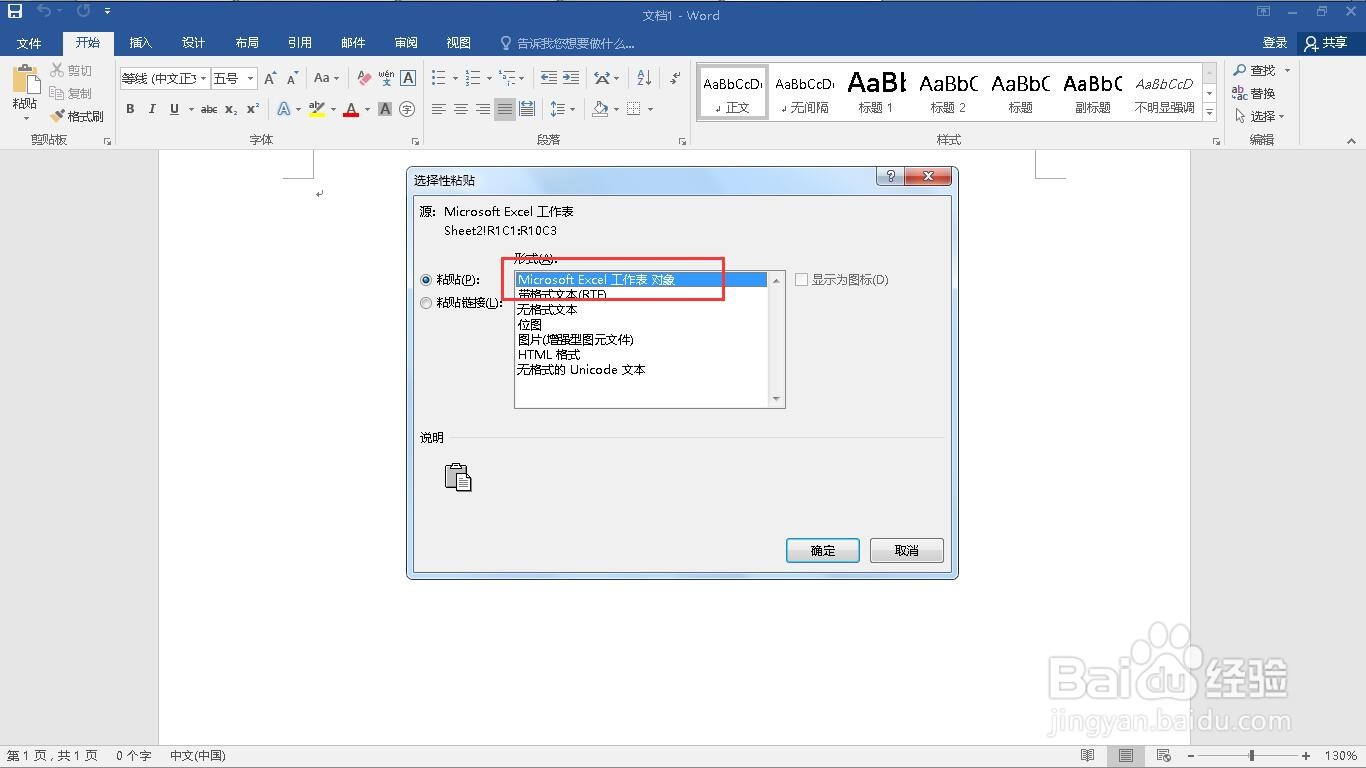
8、点击“确定”按钮。
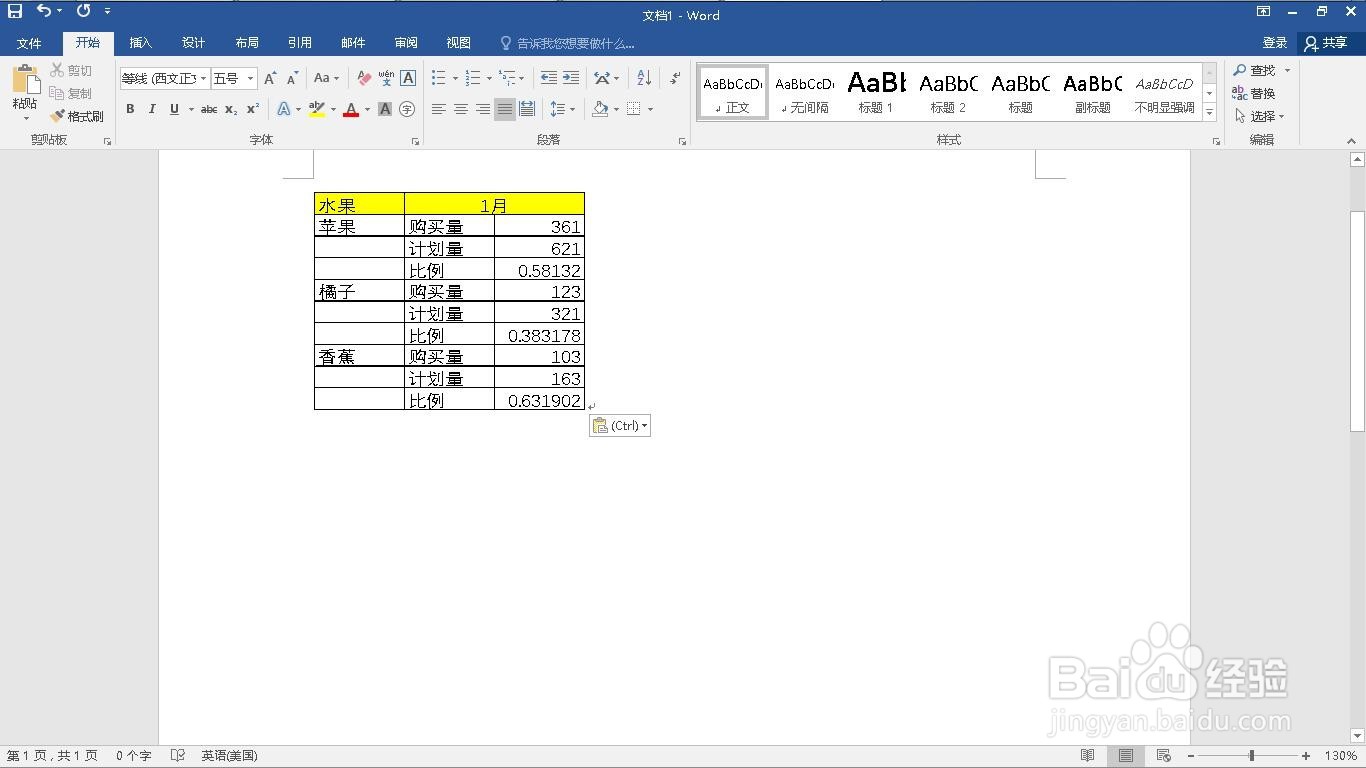
9、这样就完成了把excel数据转为word。
时间:2026-05-01 00:21:52
1、打开一个需要编辑的excel表格。
2、选择所有数据。
3、点击“复制”。
4、新建一个word文档。
5、点击“粘贴”下的小三角。
6、点击“选择性粘贴”。
7、点击“Microsoft Excel 工作表 对象”。
8、点击“确定”按钮。
9、这样就完成了把excel数据转为word。
