intellij idea 批量取消断言(断点)

 时间:2024-11-10 10:33:36

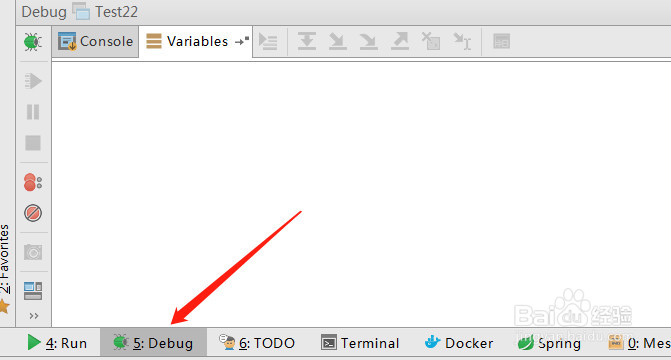
1、点击intellij idea左下方的【Debug】按钮

intellij idea 批量取消断言(断点)

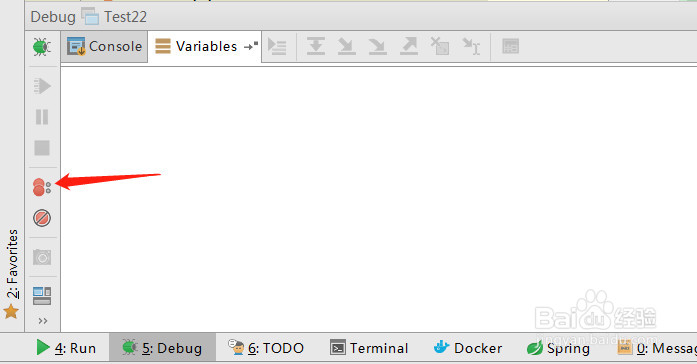
2、再点击左侧两个红点相连的图片

intellij idea 批量取消断言(断点)

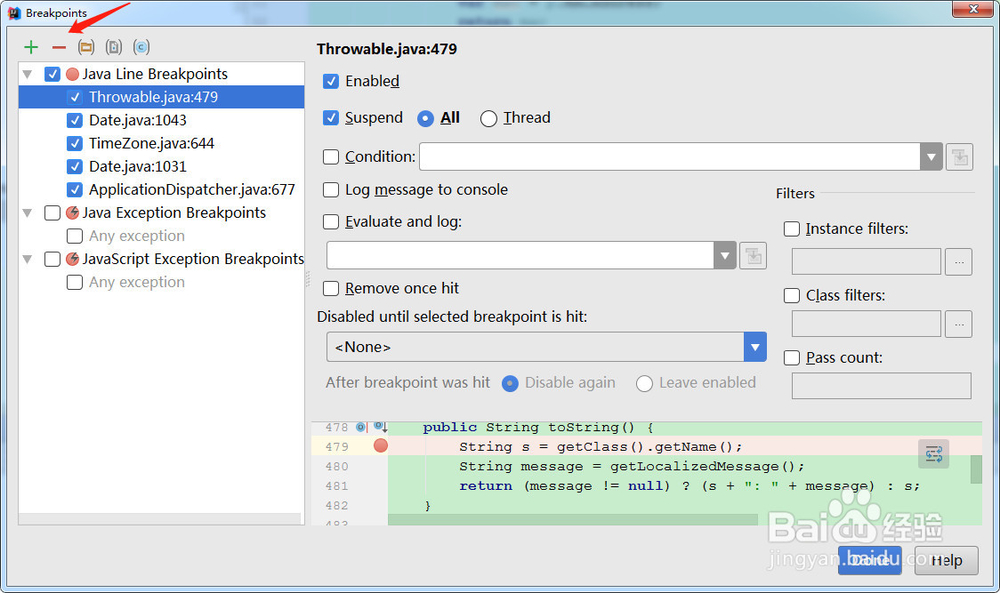
3、打开了项目中所有断言的列表

intellij idea 批量取消断言(断点)

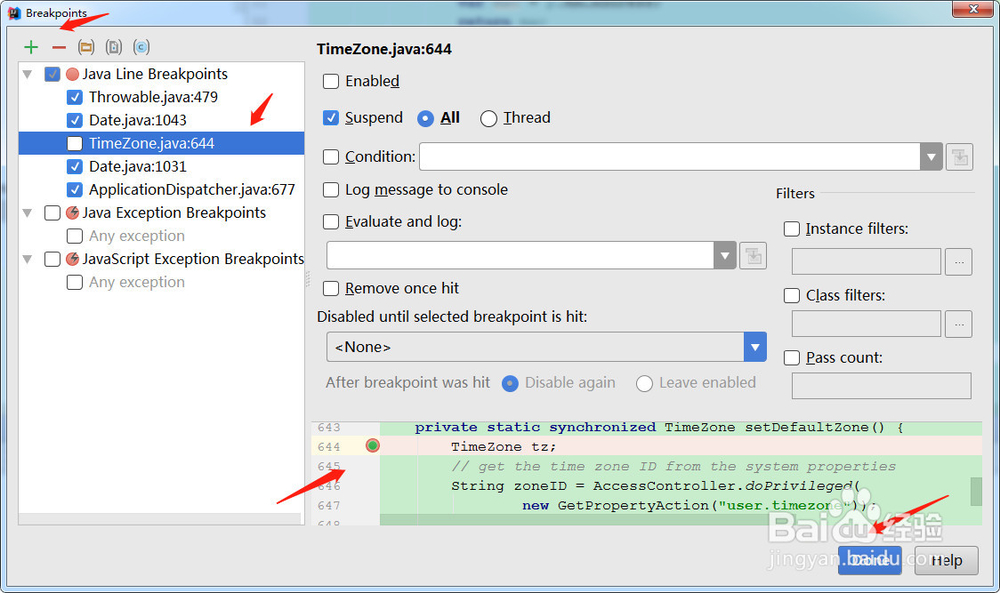
4、比如选中一个断言,点击【-】按钮,如下图所以

intellij idea 批量取消断言(断点)

5、点击【Done】完成

  • MyBatis如何入门以及实现一个简单的增删改查
  • python3 扩展方法
  • JS如何将数组转化为字符串
  • 在word中怎么插入代码?
  • c#显示数据库的信息
  • 热门搜索
    穿越火线怎么改名 工作规划怎么写 黑芝麻糊怎么做 手蜕皮是怎么回事 伊兰特怎么样 怎么共享文件 怎么购买股票 我的世界弓怎么做 精索静脉曲张怎么治 怎么让头发变直