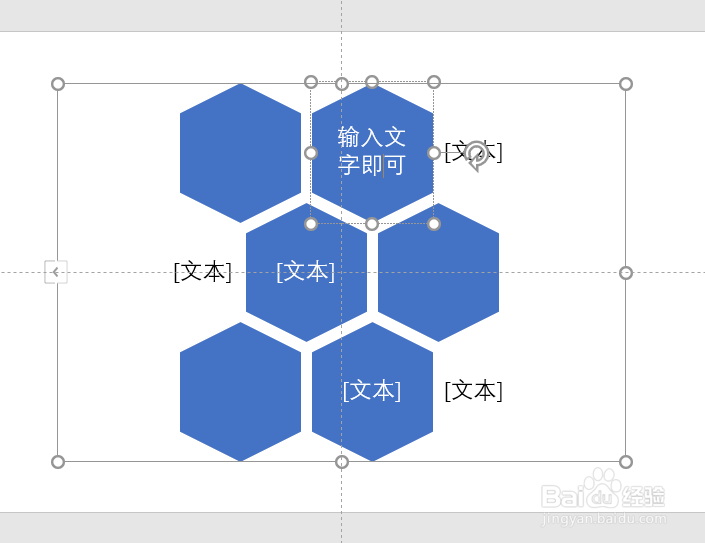
在PowerPoint中如何添加SmartArt列表图?

 时间:2026-02-12 17:13:30

1、打开PowerPoint软件。

在PowerPoint中如何添加SmartArt列表图?

2、点击“插入”选项卡。

在PowerPoint中如何添加SmartArt列表图?

3、点击“SmartArt”菜单。

在PowerPoint中如何添加SmartArt列表图?

4、点击列表。

在PowerPoint中如何添加SmartArt列表图?

5、选择列表图样式。

在PowerPoint中如何添加SmartArt列表图?

6、点击确定。

在PowerPoint中如何添加SmartArt列表图?

7、在左边文字输入窗口即可输入文字。

在PowerPoint中如何添加SmartArt列表图?

8、SmartArt列表图添加完成。

在PowerPoint中如何添加SmartArt列表图?

  • wpsPPT中如何制作蓝色矩形标注转场页
  • #好久不见#怎么调整PPT中动画效果的顺序?
  • PPT中如何插入竖排文本框
  • ppt如何调整多个形状顶端对齐
  • 如何在Photoshop设置模糊工具的面板
  • 热门搜索
    京东怎么分期付款 微信怎么换头像 ps怎么画曲线 海参怎么做好吃又简单 小孩牙疼怎么办 指尖陀螺怎么玩 料酒怎么用 空调怎么制热 美国英语怎么写 c盘满了怎么办