PotPlayer怎么关闭字体固定尺寸

 时间:2026-05-13 11:06:17

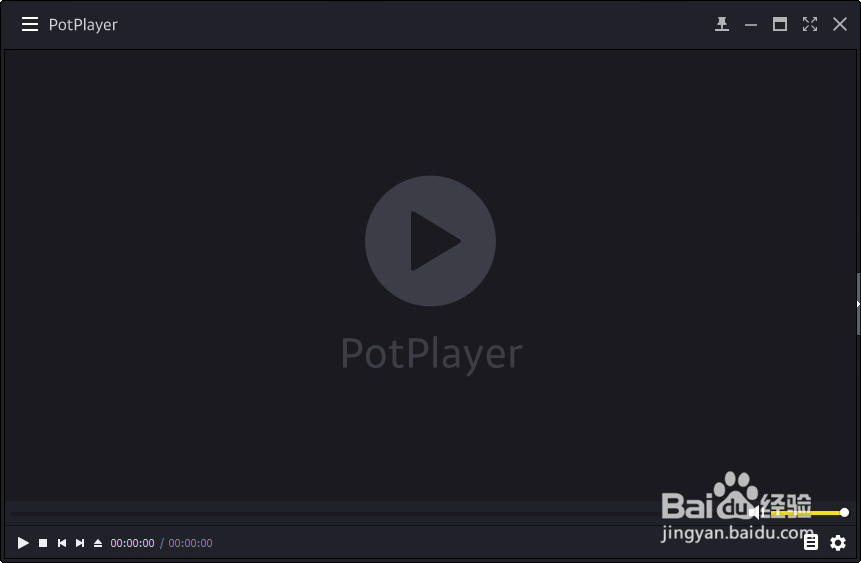
1、打开一个PotPlayer的界面中

PotPlayer怎么关闭字体固定尺寸

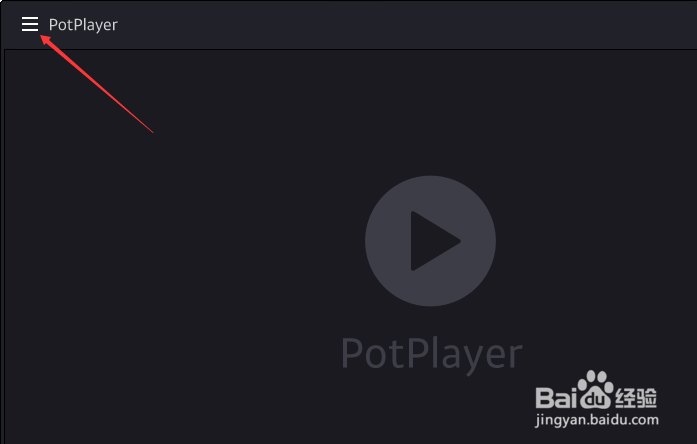
2、点击左上角中的更多选项

PotPlayer怎么关闭字体固定尺寸

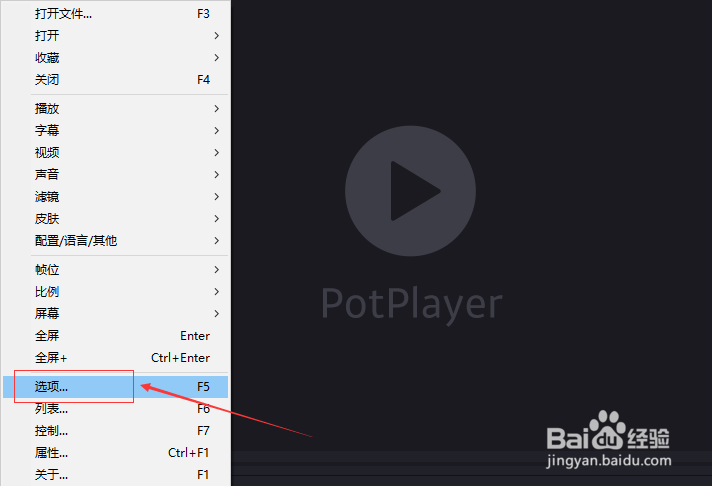
3、弹出了下拉菜单选中选项

PotPlayer怎么关闭字体固定尺寸

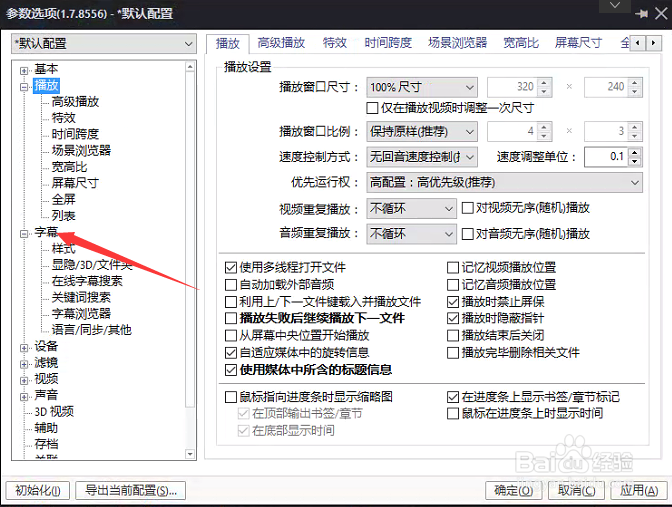
4、点击左侧中字幕选项

PotPlayer怎么关闭字体固定尺寸

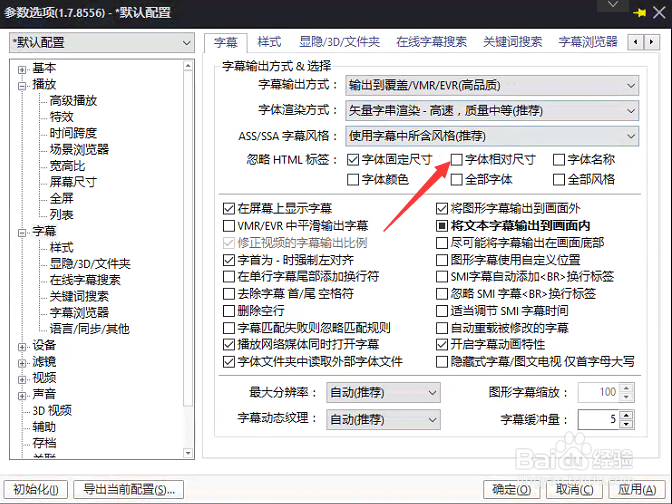
5、去掉勾选字体固定尺寸选项

PotPlayer怎么关闭字体固定尺寸

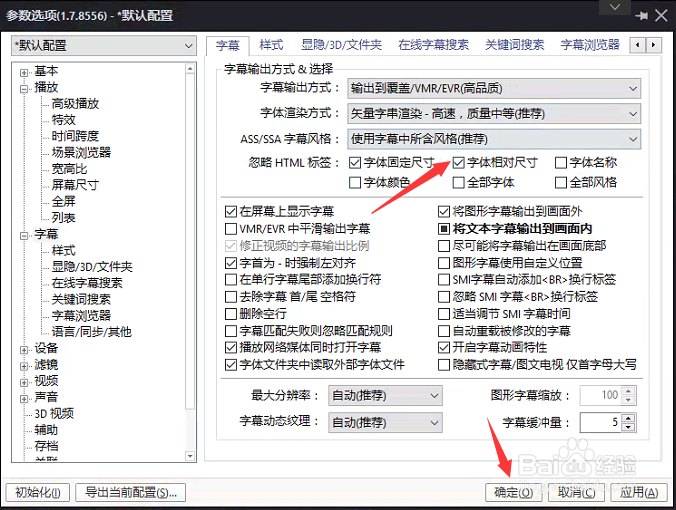
6、去掉勾选字体固定尺寸选项之后,点击确定

PotPlayer怎么关闭字体固定尺寸

  • PotPlayer怎么关闭时还原为默认尺寸设置
  • PotPlayer怎么关闭字体固定尺寸
  • PotPlayer怎么关闭字体名称
  • PotPlayer怎么关闭平滑输出字体
  • PotPlayer怎么设置字体固定尺寸
  • 热门搜索
    龙血树怎么养 鸡怎么做好吃又简单 香菇怎么做 几两命怎么算 狐狸怎么叫 word怎么删除页面 我的世界怎么做铁傀儡 双系统怎么删除一个 娜可露露怎么获得 我不受欢迎怎么想都是你们的错