PotPlayer怎么设置不使用平滑滤镜

 时间:2024-10-31 03:00:01

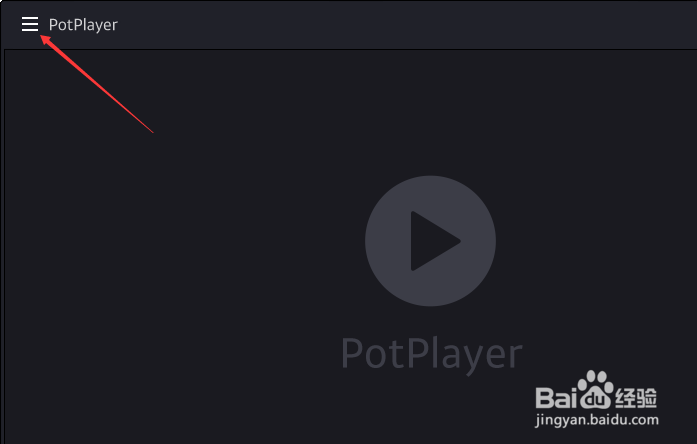
1、点击左上角中更多选项

PotPlayer怎么设置不使用平滑滤镜

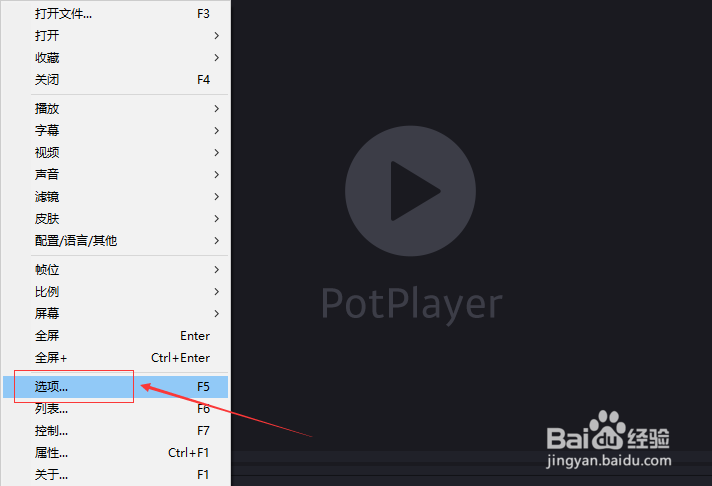
2、弹出了下拉菜单选中选项

PotPlayer怎么设置不使用平滑滤镜

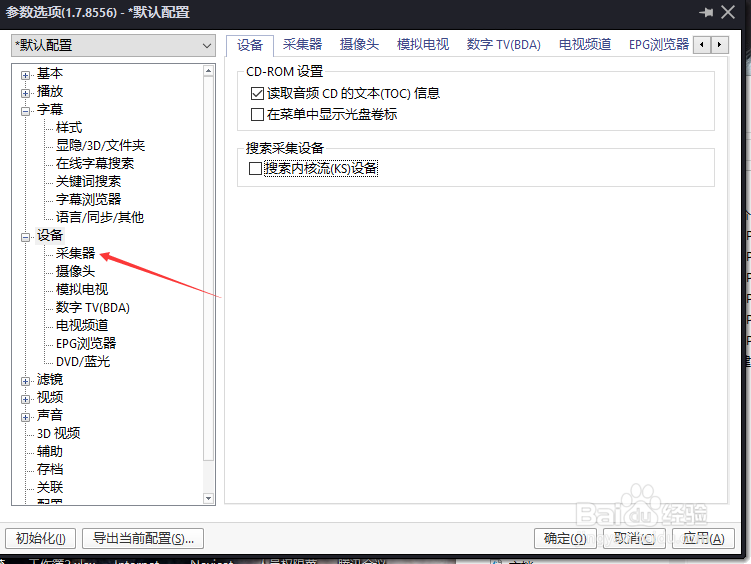
3、点击左侧中的采集器选项

PotPlayer怎么设置不使用平滑滤镜

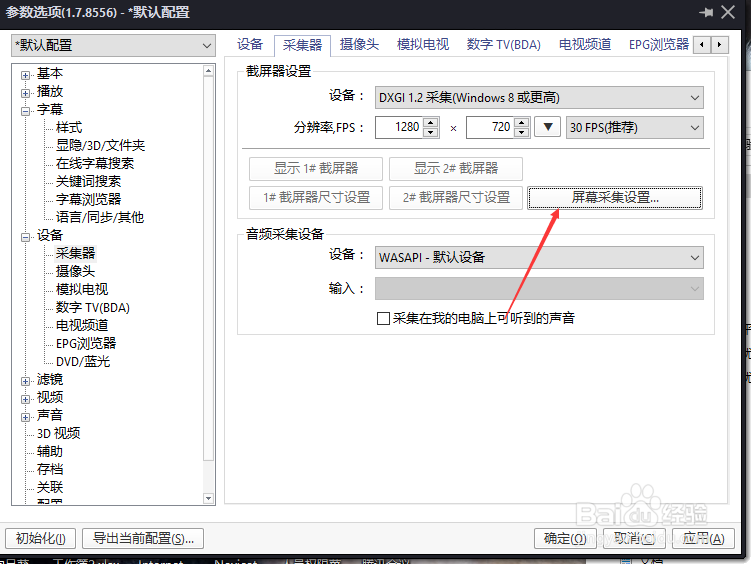
4、点击屏幕采集设置按钮

PotPlayer怎么设置不使用平滑滤镜

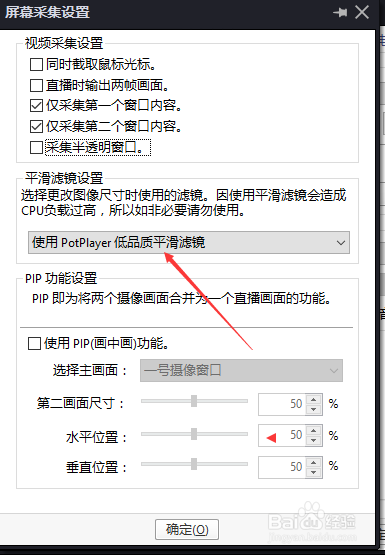
5、点击平滑滤镜设置选项

PotPlayer怎么设置不使用平滑滤镜

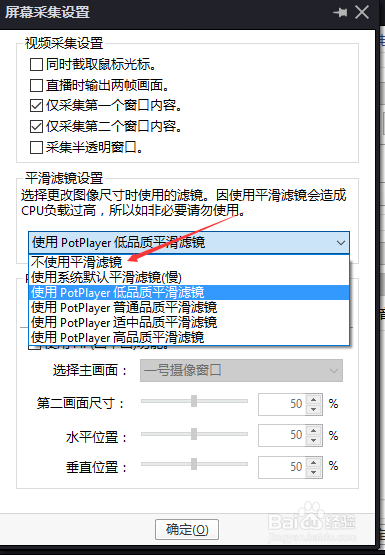
6、弹出了下拉菜单选中不使用平滑滤镜选项

PotPlayer怎么设置不使用平滑滤镜

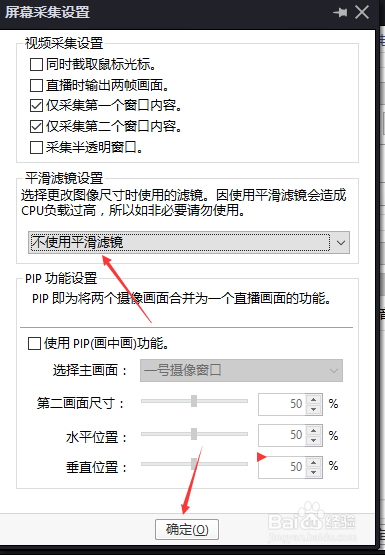
7、选中不使用平滑滤镜选项之后,点击确定

PotPlayer怎么设置不使用平滑滤镜
  • PotPlayer反交错设置怎么使用为不使用
  • PotPlayer怎么不使用时间跳移功能
  • PotPlayer怎么不使用新的连接方式
  • PotPlayer怎么设置显示文件名
  • PotPlayer怎么不使用Microsoft默认调谐器
  • 热门搜索
    吃樱桃有什么好处 狐假虎威的假是什么意思 mkv格式用什么播放器 甘蔗男是什么意思 1582年发生了什么 徘徊的意思 精巧的意思 一厢情愿的意思 阴谋诡计的意思 山头火命是什么意思