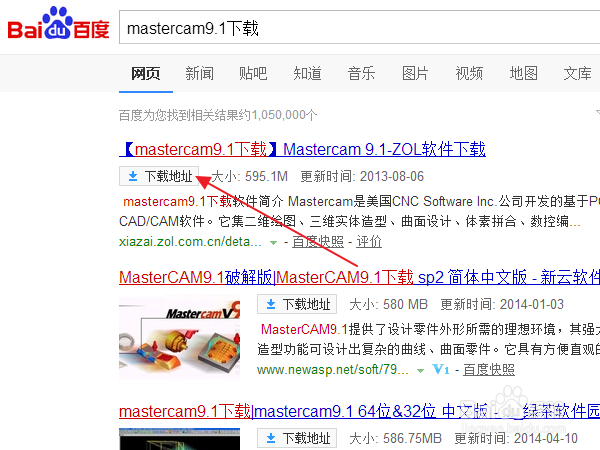
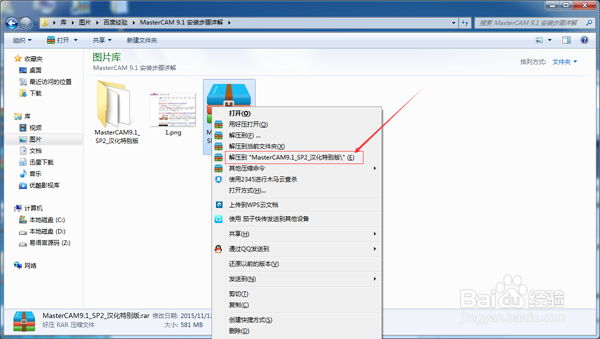
1、百度 "MasterCAM 9.1 下载" --> 解压缩 "MasterCAM 9.1
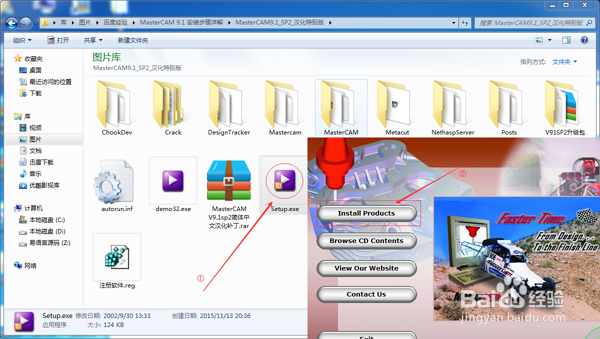
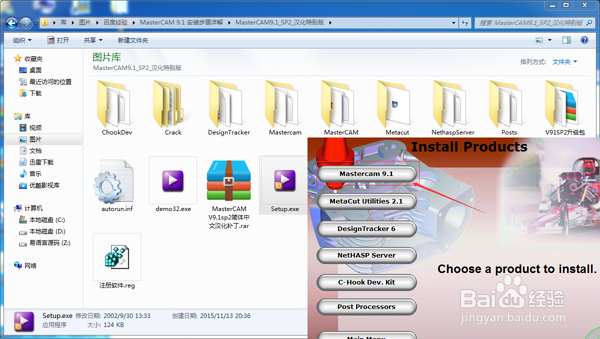
2、进入 解压后文件; 双击"Setup.exe"后 点击"Install Products" --> 点击"Mastercam 9.1"
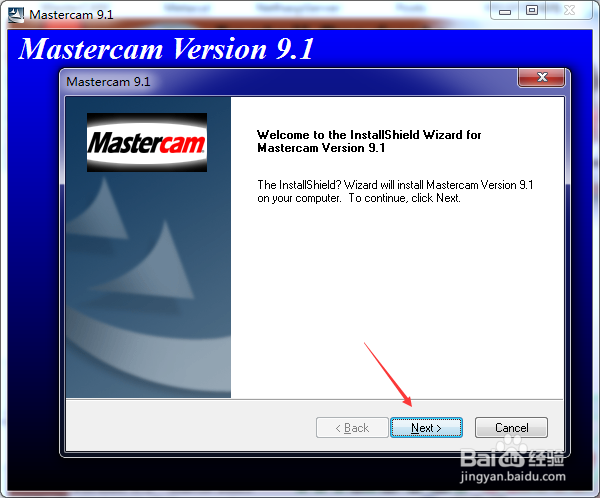
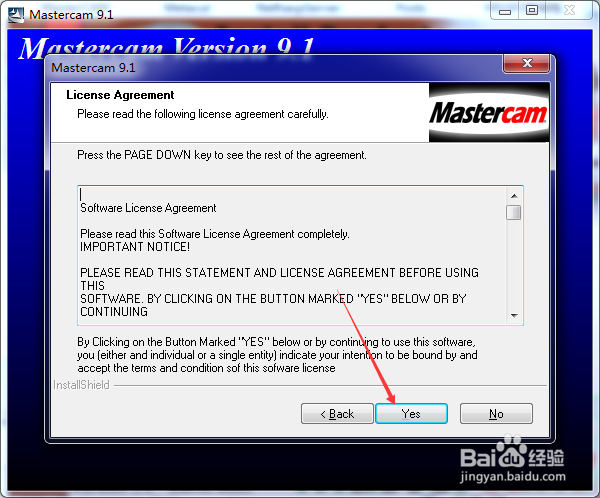
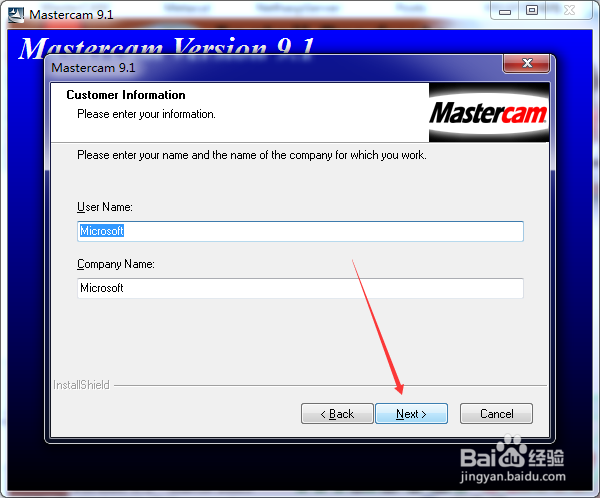
3、点击 "Next >" --> 点击 "YES" --> 点击 "Next >"(默认)
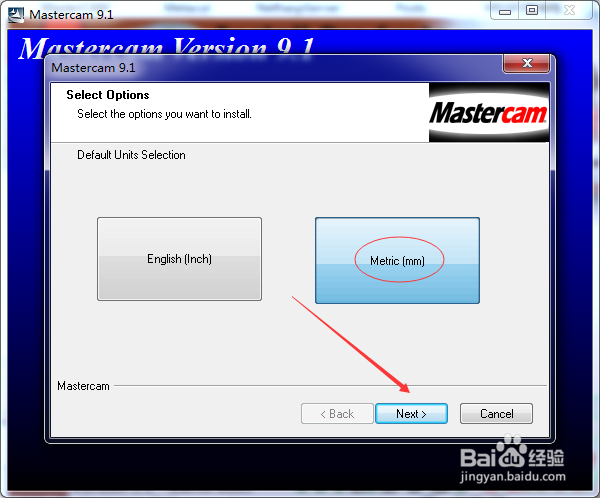
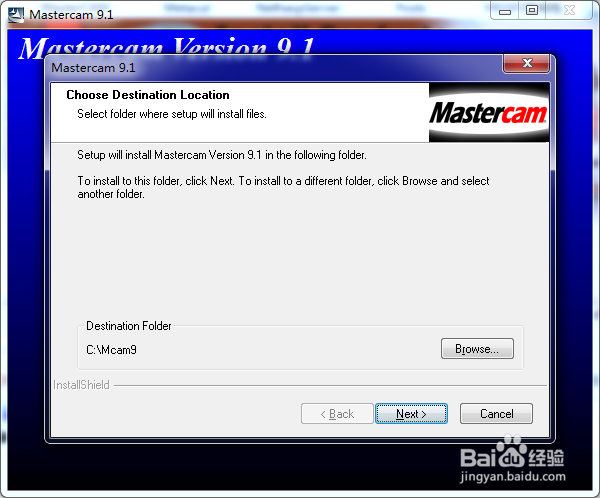
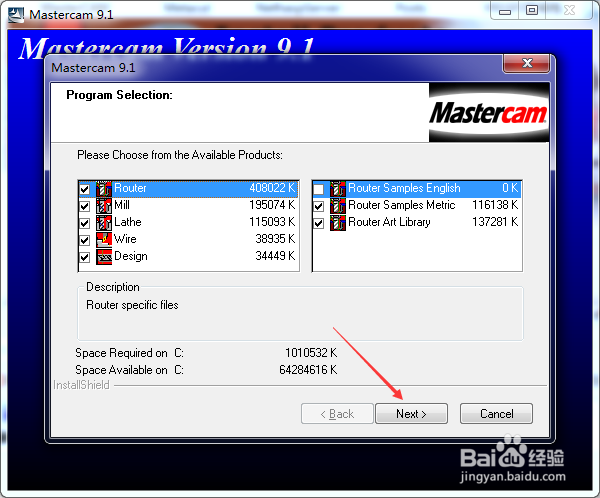
1、点击 "Metric (mm)" 后 点击 "Next >" --> 点击 "Next >"(安装目录保持默认) --> 点击 "Next >"(组件保持默认)
PS "Metric (mm)" 这里必须是这个选项! 这个是单位的意思!偶们在中国用的是公制!!!千万不要点 其他的!!不然以后作图的尺寸都不对了!
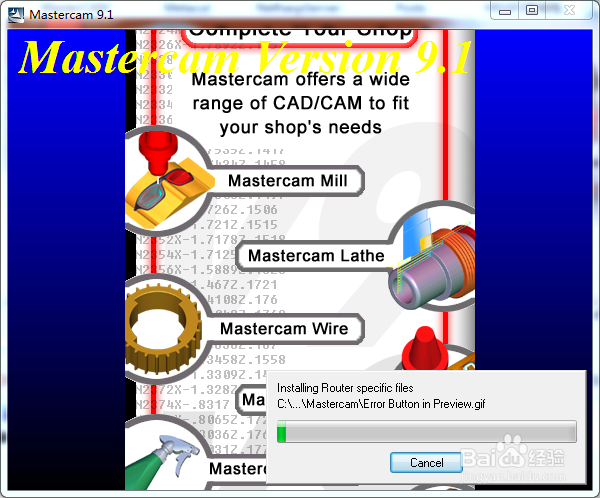
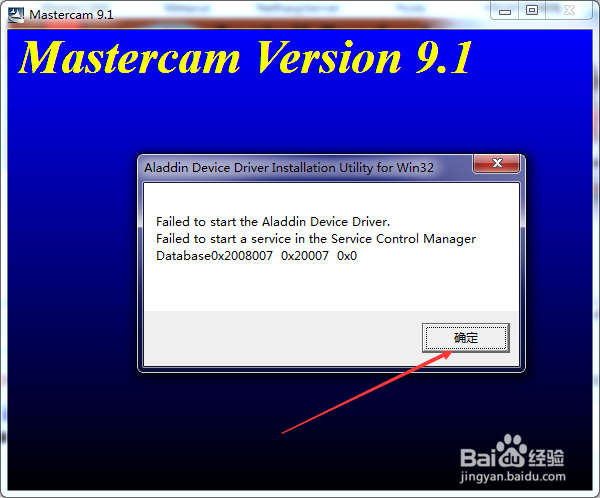
2、安装开始~\(≧▽≦)/~啦啦啦 --> 安装结束时有个错误提示直接 点击 "确定"
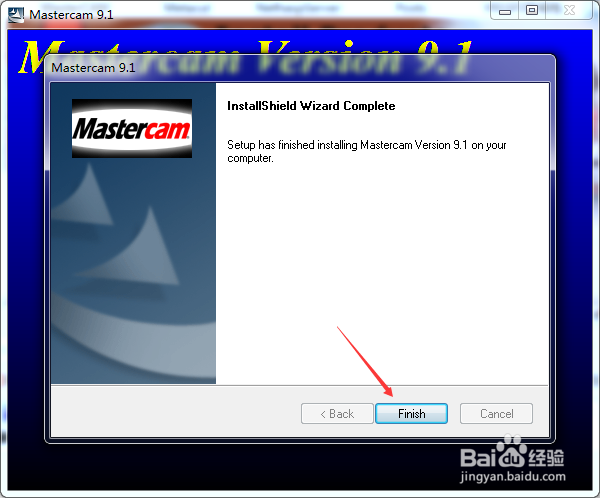
--> 点击 "Finish"
完成安装主程序下面继续讲解,如何破解MasterCAM 使用限制!!
1、退出 MasterCAM 安装程序后 回到我们解压的 MasterCAM 9.1 目录下面
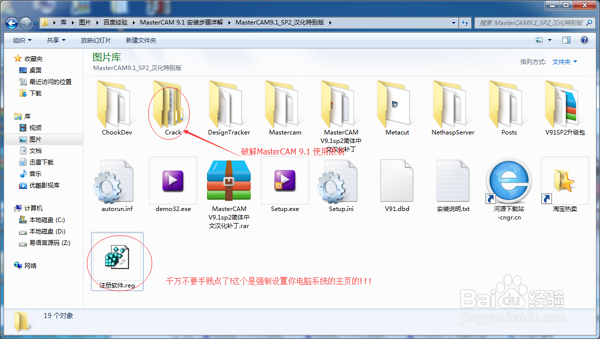
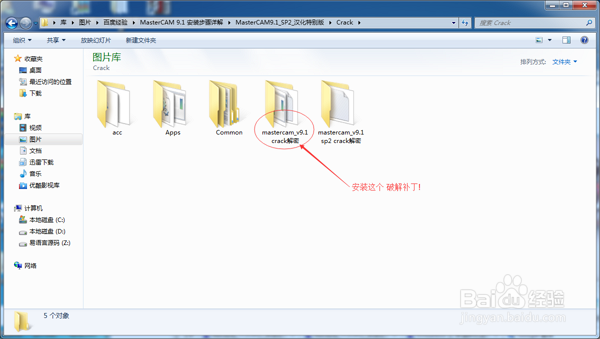
双击 "Crack" --> 双击 "mastercam_v9.1 crack解密" --> 双击 "iso-mc91.exe" 解密程序!后 点击 "下一步"(解密程序的右上角红色圈的地方)
PS 注意! !
其中红圈内 "注册软件.reg"千万不要点击,是强制修改主页的!!请注意
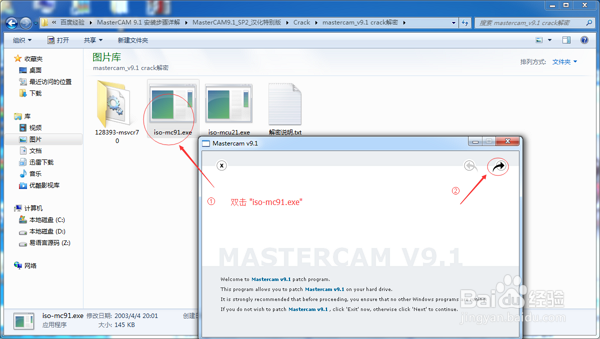
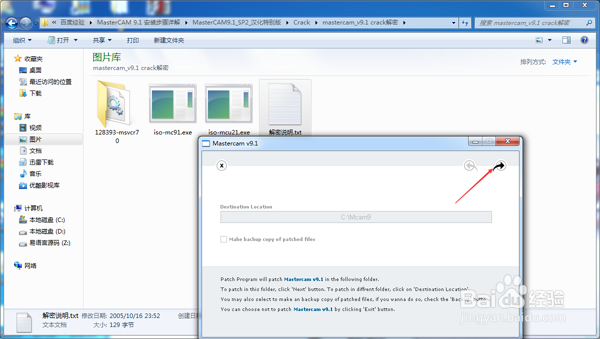
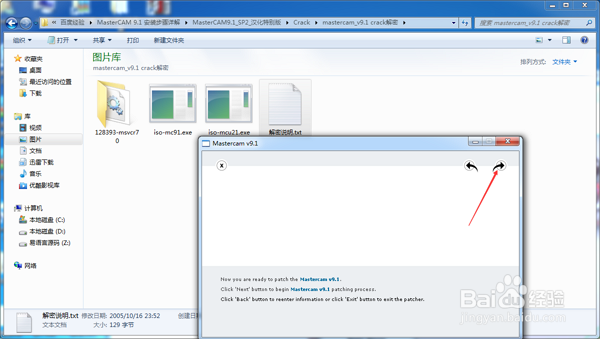
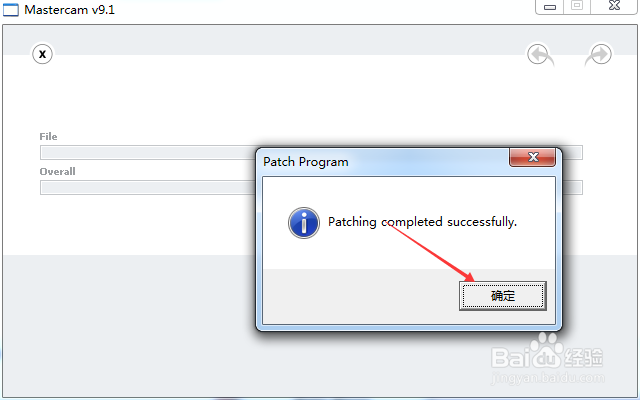
2、点击 "下一步" --> 点击 "下一步" -->点击 "确定"
完成破解MasterCAM 9.1 使用限制!
PS "下一步" 是(解密程序的右上角红色圈的地方)
1、这里我们 需要把 MasterCAM 9.1给汉化了! 英语好的可以无视该步骤!
首先回到我们解压的 MasterCAM 9.1 目录下 --> 双击"MasterCAM V9.1sp2简体中文汉化补丁"
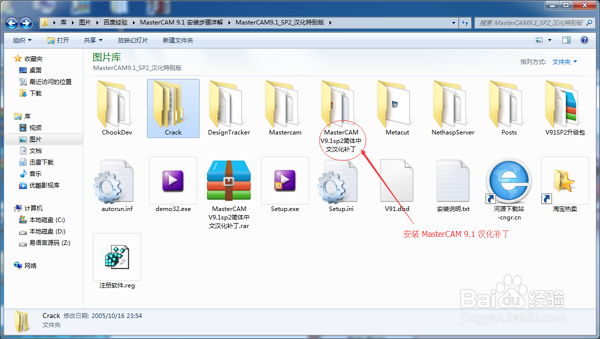
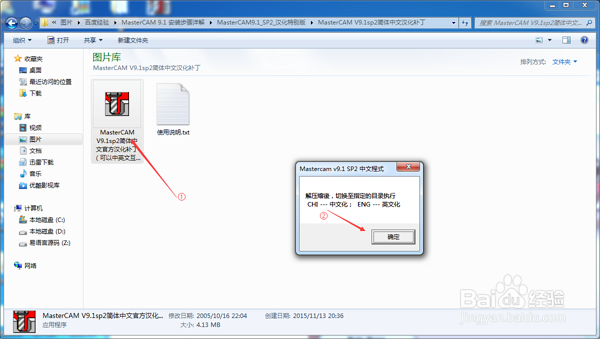
2、双击 "MasterCAM V9.1sp2简体中文官方汉化补丁(可以中英文互换).EXE" --> 点击 "E 解压缩" --> 点击 "确定"
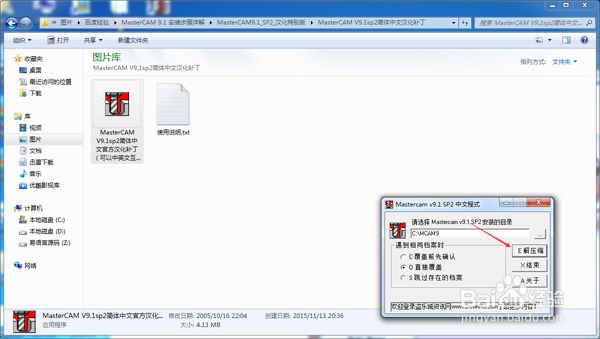
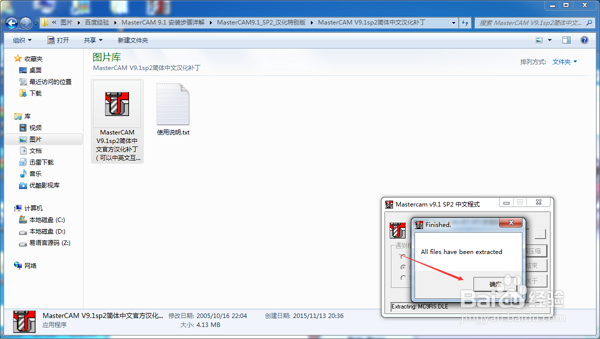
3、OK 破解补丁文件安装成功! 但是不要心急还有最后一个步骤!
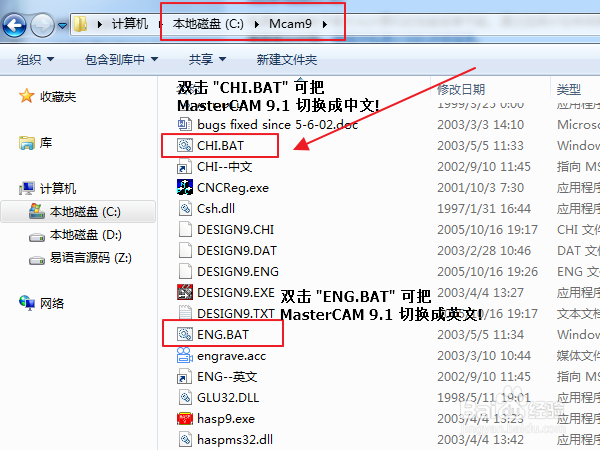
"桌面" --> 双击 "计算机" --> 双击 "Mcam9" --> 在里面找到 "CHI.BAT" 吧MasterCAM 9.1 切换为 "简体中文" --> 到此小伙伴们打开偶们桌面上的 "Mill 9.1" 是不是成功了呢 ! ?
PS "ENG.BAT" 可切换回 "英文"
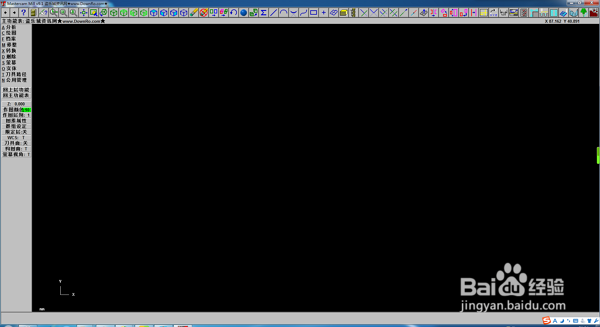
1、额(⊙o⊙)…,个别的小伙伴可能 ; 在看了上面步骤还是无法打开 MasterCAM 9.1 软件!!?是不是,如果是,请继续往下看!
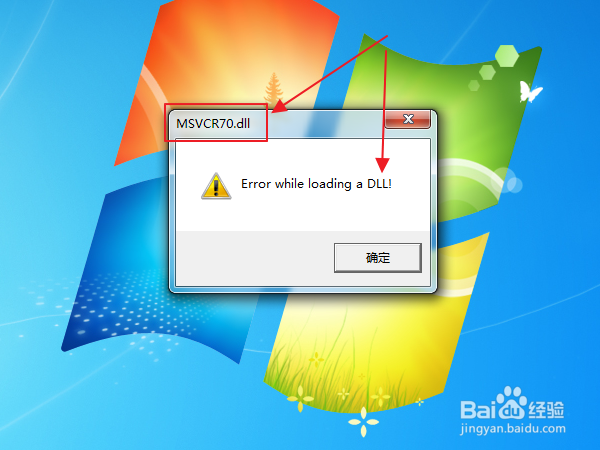
看图 : 错误提示 红色框框内 显示了一个: "msvcr70.dll" 文件!
这样我们百度 "msvcr70.dll 下载" 修复下即可
PS 看你实际提示! 你可能缺少其他DLL文件
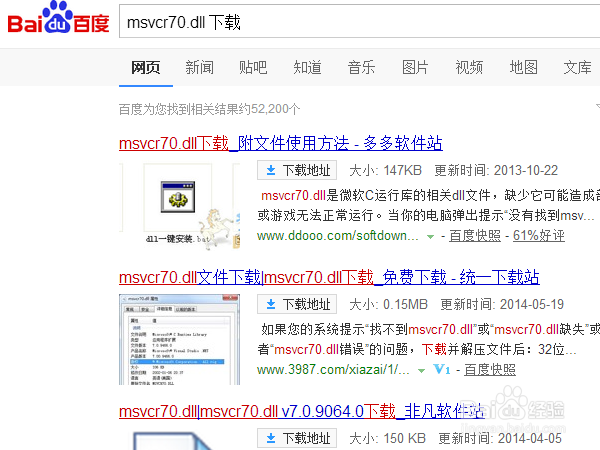
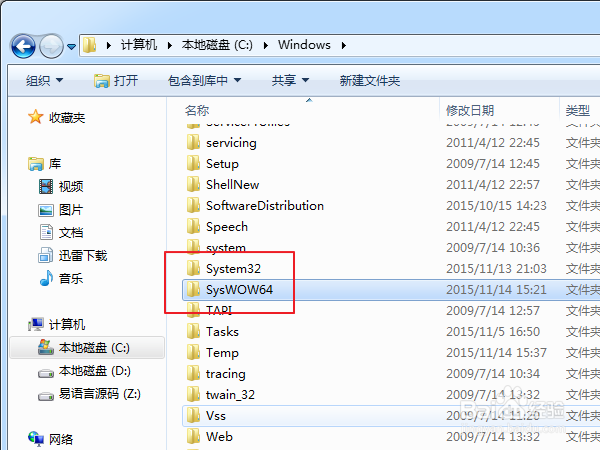
2、这样我们百度 "msvcr70.dll 下载" 后把 "msvcr70.dll" 文件复制到 系统盘\Windows\SYSTEM32 下面即可!
64位操作系统 除了上面复制一份还需要在: 系统盘\Windows\SysWOW64 下复制一份!
PS
① 系统安装目录正常来说是你的 "C盘" 当然不排除有任性的小伙伴!
② 你缺少的文件基本也是这个!如果是其他文件,同理百度下载,复制进来
③ 下图中 百度 "msvcr70.dll 下载" 的文件请留言你下载的后缀名,里面广告很多,新手很容易下载错误! 下载正确的是:"xxxx.rar" 需要你自行解压; 或者"xxxx.dll"