1、进入到Apache的bin目录

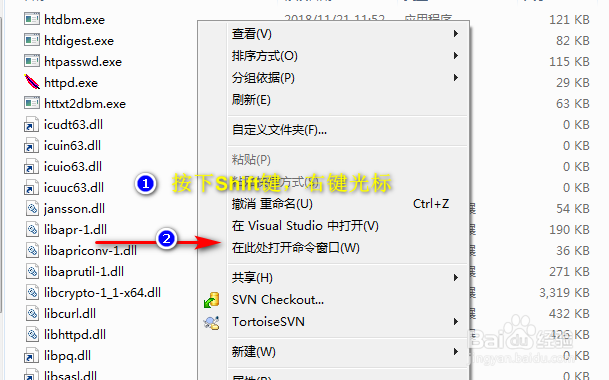
2、按下Shift键,右键光标,选择:此处打开命令窗口
3、在命令行窗口输入安装指令:httpd -k install

4、安装之后,在Windows的系统服务中刷新一下,即可看到安装的Apache服务

5、技能扩展

时间:2026-04-23 14:17:39
1、进入到Apache的bin目录
2、按下Shift键,右键光标,选择:此处打开命令窗口
3、在命令行窗口输入安装指令:httpd -k install
4、安装之后,在Windows的系统服务中刷新一下,即可看到安装的Apache服务
5、技能扩展
