1、使用步骤:
1)创建:key_t key=ftok(PATH,proj); int msgid=msgget(key,IPC_CREAT | 0600)
2)发送:msgsnd(msgid,&msg,strlen(msg.mtext),0)
3)接收:msgrcv(msgid,&msg,strlen(msg.mtext),msg.mtype,0)
4)回收:msgctl(msgid,IPC_RMID,NULL)

2、实现读消息的代码:
#include <stdio.h>
#include <unistd.h>
#include <string.h>
#include <stdlib.h>
#include <fcntl.h>
#include <sys/ipc.h>
#include <sys/msg.h>
#define TXT_SIZE 100
struct msgbuf
{
long type;
char txt[TXT_SIZE];
};
int main()
{
key_t key; //生成KEY
key=ftok("/home/lbh",10);
int msgid;
if(-1 == (msgid=msgget(key,IPC_CREAT | 0660)))//创建消息队列
{
perror("msgget");
exit(-1);
}
struct msgbuf msg;
bzero(&msg,sizeof(msg));
msgrcv(msgid,&msg,sizeof(msg.txt),1,0);//接收消息
printf("I get msg:%s\n",msg.txt);
return 0;
}

3、实现写消息的代码:
#include <stdio.h>
#include <unistd.h>
#include <string.h>
#include <stdlib.h>
#include <fcntl.h>
#include <sys/ipc.h>
#include <sys/msg.h>
#define TXT_SIZE 100
struct msgbuf
{
long type;
char txt[TXT_SIZE];
};
int main()
{
key_t key; //生成KEY
key=ftok("/home/lbh",10);
int msgid;
if(-1 == (msgid=msgget(key,IPC_CREAT | 0660)))//创建
{
perror("msgget");
exit(-1);
}
struct msgbuf msg;
bzero(&msg,sizeof(msg));
msg.type=1;
strcpy(msg.txt,"hello");
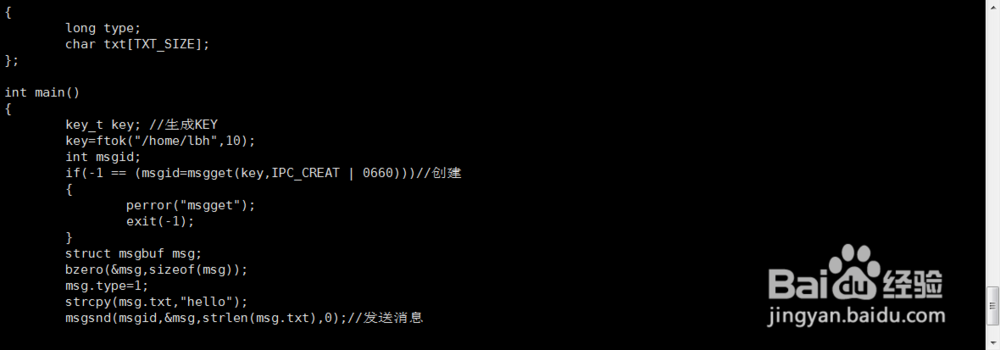
msgsnd(msgid,&msg,strlen(msg.txt),0);//发送消息
return 0;
}
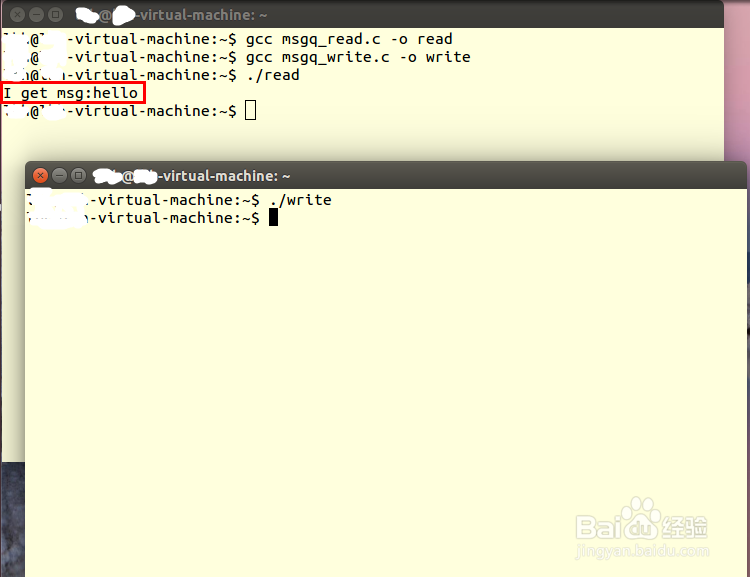
4、在终端窗口中使用命令“gcc msgq_read.c -o read”和 “gcc msgq_write.c -o write”编译,使用命令“./read”和“./write”执行,效果如下: