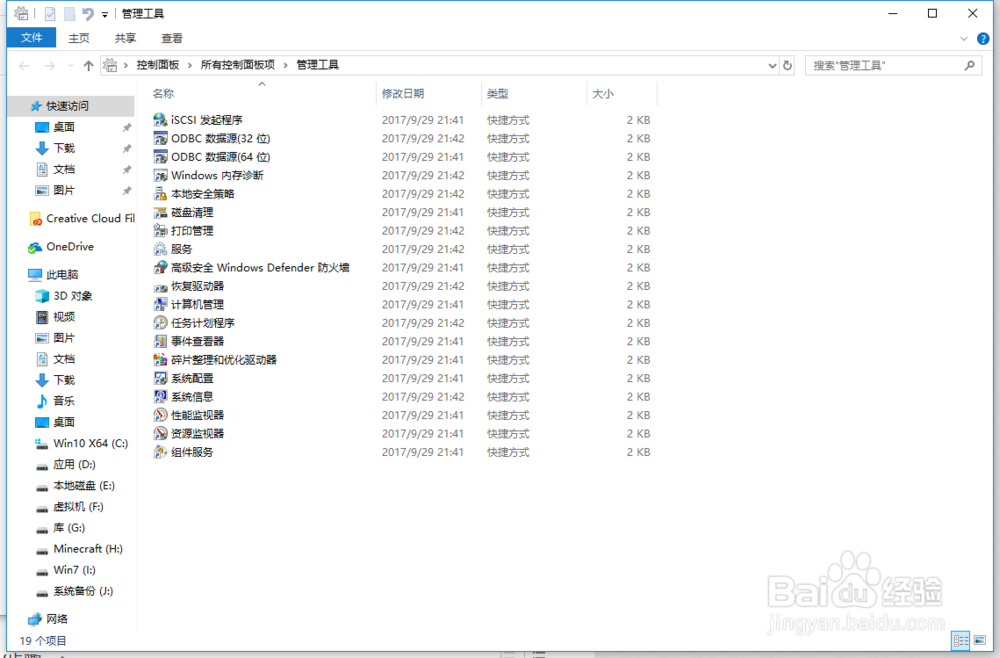
1、打开控制面板 选择大图标 打开管理工具

2、双击服务快捷方式
3、找到Windows Management Instrumentation

4、右击选择暂停可临时解决占用资源过多的问题,如果想要彻底解决还需要应用程序更改内部的代码错误,这是我们无法解决的。等关闭应用程序后再恢复Windows Management Instrumentation服务即可。
时间:2026-04-22 21:46:11
1、打开控制面板 选择大图标 打开管理工具
2、双击服务快捷方式
3、找到Windows Management Instrumentation
4、右击选择暂停可临时解决占用资源过多的问题,如果想要彻底解决还需要应用程序更改内部的代码错误,这是我们无法解决的。等关闭应用程序后再恢复Windows Management Instrumentation服务即可。
