1、打开Unity,新建一个空工程,具体如下图

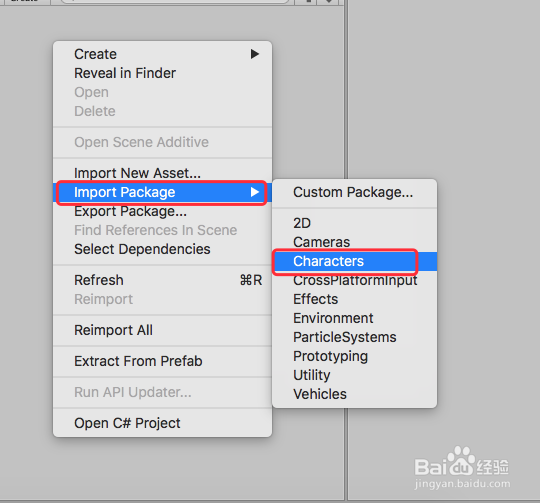
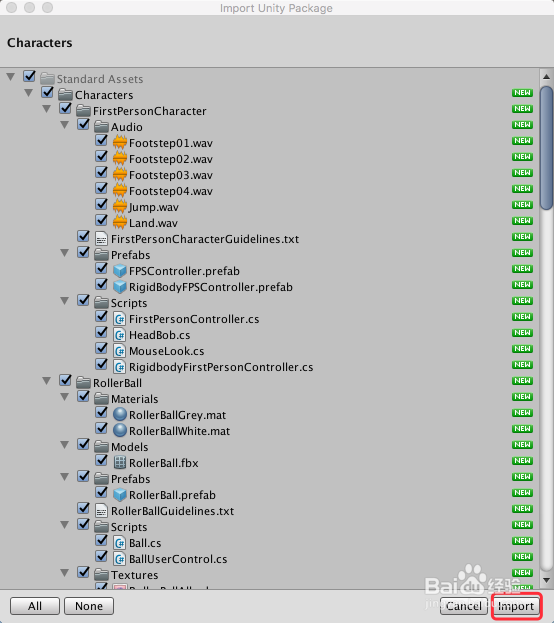
2、在你工程中右键 Import Package,导入标准件,具体如下图
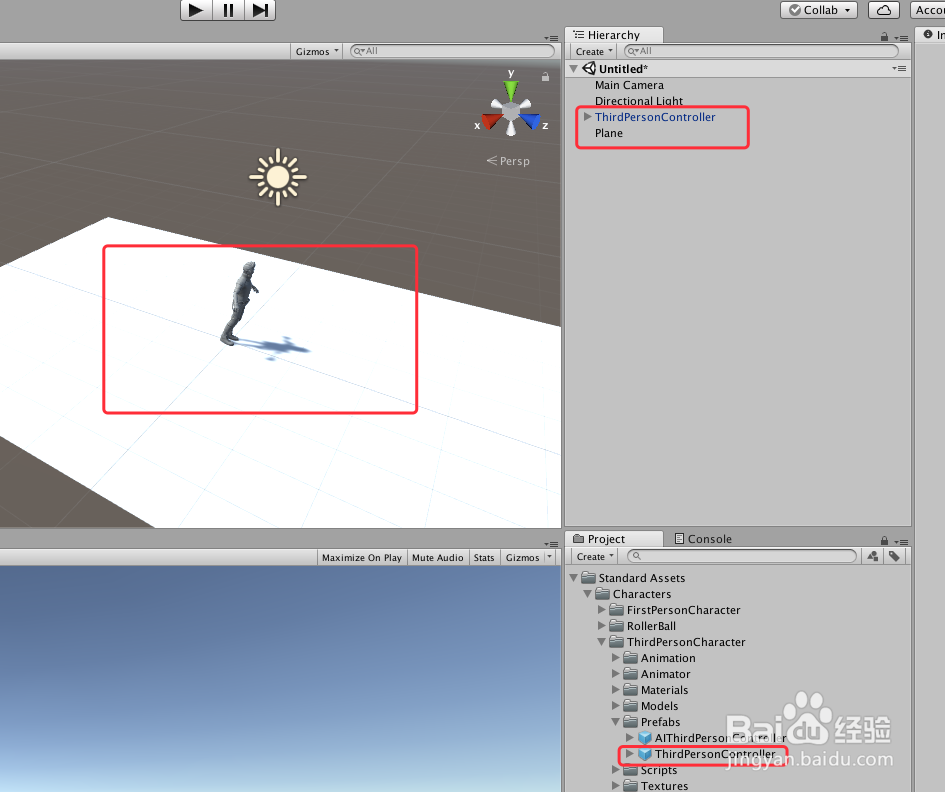
3、在场景中,添加一个 Plane,并且把 ThirdPersonController 预制件拖入场景,适当布局,具体如下图
4、在 Main Camera 摄像机上添加一个脚本 SmoothFollow 脚本,具体如下图

5、SmoothFollow 脚本具体内容如下:
using UnityEngine;
namespace UnityStandardAssets.Utility
{
public class SmoothFollow : MonoBehaviour
{
// The target we are following
[SerializeField]
private Transform target;
// The distance in the x-z plane to the target
[SerializeField]
private float distance = 10.0f;
// the height we want the camera to be above the target
[SerializeField]
private float height = 5.0f;
[SerializeField]
private float rotationDamping;
[SerializeField]
private float heightDamping;
// Use this for initialization
void Start() { }
// Update is called once per frame
void LateUpdate()
{
// Early out if we don't have a target
if (!target)
return;
// Calculate the current rotation angles
var wantedRotationAngle = target.eulerAngles.y;
var wantedHeight = target.position.y + height;
var currentRotationAngle = transform.eulerAngles.y;
var currentHeight = transform.position.y;
// Damp the rotation around the y-axis
currentRotationAngle = Mathf.LerpAngle(currentRotationAngle,
antedRotationAngle, rotationDamping * Time.deltaTime);
// Damp the height
currentHeight = Mathf.Lerp(currentHeight, wantedHeight, heightDamping * Time.deltaTime);
// Convert the angle into a rotation
var currentRotation = Quaternion.Euler(0, currentRotationAngle, 0);
// Set the position of the camera on the x-z plane to:
// distance meters behind the target
transform.position = target.position;
transform.position -= currentRotation * Vector3.forward * distance; // Set the height of the camera
transform.position = new Vector3(transform.position.x ,currentHeight , transform.position.z);
// Always look at the target
transform.LookAt(target);
}
}
}
6、给脚本赋值,Target 为 ThirdPersonController,Distance 是摄像机据主角 ThirdPersonController 的距离,Height 是摄像机据主角 ThirdPersonController 的高度,Rotation Damping 和 heightDamping 是摄像机平滑调整旋转和高度的时间参数,你也可以根据自己需要作调整,具体如下图

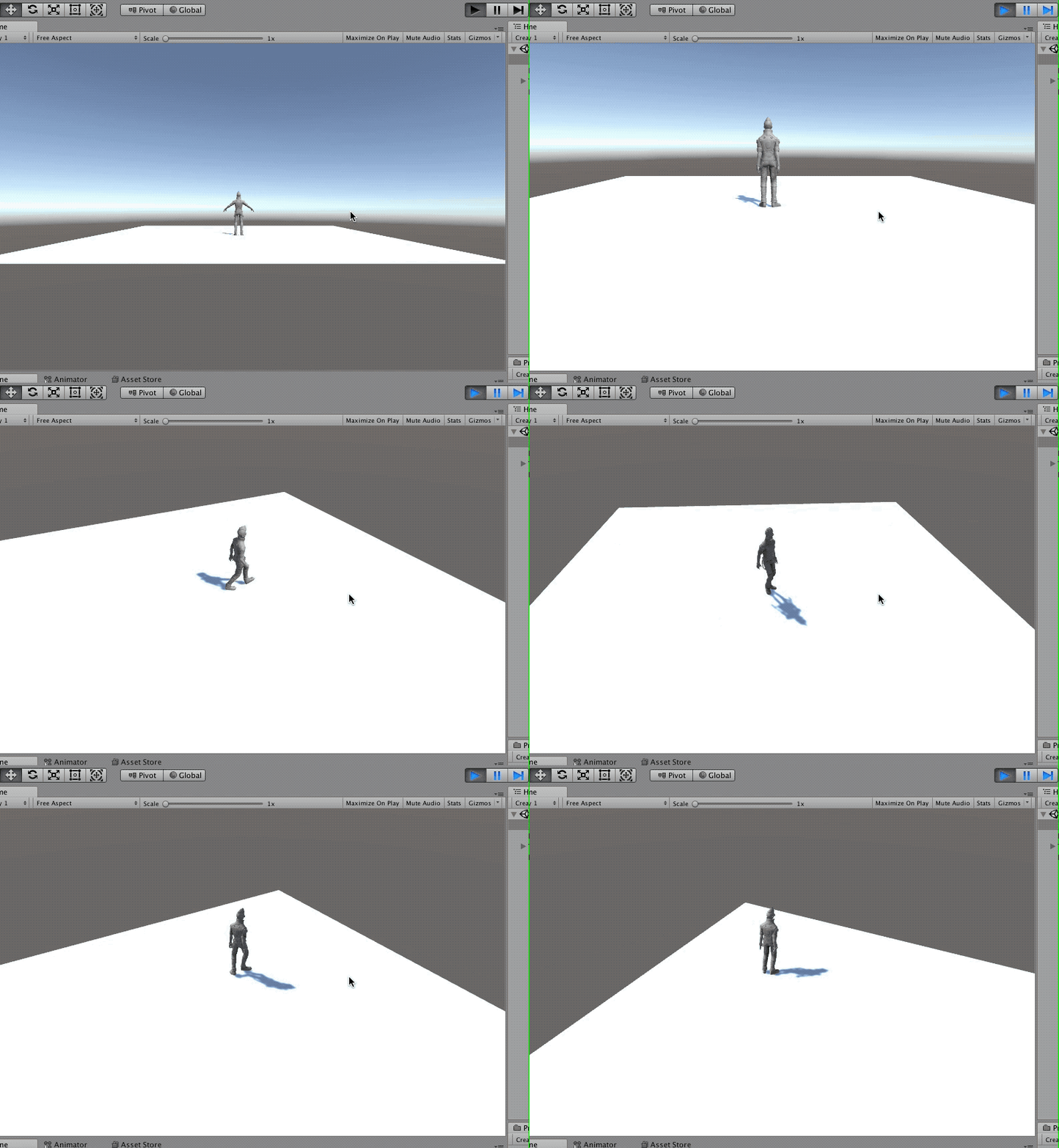
7、运行场景,移动主角,摄像机同时也跟着移动,具体如下图
8、到此,《Unity 实用教程 之 摄像机跟随主角移动方法三》讲解结束,谢谢
