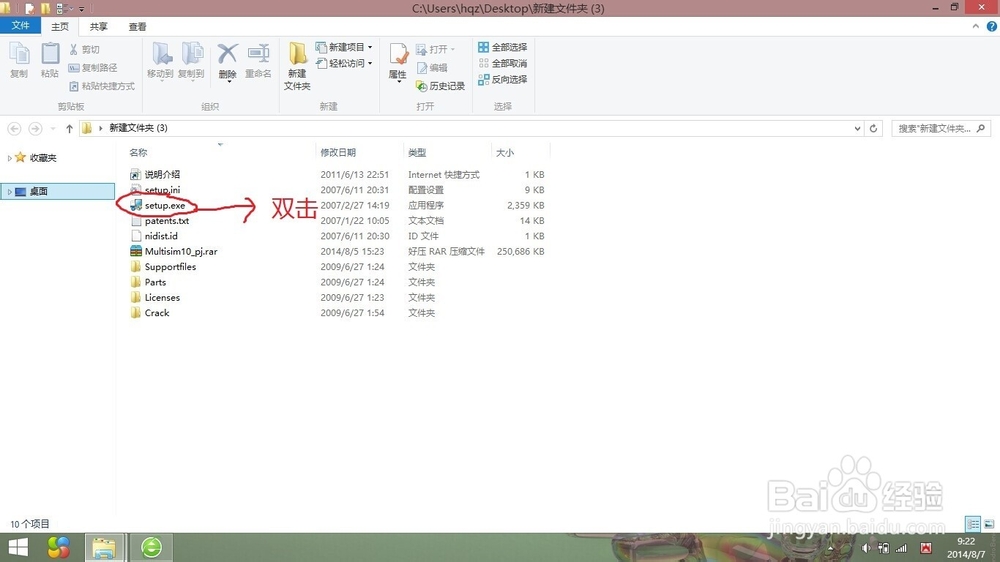
1、下载好安装包后将其解压,双击后缀名为“.exe”的文件
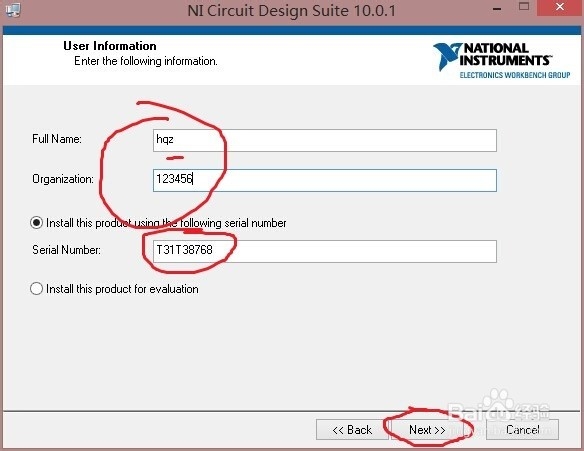
2、Serial number是序列号,填”T31T38768“,其它的随便填,但必填。填完后点击”Next“
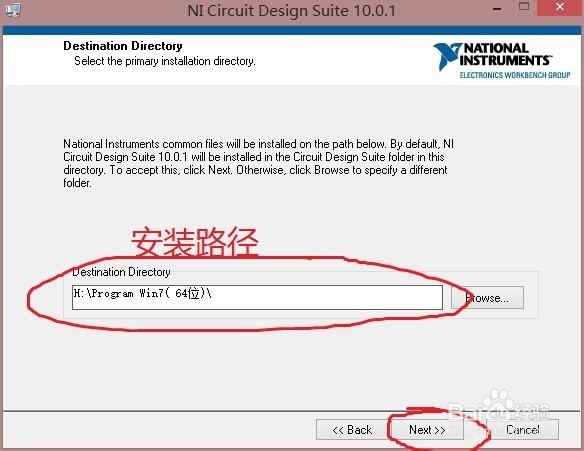
3、选择好安装目录,点击”Next“
4、点击”Support and Upgrade Utility“前面的小三角
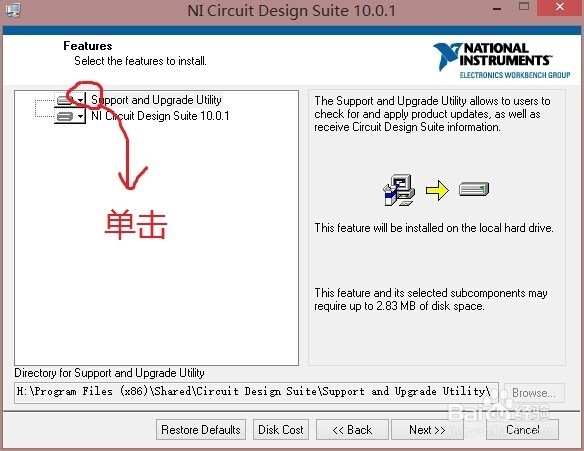
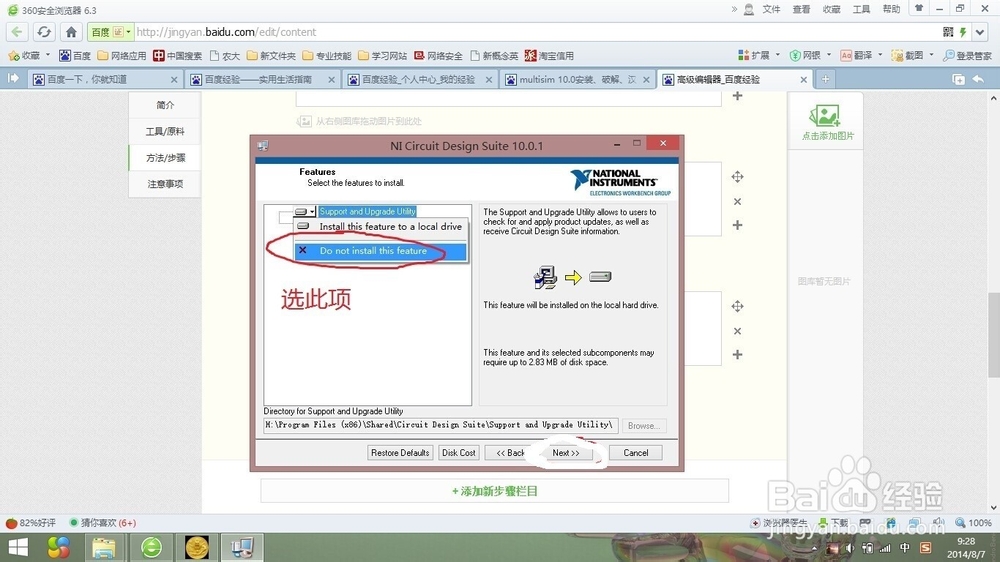
5、在弹出的下拉菜单中选择“Do not install this feature”
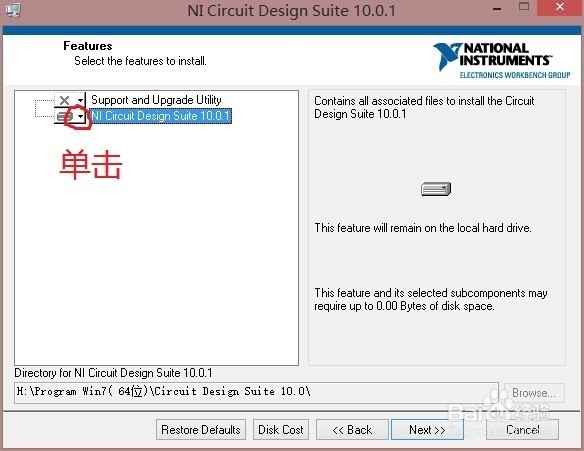
6、点击”NI Circuit Design Suite 10.0.1“前面的小三角
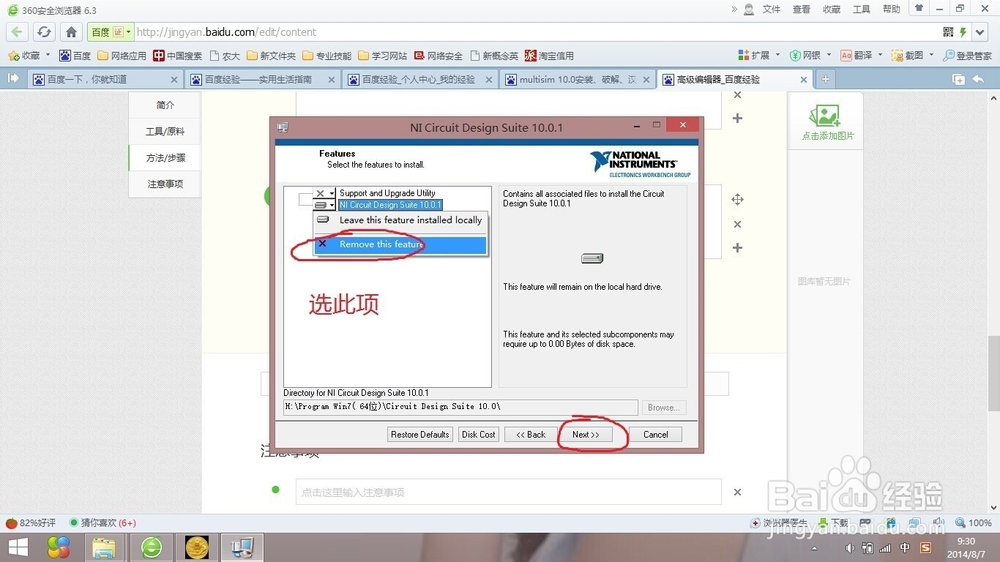
7、在弹出的下拉菜单中选”Remove this feature“,点击”Next“
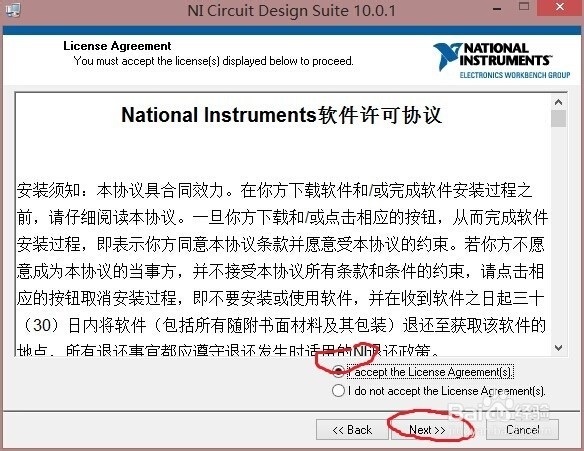
8、选择”I accept the License Agreement(s).“,点击”Next“
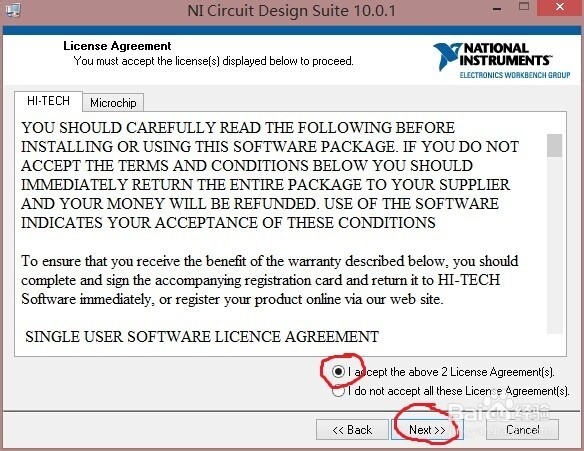
9、选择”I accept the above 2 License Agreement(s).“,点击”Next“
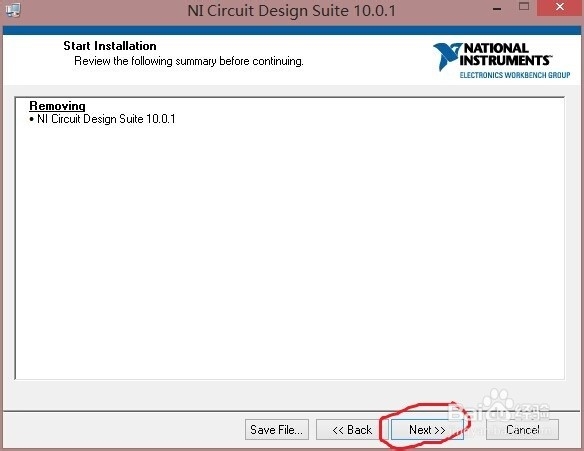
10、再点“Next”
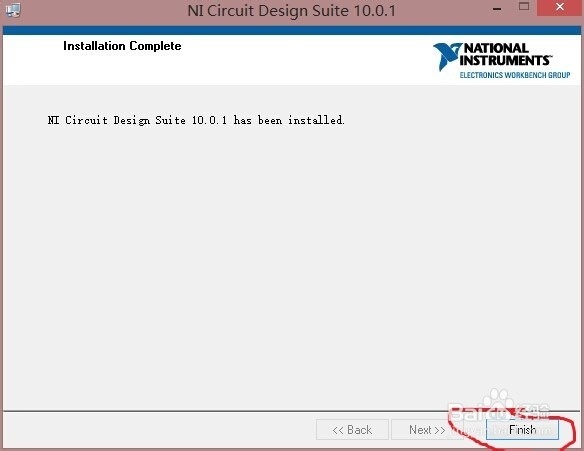
11、稍等一会儿,在出现的界面中点击“finish”
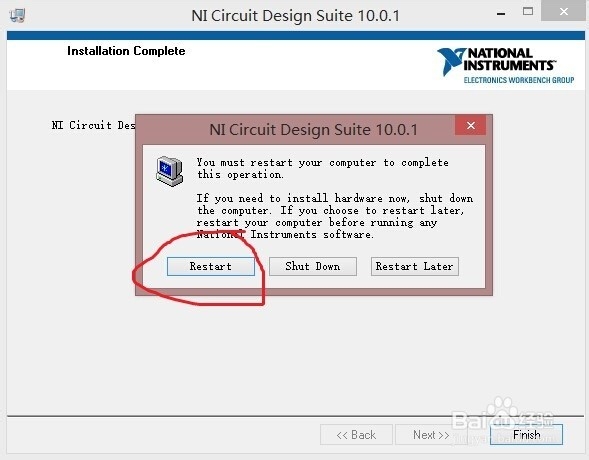
12、在弹出的界面中点击"restart",重启之后即完全卸载