在sketchpad中创建f(x)=sin(5x-3)函数及其图像

 时间:2026-05-11 18:24:53

1、打开sketchpad,进入软件的编辑界面;
在sketchpad中创建f(x)=sin(5x-3)函数及其图像

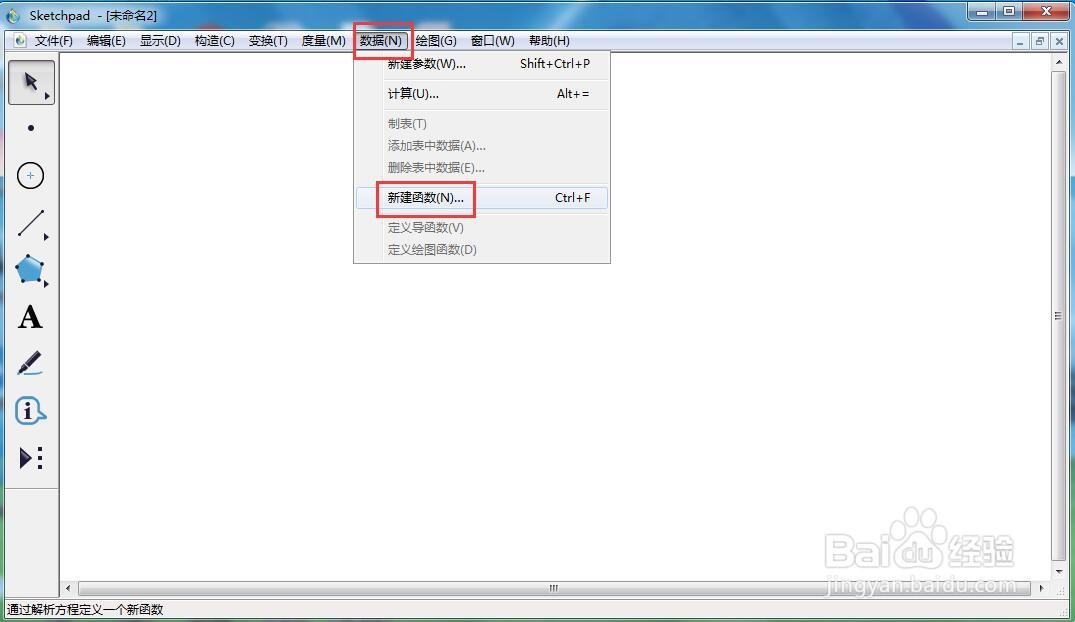
2、点击数据,选择新建函数;

在sketchpad中创建f(x)=sin(5x-3)函数及其图像

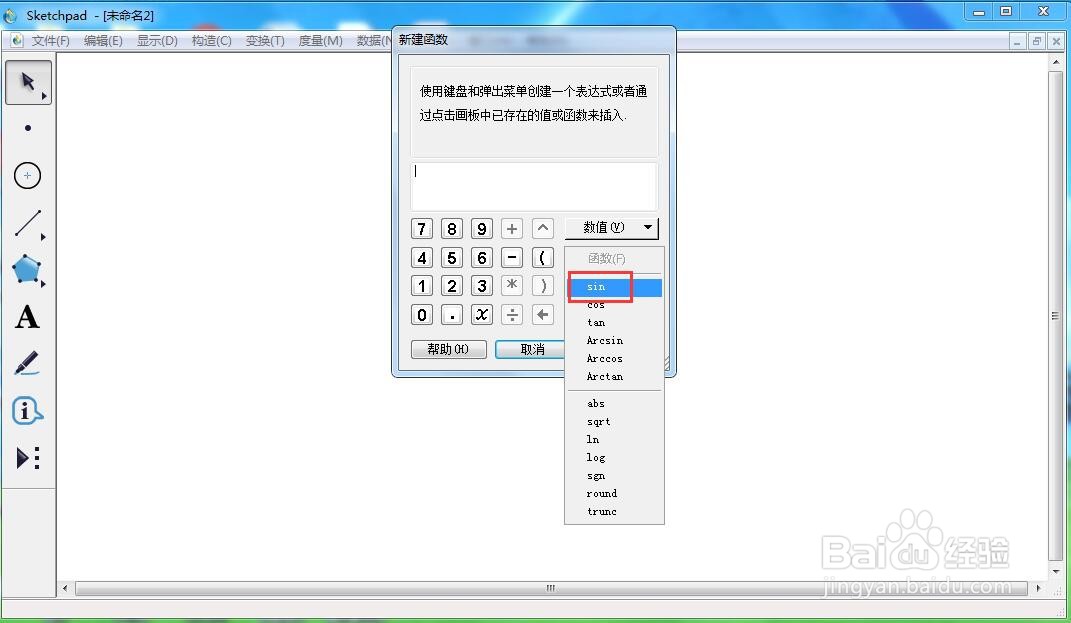
3、在函数中选择正弦函数;

在sketchpad中创建f(x)=sin(5x-3)函数及其图像

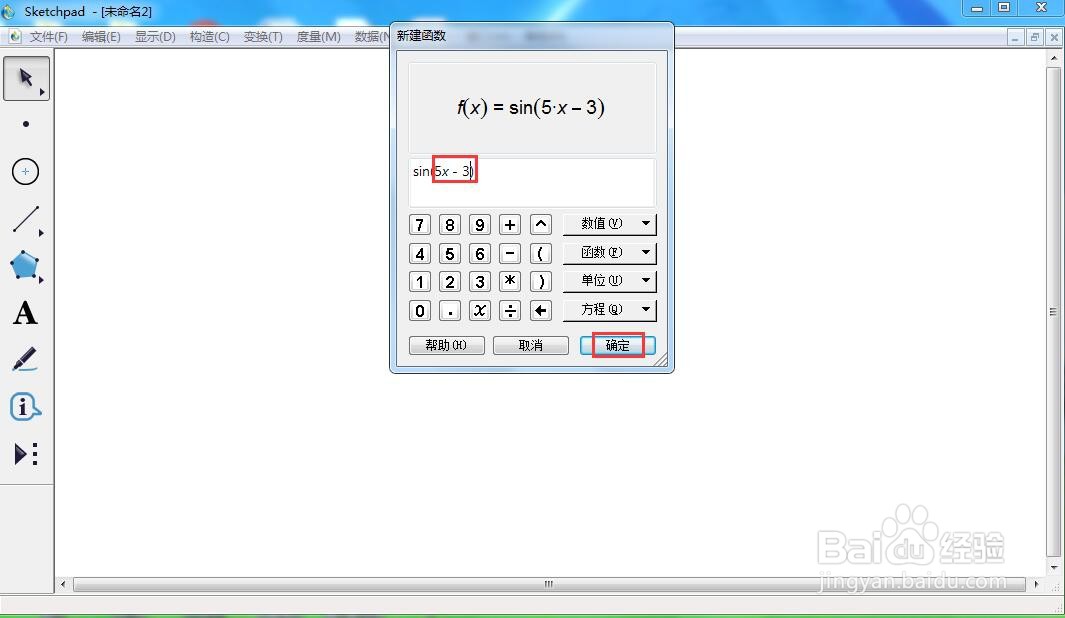
4、输入5x-3,按确定;

在sketchpad中创建f(x)=sin(5x-3)函数及其图像

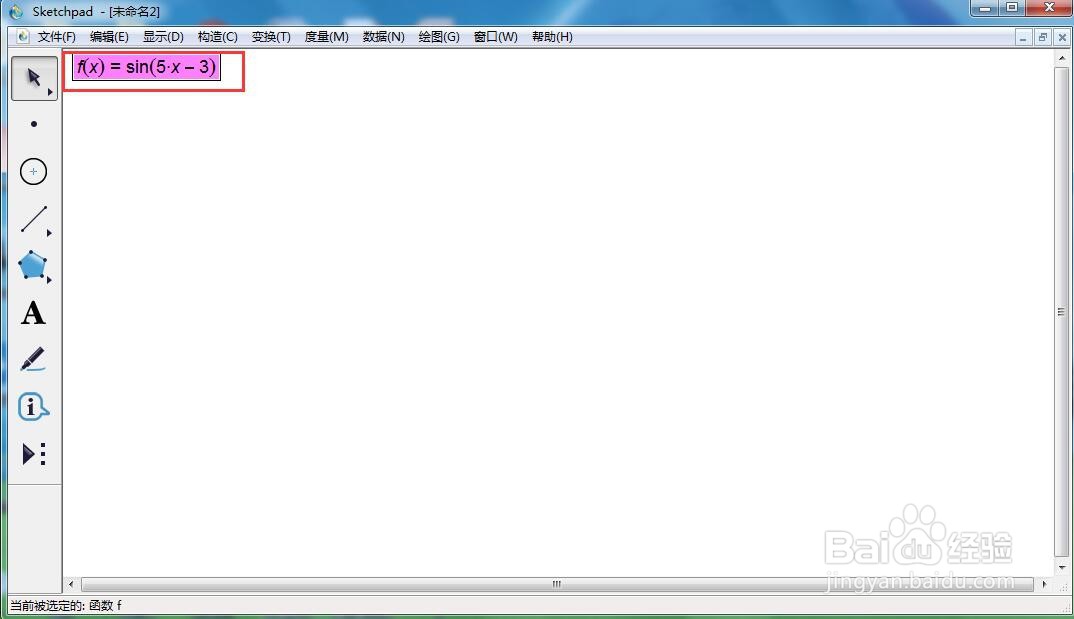
5、创建好函数f(x)=sin(5x-3);

在sketchpad中创建f(x)=sin(5x-3)函数及其图像

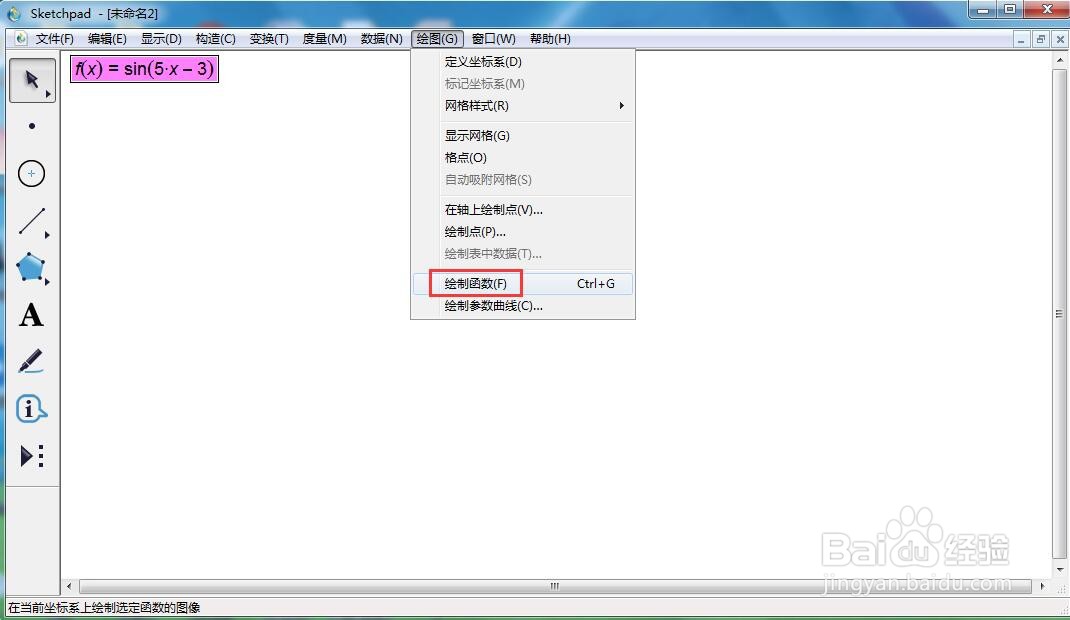
6、点击绘图,选择绘制函数;

在sketchpad中创建f(x)=sin(5x-3)函数及其图像

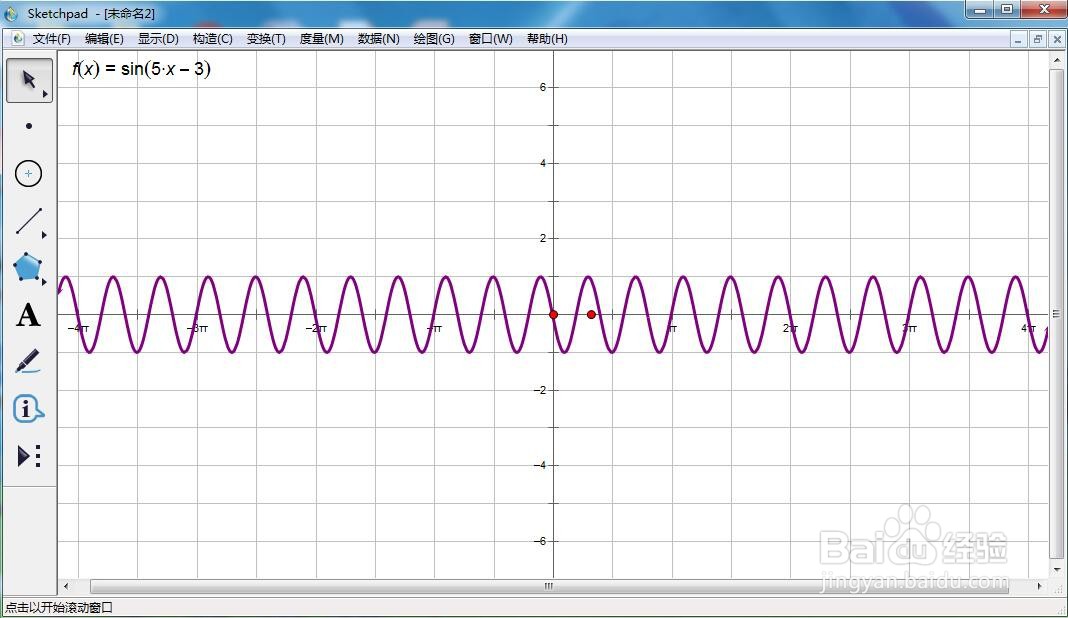
7、我们就创建好了函数f(x)=sin(5x-3)及其图像。

在sketchpad中创建f(x)=sin(5x-3)函数及其图像

  • 在sketchpad中创建f(x)=sin(3x-2)的函数图像
  • 在sketchpad中绘制f(x)=sin(3x-5)的函数图像
  • 怎样在sketchpad中创建函数y=x^3-1及其图像
  • 在sketchpad中创建f(x)=tan(20x+5)的函数图像
  • 怎样在sketchpad中新建f(x)=sin2x函数及其图像
  • 热门搜索
    啤酒可以洗头吗 春秋旅游 孕妇可以吃酸辣粉 凉拌芹菜 孕妇可以吃鸭肉吗 成都附近旅游景点 气血不足怎么调养 面向对象的特点 孕妇可以吃樱桃吗 山东济南旅游景点