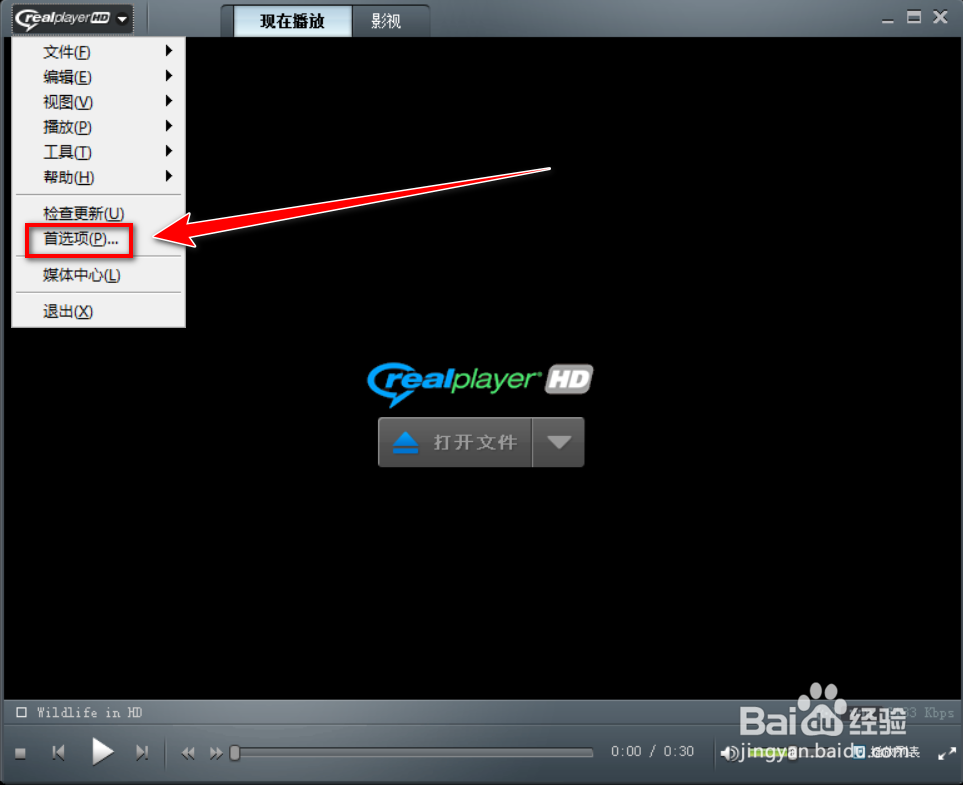
1、打开RealPlayer,点击右上角的“RealPlayer”图标。

2、在下拉菜单中,点击“首选项”。
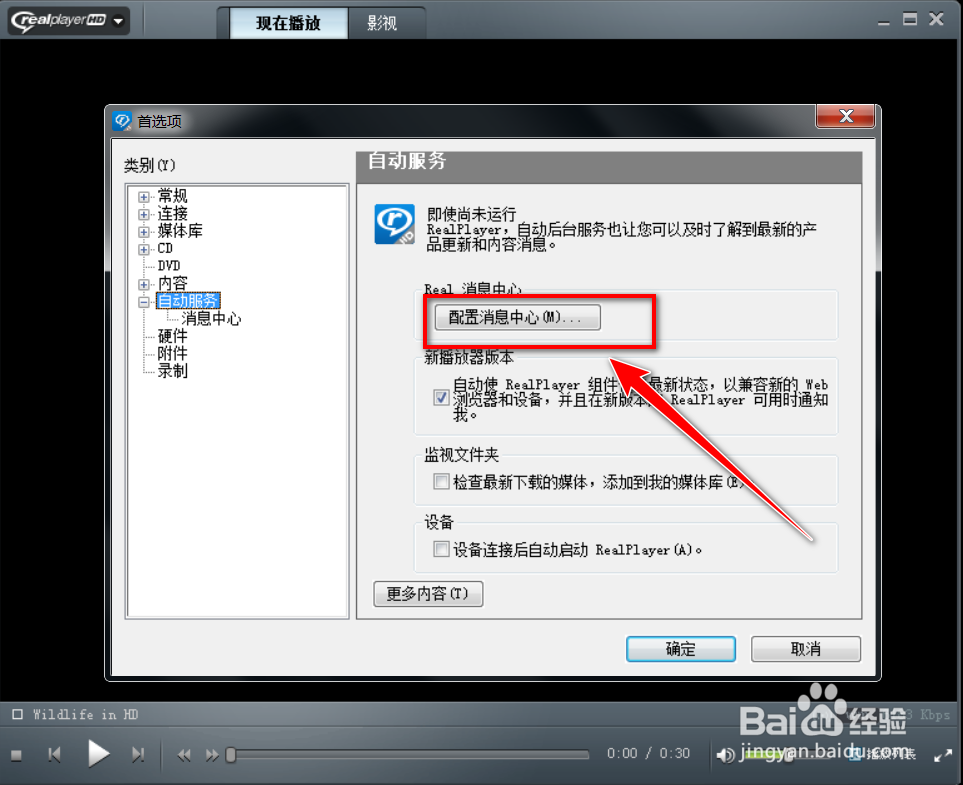
3、在“首选项”窗口,双击“自动服务”。

4、在“自动服务”页面中,点击“配置消息中心”。
5、在“消息中心”窗口中,去掉“检查新消息”前面的对勾。

6、点击“确定”按钮。

7、在警告窗口中,点击“是”按钮。

时间:2026-05-08 20:10:44
1、打开RealPlayer,点击右上角的“RealPlayer”图标。
2、在下拉菜单中,点击“首选项”。
3、在“首选项”窗口,双击“自动服务”。
4、在“自动服务”页面中,点击“配置消息中心”。
5、在“消息中心”窗口中,去掉“检查新消息”前面的对勾。
6、点击“确定”按钮。
7、在警告窗口中,点击“是”按钮。
