苹果手机appstore关闭了怎么打开

 时间:2024-10-11 23:03:16

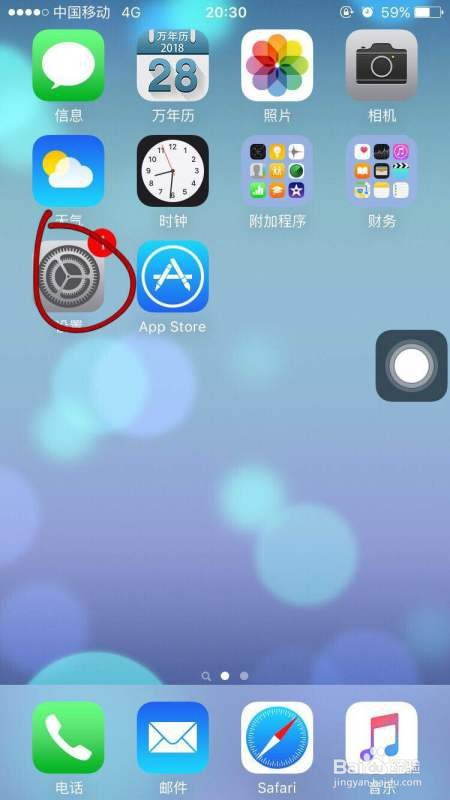
1、打开苹果手机,点击设置;;

苹果手机appstore关闭了怎么打开

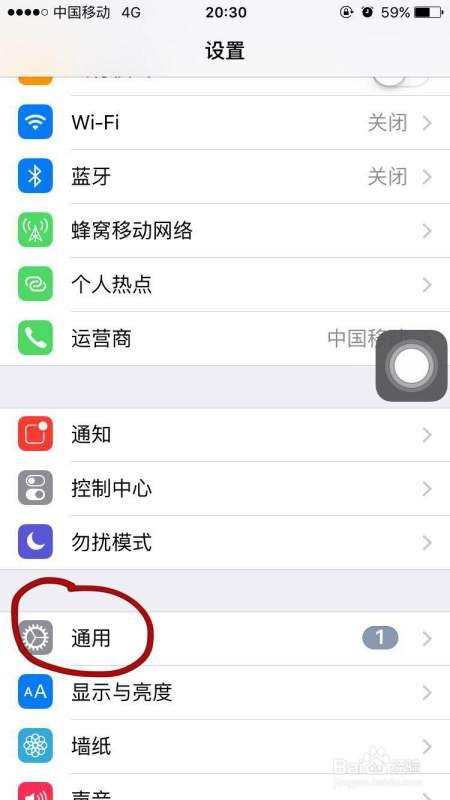
2、然后点击通用;

苹果手机appstore关闭了怎么打开

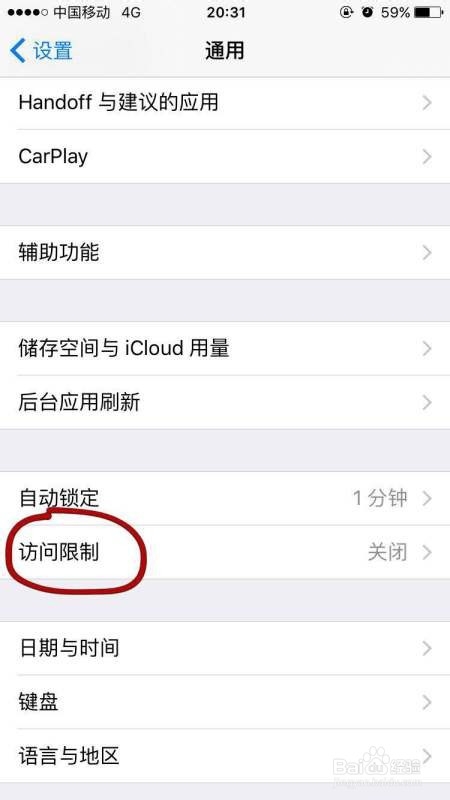
3、然后点击:访问限制;

苹果手机appstore关闭了怎么打开

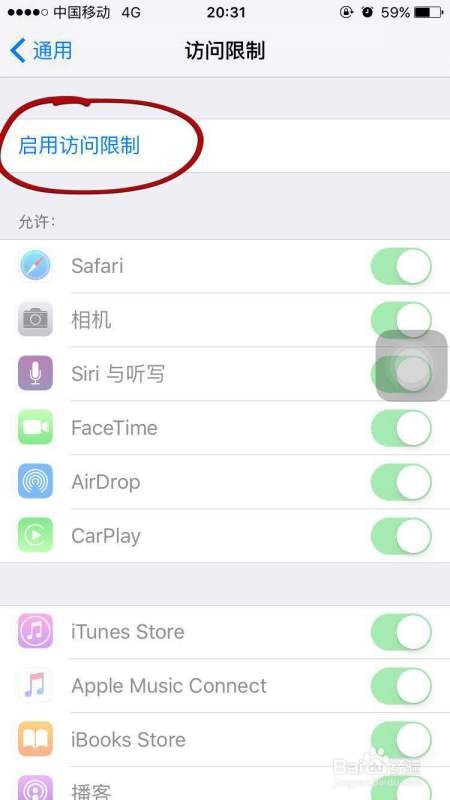
4、接着点击:启用访问限制;;

苹果手机appstore关闭了怎么打开

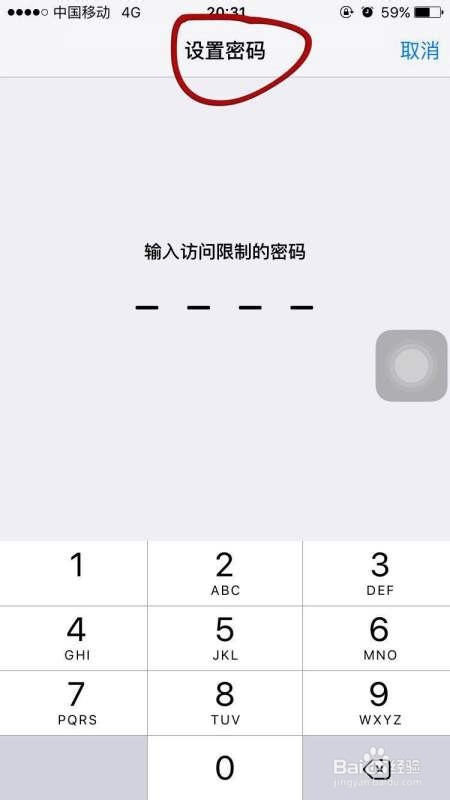
5、设置密码;

苹果手机appstore关闭了怎么打开

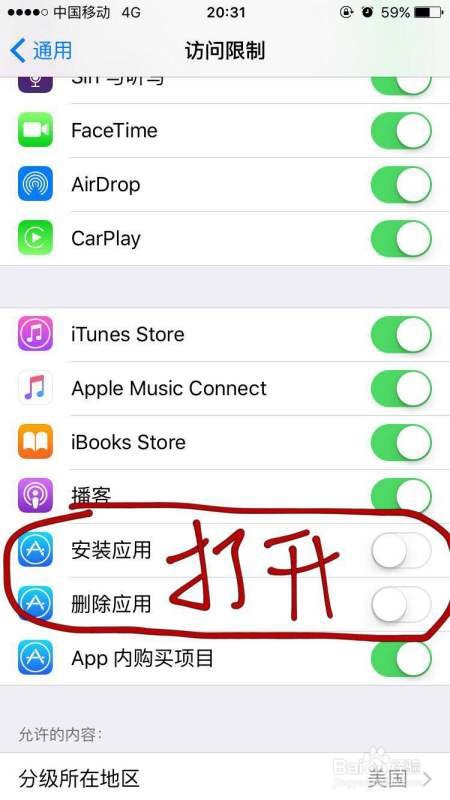
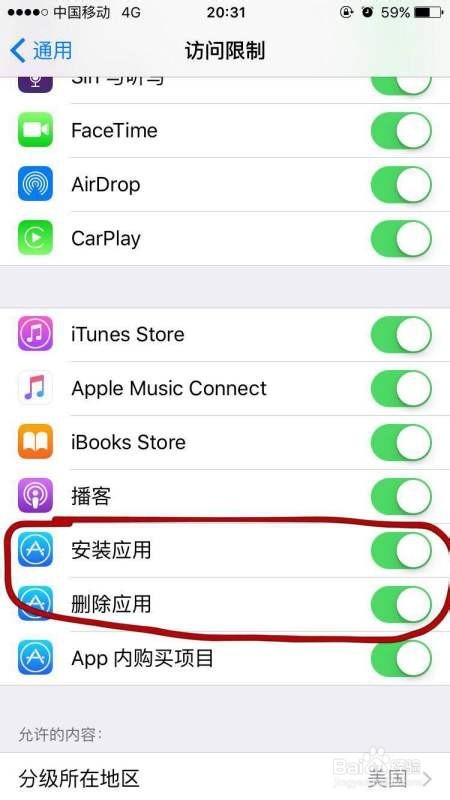
6、打开:安装应用、删除应用

苹果手机appstore关闭了怎么打开

7、桌面将恢复商店的图标。

苹果手机appstore关闭了怎么打开
  • 无法连接到appstore怎么弄
  • 苹果手机无法连接到appstore怎么回事
  • app store打不开怎么办?
  • 无法连接app store是怎么回事
  • 苹果appstore无法连接怎么办
  • 热门搜索
    苹果怎么设置铃声 秋葵的做法 起泡胶怎么做 榈怎么读 红烧鱼的做法和步骤 鹄怎么读 碾怎么读 糍粑的做法大全 燮怎么读 灯笼怎么做简单又漂亮