1、首先打开软件;

2、然后点击工具条上的configuration菜单;
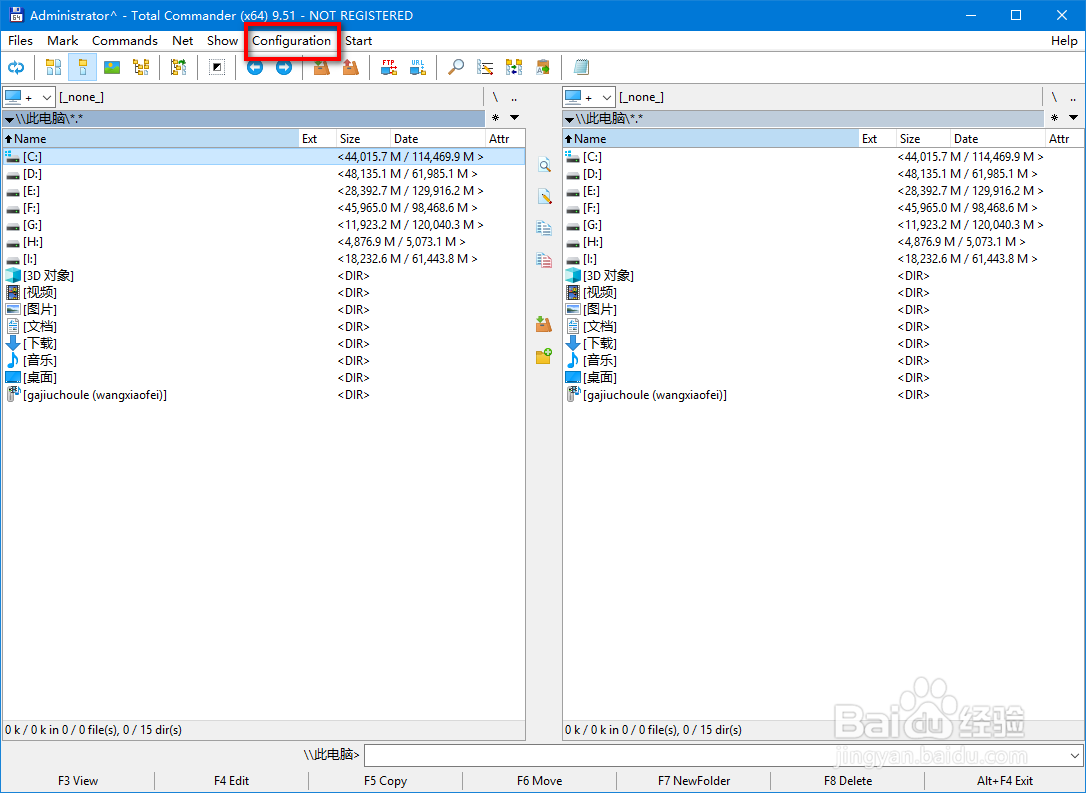
3、打开的菜单上选择options;

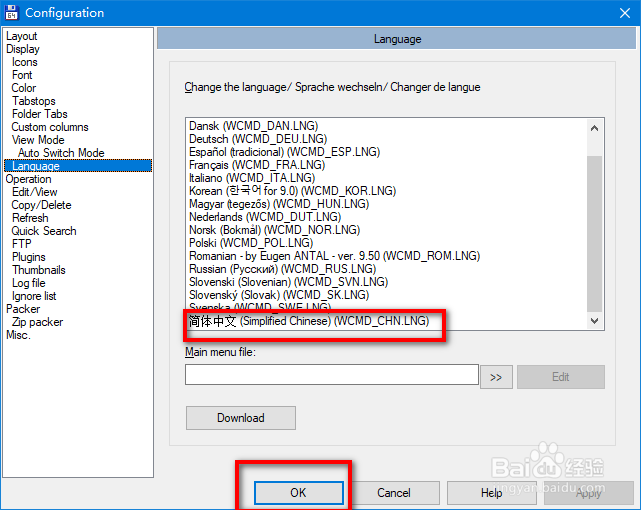
4、在打开的窗口上左边选择language;

5、然后在右边的列表框中找到简体中文,接着点击Ok即可;
6、完成后的界面如下图所示。

时间:2026-04-28 11:07:50
1、首先打开软件;
2、然后点击工具条上的configuration菜单;
3、打开的菜单上选择options;
4、在打开的窗口上左边选择language;
5、然后在右边的列表框中找到简体中文,接着点击Ok即可;
6、完成后的界面如下图所示。
