1、在PCB库文件编辑界面如图打开component wizard。

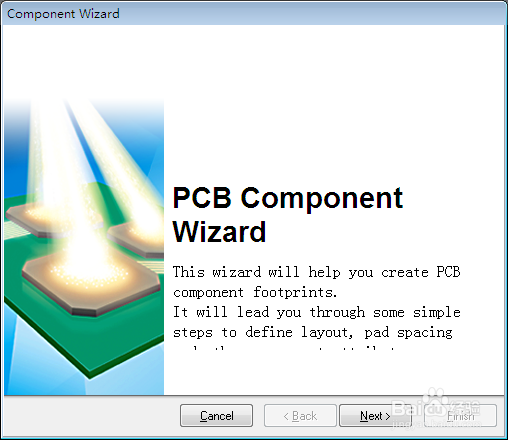
2、点击next会出现以下显示窗口。
3、各选项的含义。
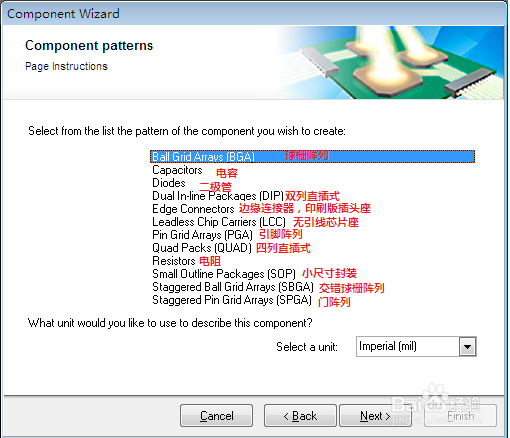
4、然后根据自己选择的选项进行下一步的设置。
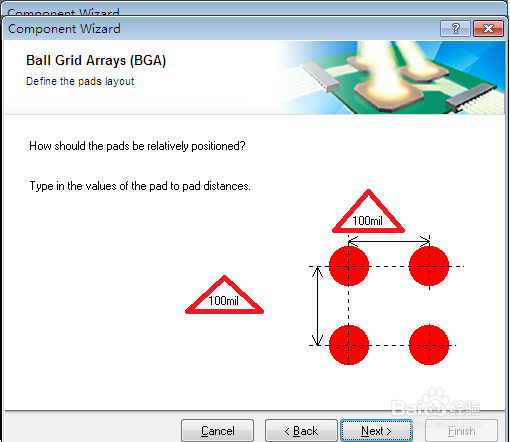
如图设置焊盘的直径为50mil。

5、设置焊盘的中心距离100mil。
6、设置丝印层线宽。

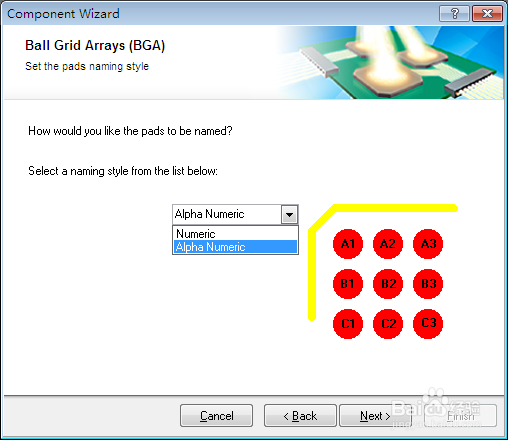
7、选择焊盘的名称(字母加数字/数字)。
8、设置焊盘个数和位置。

9、封装命名。

时间:2026-04-29 00:46:11
1、在PCB库文件编辑界面如图打开component wizard。
2、点击next会出现以下显示窗口。
3、各选项的含义。
4、然后根据自己选择的选项进行下一步的设置。
如图设置焊盘的直径为50mil。
5、设置焊盘的中心距离100mil。
6、设置丝印层线宽。
7、选择焊盘的名称(字母加数字/数字)。
8、设置焊盘个数和位置。
9、封装命名。
