windows xp的安装与设置教程

 时间:2026-04-25 16:26:08

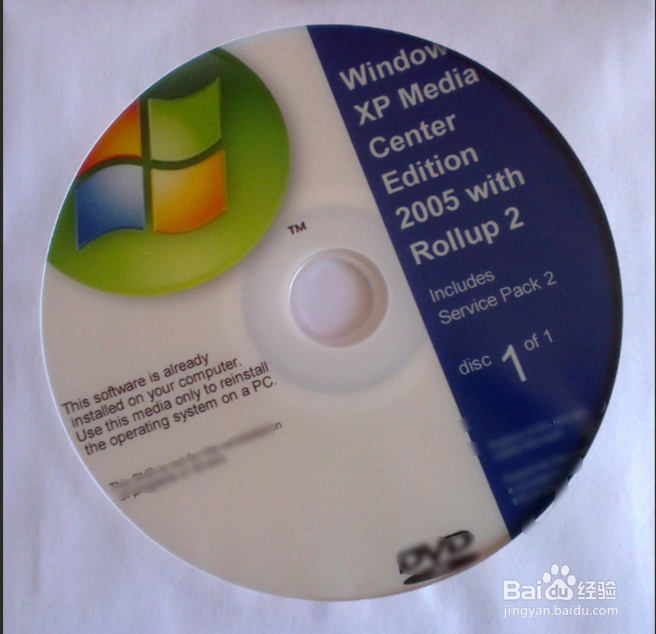
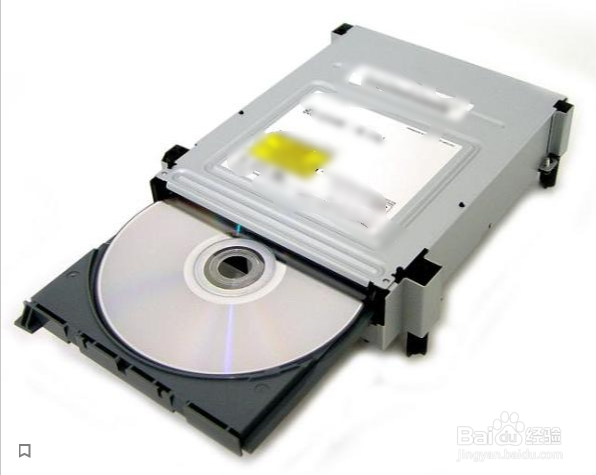
1、把一个xp光盘放入到电脑光驱上,如下图。
windows xp的安装与设置教程

windows xp的安装与设置教程

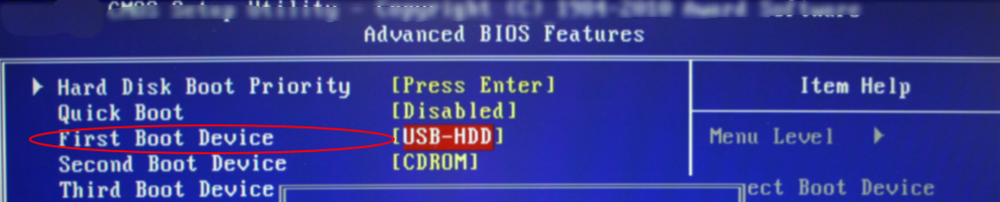
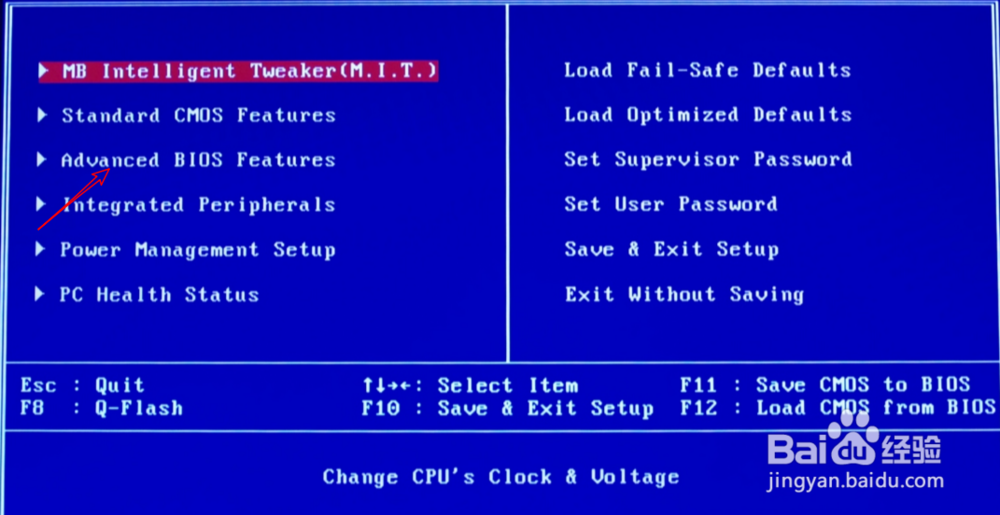
2、然后开机,按【delete】,进入到BIOS,选择【advanced BIOS features】,选择【first boot device】。
windows xp的安装与设置教程

windows xp的安装与设置教程

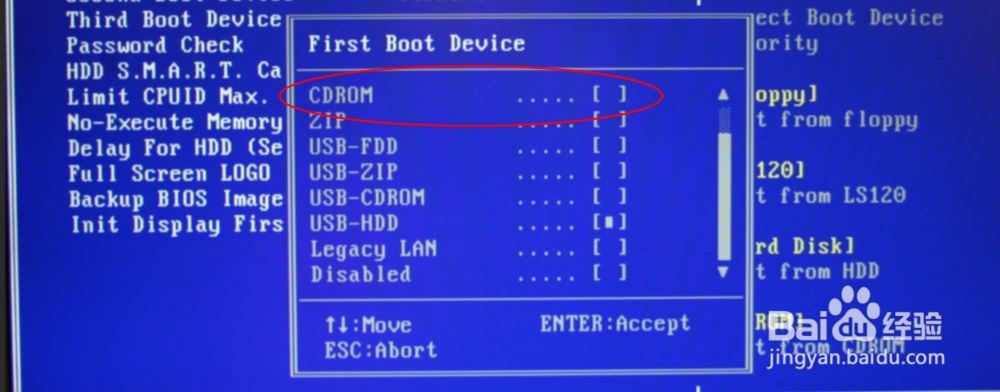
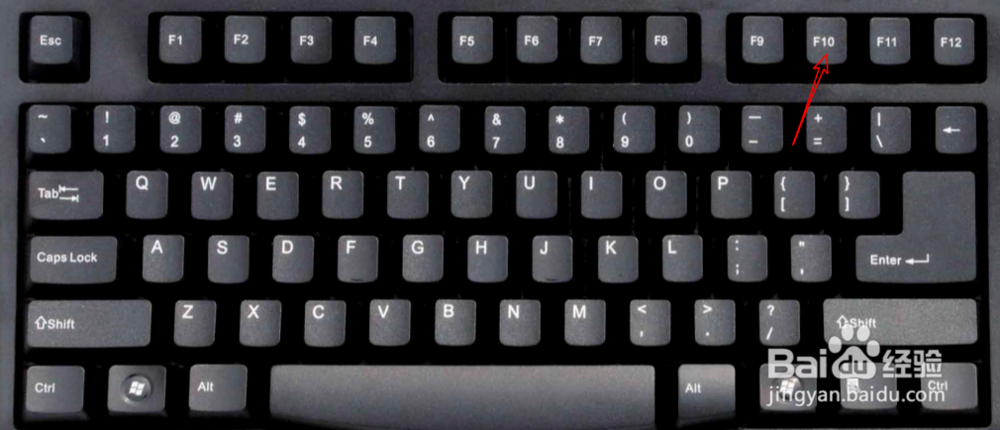
3、选择看到的【CDROM】,按【F10】。

windows xp的安装与设置教程

windows xp的安装与设置教程

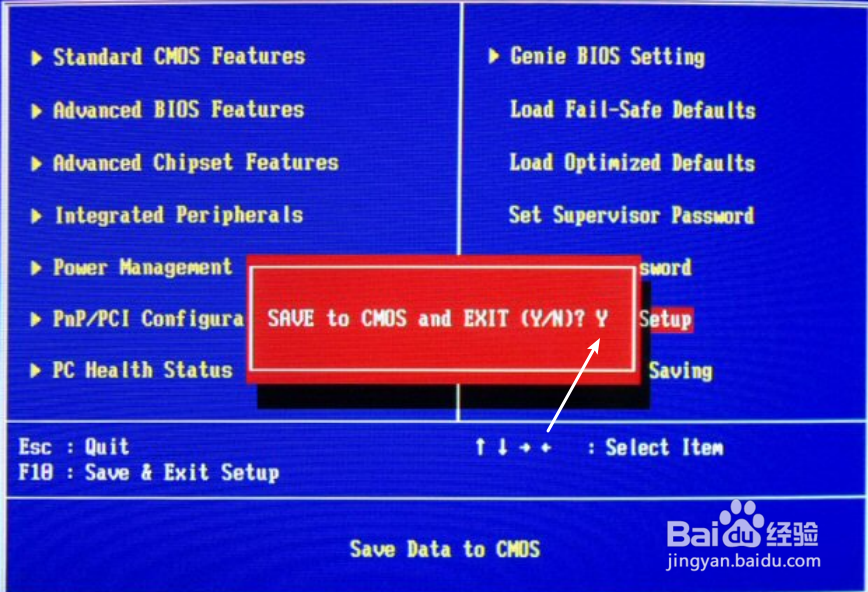
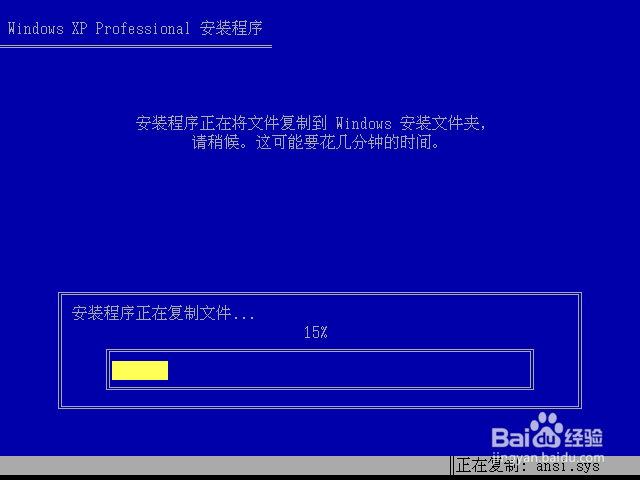
4、选择y,然后系统开始加载起来。

windows xp的安装与设置教程

windows xp的安装与设置教程

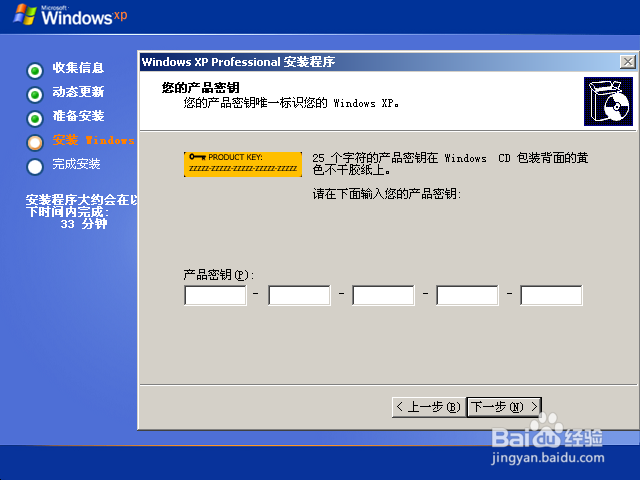
5、点击下一步,输入xp的key。

windows xp的安装与设置教程

windows xp的安装与设置教程

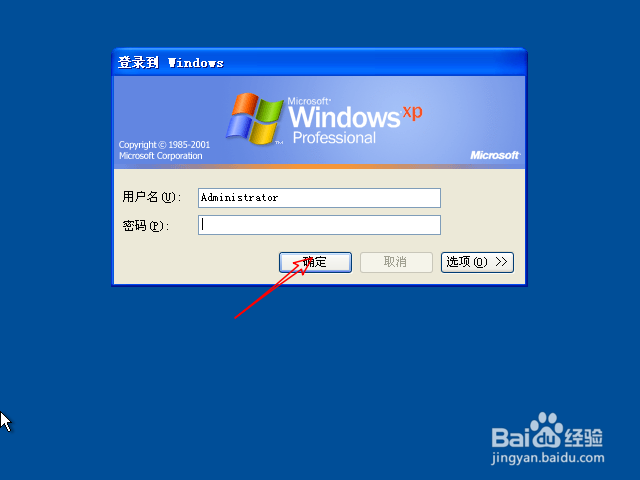
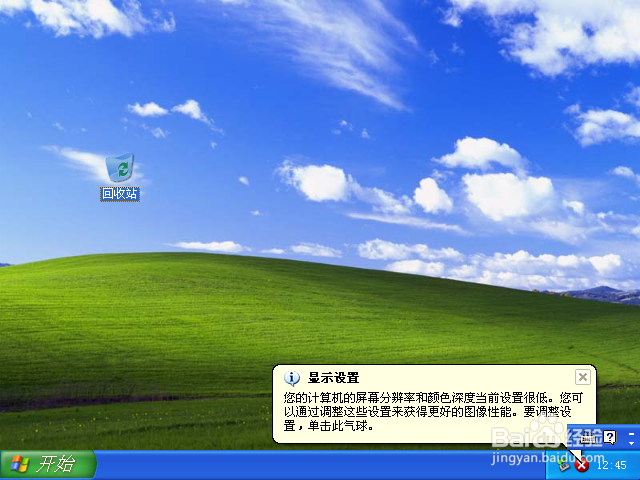
6、点击确定,那么就可以进入到桌面。

windows xp的安装与设置教程

windows xp的安装与设置教程

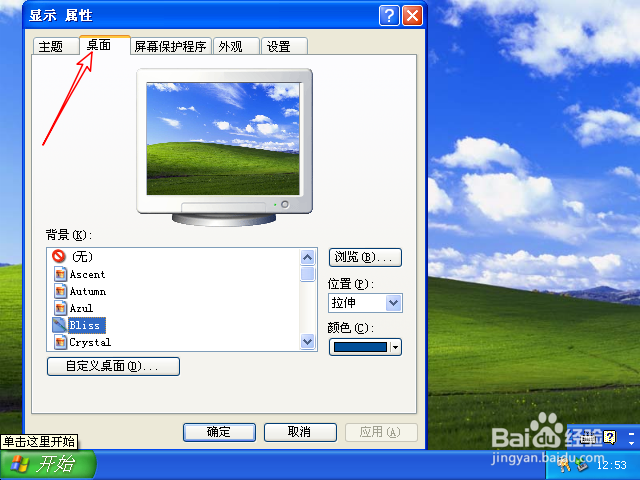
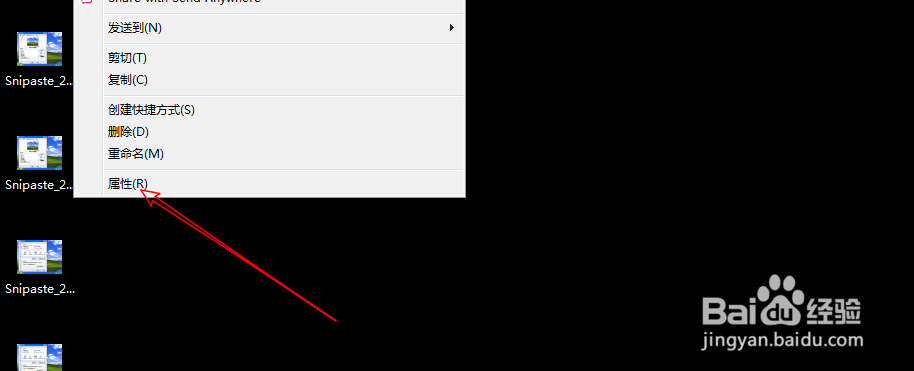
1、可以看到桌面上没有我的电脑网上邻居的,此时需要设置一下,右键选择属性,点击桌面。
windows xp的安装与设置教程

windows xp的安装与设置教程

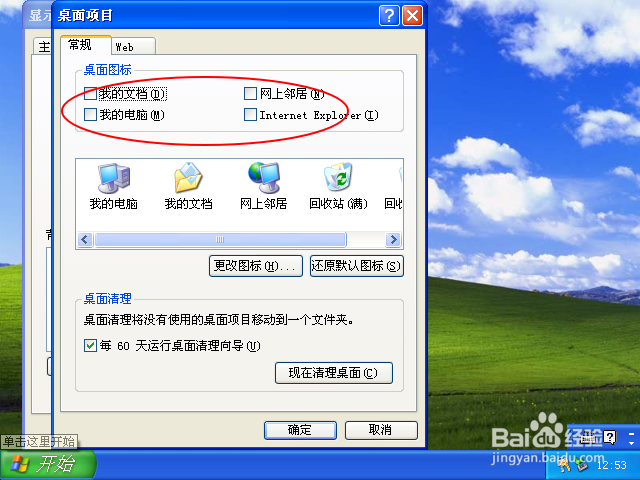
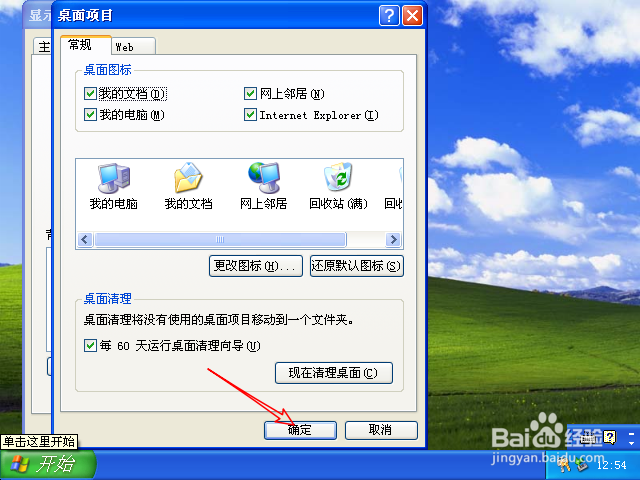
2、点击自定义桌面,然后把桌面图标下四个选项勾上。

windows xp的安装与设置教程

windows xp的安装与设置教程

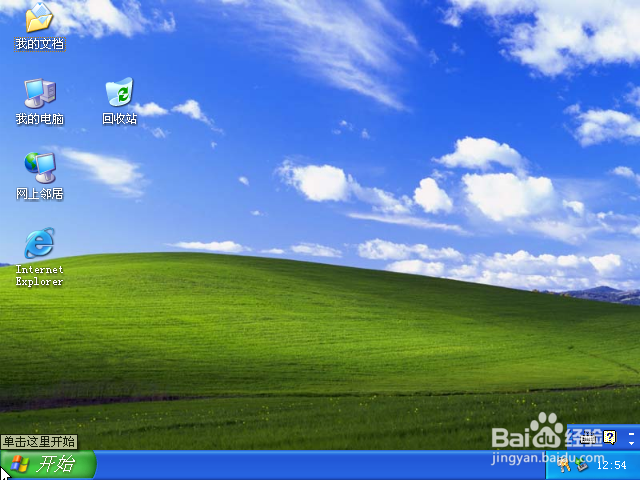
3、勾上点击确定,那么桌面就显示我的电脑网上邻居等图标的了,那么就此设置好了的系统。
windows xp的安装与设置教程

windows xp的安装与设置教程

  • Windows开始菜单怎么取消全屏
  • 黑色沙漠石室墙壁石板获取攻略
  • 如果京瓷打印机内存已满应该怎么办
  • 如何在u深度pe系统下进行磁盘克隆
  • Windows Server 2012 R2如何删除本地用户账户
  • 热门搜索
    白带多像水一样流出来怎么办 肃怎么读 明天用英语怎么说 微信聊天记录怎么导出 火龙果怎么切 痉挛怎么读 抖音怎么拍 喉咙疼怎么办 点烟器怎么用 炸鲜奶怎么做