mathtype公式怎么导入到word

 时间:2026-04-23 19:27:07

mathtype公式导入到word方法如下:

设备:戴尔灵越5000

系统:win10

软件:office2019

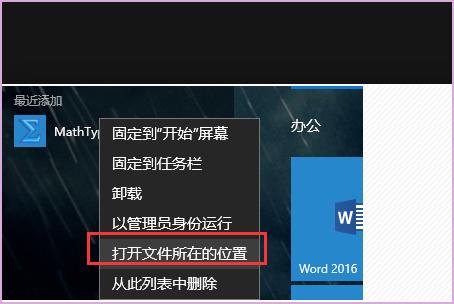
1、首先在开始菜单找到mathtype的图片,鼠标右键,然后找到打开文件位置。
mathtype公式怎么导入到word

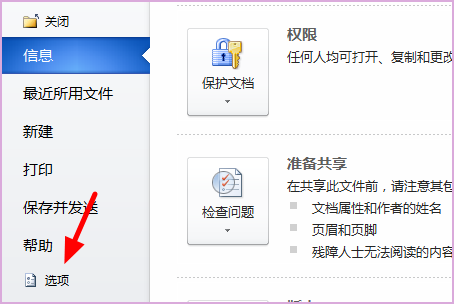
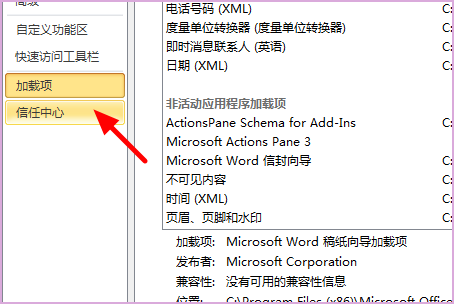
2、这时候打开word2016打开选项,然后再弹出框选择加载项。

mathtype公式怎么导入到word

3、然后打开加载项,选择word加载项,点击后面的转到。

mathtype公式怎么导入到word

4、然后在弹出的选项框内选择选项,点击打开“添加”。

mathtype公式怎么导入到word

5、在弹出的文件夹内找到刚才mathtype的文件夹,在office support内找到word的支持,选择2013的就可以了。路径是C:\Program Files (x86)\MathType\Office Support\64。

mathtype公式怎么导入到word

6、选定之后选择确定,最后回到word文档,就可以看到在word的菜单栏里面有一个MathType,表示安装成功了。

mathtype公式怎么导入到word

  • 怎么把mathtype嵌入到word中
  • mathtype公式怎么导入到word
  • 怎样在word中使用mathtype来编辑数学符号
  • Mathtype安装后怎么关联word
  • mathtype怎么用到word
  • 热门搜索
    栗子怎么煮好吃又好剥皮 干豆腐怎么做好吃 宜信公司怎么样 家风家训怎么写 青岛大学怎么样 红参怎么吃 黑头是怎么形成的 国庆节英语怎么说 怎么叠元宝 苹果手机信号差怎么办